August 2026

Why Hospitals Are Rethinking Computers on Wheels as Nursing Shortages Deepen in 2026

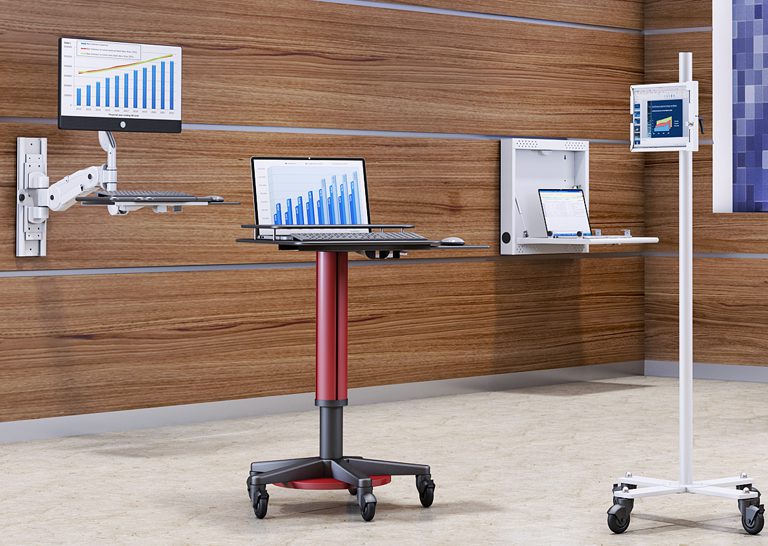
Why Hospitals Are Rethinking Computers on Wheels as Nursing Shortages Deepen in 2026 Nursing shortages haven’t gone away in 2026. If anything, the pressure has shifted. Hospitals are leaning harder on technology to help the nurses they do have work more efficiently, rather than expecting AI to replace bedside staff. A lot of that effort is going into keeping documentation at the bedside instead of pulling nurses away to a shared station. That only works if there’s a mobile computer cart actually there to support it. This is where computers on wheels come back into the conversation, not as a new idea, but as something hospitals are reevaluating right now because of real staffing pressure. Ergoville’s Rolling Computer Multi-Tray Desk is one option worth looking at if your unit is considering an upgrade. Worth noting upfront though, the current product listing is built for general office use, not marketed specifically for clinical settings. That doesn’t rule it out, but it does mean some clinical-specific details need to be confirmed directly before ordering. What Should You Look for in Computers on Wheels for a Hospital Setting? A cart that’s actually ready for hospital use needs to hold up on hard floors day after day, carry enough peripherals like a scanner without becoming unwieldy, keep cables secured and out of the way, and meet whatever clinical-specific requirements your unit has, battery power or wipeable surfaces being common examples. It’s easy to get pulled into comparing screen mounts and shelf configurations first. But the real test for a clinical unit is more basic than that. Does it hold up to being wheeled in and out of patient rooms multiple times a shift. Can staff actually reach what they need without repositioning the whole cart. And critically, does it meet whatever infection control standards your facility requires, since that’s not something to assume, it needs to be confirmed directly with the vendor. What Comes Standard on This Rolling Multi-Tray Model? This model includes manual height adjustment, a clamp-mount monitor arm, a retractable keyboard tray, a middle shelf plus a side shelf for extra equipment, 4 inch casters for mobility, and built-in wire management. What isn’t confirmed on the current product page: battery power, disinfectant-safe surface materials, or locking storage for medications or devices. If any of those matter for your unit, that’s a conversation to have directly with Ergoville before ordering, not an assumption to make from the listing alone. Four Things to Confirm Before Ordering for a Clinical Unit Ask whether the unit runs on battery power or requires a cord, since that affects where and how it can be used at the bedside. Confirm the surface material and whether it’s rated for hospital-grade disinfectants, this matters more in clinical settings than almost anywhere else. If medications or sensitive devices need to travel with the cart, ask about locking storage options specifically. Get clear on tray configuration for your unit’s actual equipment, a scanner and supplies take up different space than a laptop alone. For more on what’s driving hospitals to invest in bedside technology right now, the Elsevier Clinician of the Future 2026 report on nursing and AI adoption is a useful read if you want the research behind the trend. Is a Multi-Tray Rolling Cart the Right Fit for Your Unit? A multi-tray rolling cart works well for units that need to carry a computer alongside other equipment, like a scanner or supplies. A simpler single-tray cart is often the better fit where bedside space is especially tight. Picture the cart actually moving through your unit, not sitting in an open showroom. Will it fit through your doorways. Can it maneuver around a bed without staff having to angle it awkwardly. Larger units and units with more storage-heavy workflows tend to do well with a multi-tray design. Smaller patient rooms or fast-moving ER environments might be better served by something more compact. How Does This Compare to a Simpler Mobile Utility Cart? If your unit’s main need is just getting a computer to the bedside without extra shelving, a mobile utility cart is a lighter, simpler option that takes up less room while moving through hallways and doorways. If you need some storage but not the full multi-tray setup, a mobile computer shelving cart sits in between the two, offering a bit more room without the bulk of the full multi-tray model. How Are Hospitals Actually Using Mobile Computer Carts in 2026? Hospitals are increasingly using mobile computer carts to support documentation right at the bedside, especially as nursing shortages put more pressure on fewer staff and AI-assisted charting tools need a device physically present to actually be useful. Picture a nurse charting vitals immediately after taking them, right at the bedside, instead of walking to a shared station and trying to remember details later in the shift. Or a unit using voice-based documentation tools that need a cart-mounted device nearby to work at all. None of this replaces the need for adequate staffing. A cart supports the workflow, it doesn’t solve a staffing shortage on its own. But it is a real, current part of how hospitals are trying to make the staff they have more effective right now. What Do Facilities Teams Usually Ask Before Ordering Carts for a Unit? Most ask about lead time for a multi-unit order, whether the cart configuration can be adjusted for their specific unit’s equipment, and what support looks like if something needs repair down the line. Since Ergoville builds to order, these are worth raising directly rather than assuming a fixed catalog answer. It’s also worth looking at custom desk configurations if you’re planning a larger rollout, or accessories if your unit needs additional cable management or mounting hardware beyond what’s standard. Frequently Asked Questions What’s the difference between computers on wheels and a fixed nursing station? A fixed nursing station stays in one place, while computers on wheels travel with staff to the bedside, reducing the need to walk back

Why Hospitals Are Rethinking Computers on Wheels as Nursing Shortages Deepen in 2026 Read More »
electric sit stand desk 48x30

Why Standing Desks Are Showing Up in 2026 Office Upgrade Budgets

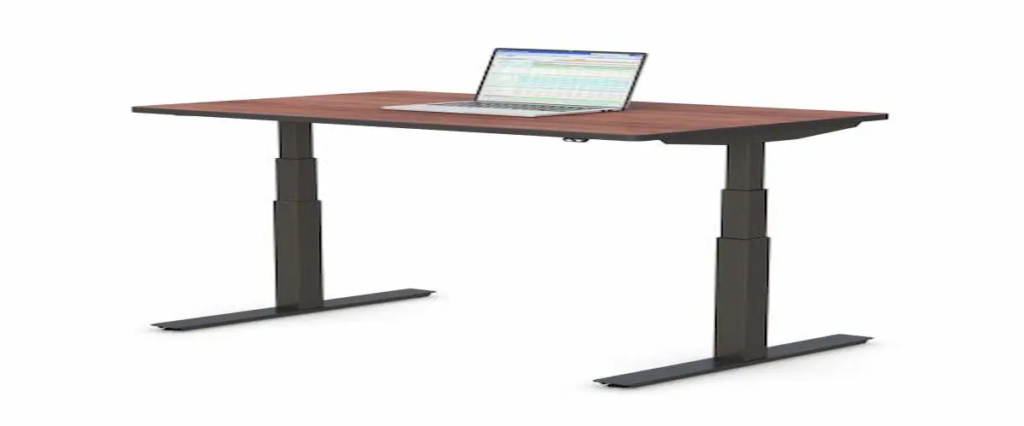
Why Standing Desks Are Showing Up in 2026 Office Upgrade Budgets A lot of companies have shifted their approach to getting people back into the office. Instead of just handing down a mandate, they’re spending money on the office itself. Ergonomic stipends, furniture refreshes, and wellness upgrades keep showing up in coverage of 2026 return-to-office strategy. Standing desks are one of the most common line items in that spending. If you’re the one actually picking furniture for that budget, an electric sit-stand desk in the 48×30 size, like the one Ergoville builds, is worth a close look. It’s sized for the kind of single-monitor workstation most office roles actually use, and it’s built to order rather than pulled from a fixed catalog. What Should You Look for in an Electric Sit-Stand Desk for an Office Upgrade? A good electric sit-stand desk for an office refresh comes down to four things. A motor and lift mechanism that stays steady at full height. A warranty that actually covers repairs, not just replacement parts. Finish options that match the rest of the office. And a manufacturer who can build to order instead of forcing you into whatever size and color happen to be in stock. It’s easy to get pulled into comparing every spec sheet side by side. But the real question for an office upgrade is simpler. Will this desk hold up across dozens of daily uses without the lift getting wobbly. Can you order it in the finish that matches your space instead of settling. And if something goes wrong six months in, is there an actual warranty behind it, or just a return window that’s already closed. What Comes Standard on Ergoville’s 48×30 Model? This model comes with electronic push button height control, a laminated desktop with smooth edge moldings, hydraulic legs on a stable footing, and built-in wire management. CPU placement is handled too, so equipment stays out from underfoot. Weight capacity, lift range, and noise level at different heights aren’t listed on the current product page. Worth asking Ergoville directly for those numbers before finalizing a bulk order, especially if you’re comparing it against another vendor’s spec sheet. Four Things to Compare Before Ordering for an Office Refresh Desktop finish options matter more for an office refresh than a single desk purchase, since you’re trying to match a room, not just pick your own preference. Warranty terms are worth reading closely. Ask specifically what’s covered if a motor needs replacing down the line. Lead time for built-to-order desks tends to run longer than a DTC brand shipping from stock. Plan for that if you’re working toward a rollout date. Ask whether bulk or multi-unit ordering comes with any pricing or logistics advantage, since that’s not always advertised upfront. If you want the research behind why alternating between sitting and standing matters for long term health, SHRM has published guidance on ergonomic office design that’s worth a read before finalizing a company-wide policy. Is a 48×30 Electric Desk the Right Choice for Your Office Refresh? The 48×30 size works well for single-monitor workstations, shared desks, and offices upgrading in phases rather than replacing every desk with the biggest option available. If most of the roles in your office use one monitor and a laptop, 48×30 is probably plenty of room. It’s the size that tends to satisfy the most people without overspending on width nobody actually uses. That said, be honest about who might need more. Design roles running dual monitors, or teams that spread out paperwork alongside a screen, will likely outgrow 48 inches fast. It’s worth segmenting your order by role rather than picking one size for the whole floor. How Does 48×30 Compare to Ergoville’s Larger Desk Sizes? If you’re ordering across multiple departments, it helps to think in terms of what’s actually sitting on each desk. A 60×30 electric standing desk gives meaningfully more room for a dual monitor setup, while the 72×30 and 84×30 sizes make more sense for roles that need paperwork or extra equipment spread out. Mixing sizes across an office by role tends to work better than standardizing on one size for everyone. How Are Companies Actually Using Standing Desks in 2026 Office Upgrades? Companies are increasingly pairing standing desks with broader office refresh budgets and ergonomic stipend programs, as part of making in-office attendance feel worth it rather than mandatory. Picture a company rolling out new desks floor by floor as part of a phased office redesign, rather than all at once. Or an HR team offering an ergonomic stipend that employees can put toward furniture of their choosing, standing desks being one of the most common picks. Neither of these guarantees better morale or retention on its own. But they’re a real, current part of how companies are approaching the office right now, not just a marketing narrative built around the idea. What Do Facilities Teams Usually Ask Before Ordering Multiple Built-to-Spec Desks? Most ask about lead time for a multi-unit order, whether finish and color can be standardized across the batch, and what installation support looks like at scale. Since Ergoville builds to order, there’s more flexibility to answer these directly rather than working around a fixed catalog size. It’s worth checking out the custom desk configurations tool if you’re planning a larger rollout, or computer carts if some areas of the office need mobility more than a fixed desk. Frequently Asked Questions Is a 48×30 electric standing desk big enough for a typical office role? For most single-monitor workstations, yes. Roles running dual monitors or needing extra surface space may be better suited to a larger size. Can companies order multiple built-to-spec desks for an office upgrade at once? Yes, Ergoville builds to order, so bulk or multi-unit orders can be configured with consistent finish and specifications across the batch. What’s the weight capacity of an electric standing desk this size? Weight capacity should be confirmed directly with Ergoville before ordering, since it isn’t listed on

Why Standing Desks Are Showing Up in 2026 Office Upgrade Budgets Read More »

laptop wall mount

Why Shrinking Office Footprints Are Turning to Wall Mounted Laptop Stations in 2026

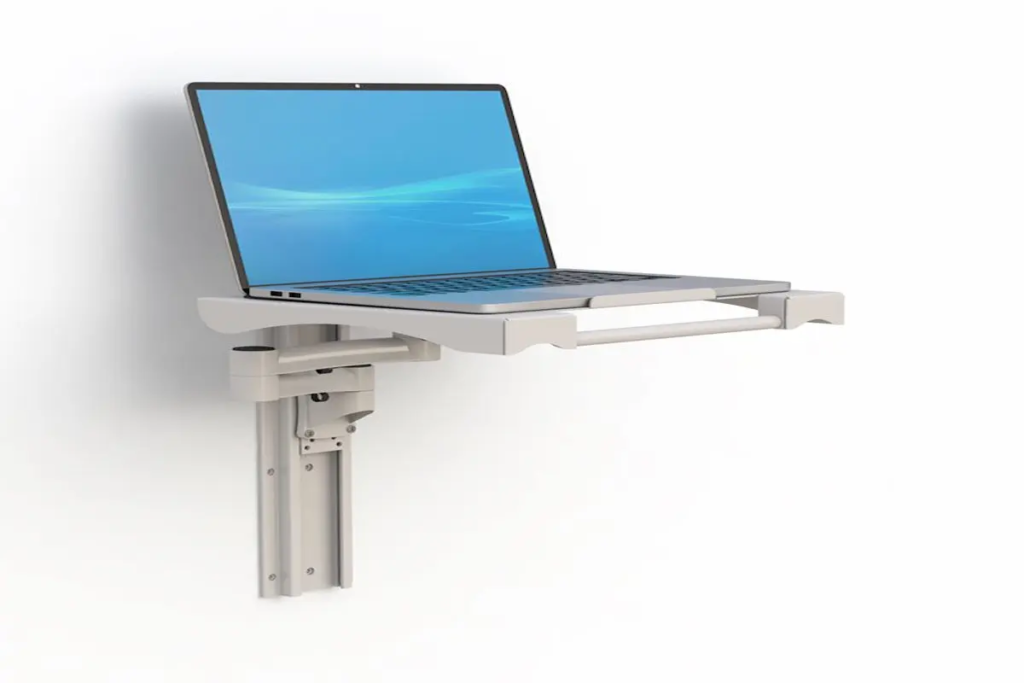
Why Shrinking Office Footprints Are Turning to Wall Mounted Laptop Stations in 2026 A lot of offices went through the same thing over the past year: leadership pushed everyone back in, but the building never got any bigger. If anything, it got smaller, since a lot of companies downsized their real estate during the years people worked from home. Now teams are sharing desks, booking seats by the day, and trying to fit more people into less square footage without turning the place into a maze of cables and chairs. A wall mounted laptop station, like the swivel arm model Ergoville builds, is a genuinely practical answer to that specific problem. It clears the desk and the floor at the same time, which matters a lot more in 2026 than it did when everyone had their own permanent spot. What Should You Look for in a Wall Mounted Laptop Station?   A solid wall mounted laptop station needs four things working together: a swivel arm that holds its position without drifting, an adjustable height track so it actually fits the person using it, a tray big enough for the laptop plus whatever else sits next to it, and cable management built in so the wall doesn’t turn into a tangle of cords. It’s tempting to get caught up comparing arm angles and finishes, but the real test is simpler than that. Does it stay put once you set it where you want it, or does it sag after a week of use? Can you actually fit your laptop plus a mouse or a small accessory tray on it, or is the tray really only sized for the laptop alone? And once it’s installed, does the cable routing keep things tidy, or are you still looking at a mess of wires running down the wall? Those are the questions worth asking before anything else. What Comes Standard on Ergoville’s Swivel Arm Model? Ergoville’s version comes with a 24 inch height adjustment track, a 16 by 12 inch laptop tray, an integrated carry handle, and two grommet holes built in for routing cables cleanly. The arm itself, the AFCZ566-01, includes wire management as part of the design rather than as an add on afterthought. One thing to confirm directly with Ergoville before ordering is the weight capacity, since it isn’t listed on the current product page. It’s a fair question to ask any vendor, and worth getting in writing if you’re comparing it against a competitor’s spec sheet. Four Things to Compare Before You Buy How far the arm extends and swivels, since that determines whether it works for someone sitting close to the wall or several feet away Tray size against your actual laptop, not just a general size range, since a 16 by 12 inch tray fits some setups better than others How cable management is handled, built in grommets versus a separate clip you have to add yourself What the wall mounting hardware requires, since some walls need extra anchoring depending on the material If you’re weighing the ergonomic case for this kind of setup, OSHA has published general guidance on reducing neck and shoulder strain from prolonged laptop use, and it’s worth a quick read if you want the reasoning behind why arm position matters this much. Is a Wall Mount Laptop Arm the Right Choice for Your Space? A wall mounted laptop station makes the most sense when floor or desk space is genuinely limited, when a desk gets used by more than one person across a day or a week, or when someone needs both hands free for something else while the laptop stays within reach. If none of that describes your situation, honestly, a simpler desk based laptop arm might do the job just as well for less money and less installation hassle. The wall mount earns its cost when the actual constraint is space, not just personal preference. A single person with their own permanent desk and plenty of room probably doesn’t need to bolt anything to the wall. But someone sharing a bench across three shifts, or working in a room where the desk itself has to stay clear for other equipment, is exactly the situation this was built for. How Does a Wall Mount Compare to a Desk Based Laptop Arm?   A desk based arm clamps to the edge of a desk and moves with it, which works fine if you have a dedicated desk to begin with. A wall mount stays fixed to the room instead of the furniture, so it keeps working the same way no matter who’s using that desk or workstation on a given day. That difference matters most in shared or rotating setups, less so if you have your own permanent spot. Ergoville’s monitor arms are worth a look if you need a similar setup for a full monitor rather than just a laptop, and the mobile workstations line is a good option if the space itself needs to move rather than stay fixed to one wall. How Does This Work in Clinical, Lab, and Shared Desk Settings? In clinics, labs, and shared office setups, a wall mounted laptop station keeps the laptop out of the way of hands on work while staying close enough to grab or glance at whenever it’s needed. Think about a lab bench where someone needs both hands free to run an experiment, but still needs to log results on a laptop every few minutes. Or a shared intake desk at a clinic where three different staff members rotate through across a shift, each one needing quick access to the same computer without it eating up counter space. In both cases, the laptop isn’t the main task, it’s support for the main task, and a wall mount respects that by keeping it present but out of the way. What Do Facilities Teams Usually Ask Before Ordering a Built to Spec Mount? Most ask about installation time, whether they can request

Why Shrinking Office Footprints Are Turning to Wall Mounted Laptop Stations in 2026 Read More »

What Makes a 48×30 Electric Standing Desk the Right Fit for a Compact Office?

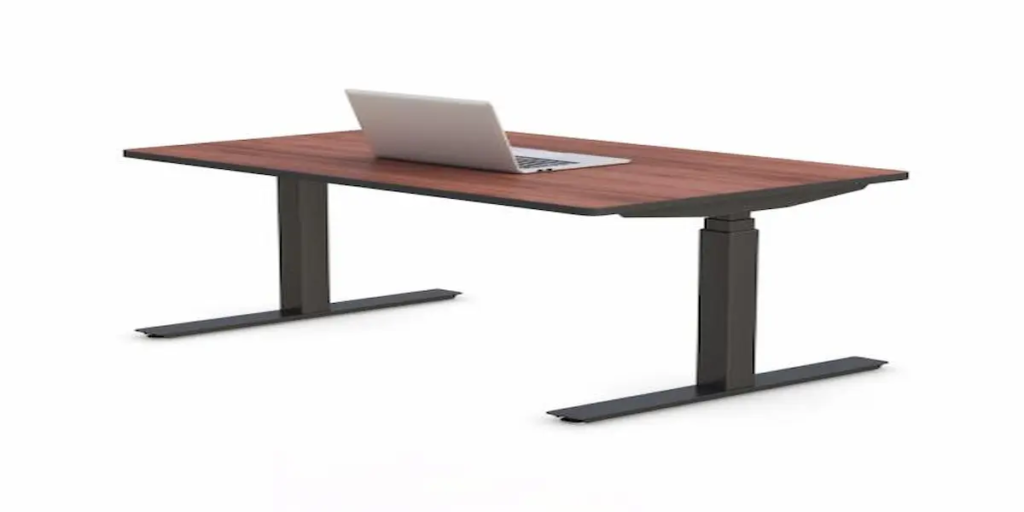
What Makes a 48×30 Electric Standing Desk the Right Fit for a Compact Office?   If you’ve been staring at your office floor plan trying to figure out whether a 48 inch desk will actually work, you’re not alone. A lot of buyers get stuck between “too small for my monitors” and “too big for my cubicle,” and most product pages don’t help much with that decision. An electric height-adjustable standing desk in the 48×30 size sits at a sweet spot for single monitor setups, shared workstations, and offices where every inch of floor space counts. This guide walks through what to look for, whether 48×30 fits your actual room, and how it holds up once it’s in daily use, not just on a spec sheet.   What Should You Look for in a 48×30 Electric Standing Desk?   A solid 48×30 electric standing desk comes down to a handful of things that matter more than the marketing copy suggests: a motor that lifts smoothly without wobble, a desktop finish that can take daily wear, and a company that stands behind the build with an actual warranty. It’s easy to get distracted by extras like Bluetooth apps or app-based scheduling, but for most offices, those features rarely get used past the first week. What actually matters is whether the desk holds steady at standing height with a monitor and keyboard tray loaded on it, whether the cable management keeps things from turning into a mess behind the desk, and whether you can get help if something needs adjusting six months in. Ergoville builds these to order, which means you can also request the colors and finish you want without settling for whatever’s in stock. What Features Come Standard on Ergoville’s 48×30 Model? The 48×30 comes with electronic push button height control, a laminated desktop with smooth edge moldings, and hydraulic legs on a stable footing. It also includes built-in wire management and CPU placement that keeps cords and equipment out from underfoot. For exact numbers on weight capacity, lift range, and noise level at different heights, it’s worth asking Ergoville’s team directly since those aren’t posted on the product page yet. If you’re comparing against a competitor’s spec sheet, get those figures in writing before you decide. Five Things to Check Before You Buy Desktop finish options (this model comes in several top colors, so confirm the one you actually want before ordering) Leg and molding color choice (black or white on both) Cable routing and accessories like power strips or under desk trays Whether you need a CPU holder to keep the tower off the floor Warranty terms and what’s covered if a motor or panel needs replacing Standing desk buyers often assume health benefits come automatically just from owning one. The research on sit to stand transitions throughout the day is genuinely strong, and it’s worth a quick read through the CDC’s guidance on workplace ergonomics if you want the backing behind why alternating positions matters, not just for comfort but for long term health. Is the 48×30 Size Right for Your Workspace? The 48×30 size works best for single monitor setups or two smaller screens, in offices, cubicles, or shared spaces where a 60 inch or larger desk simply won’t fit. If you’ve got a dual ultrawide monitor setup or you’re running three screens for trading or design work, you’ll probably outgrow 48 inches of width fast. But for reception desks, intake stations, shared hot desks, or a home office corner, 48×30 tends to be the size people wish they’d bought instead of the bigger one they crammed into too small a room. The 30 inch depth also matters more than people expect. It’s enough room for a keyboard and mouse without your monitor sitting right at your nose, but not so deep that you’re reaching for anything at the back. How Does 48×30 Compare to Ergoville’s 60×30, 72×30, and 84×30 Options? If you’re on the fence, it helps to think in terms of what’s actually going on top of the desk. A 60×30 electric standing desk gives you meaningfully more room for a dual monitor arm setup, while the 72×30 and 84×30 options start making sense for shared workstations or roles that need paperwork spread out alongside a screen. If your space or your equipment is genuinely compact, sizing down to 48×30 usually means less buyer’s remorse than sizing up “just in case.” How Does This Desk Perform in Real Office and Clinical Settings? In practice, the 48×30 shows up most often in reception areas, small administrative offices, and light clinical settings like intake desks or nurse stations, where the footprint has to earn its space just as much as the functionality does. Picture a small clinic’s front desk, where staff are standing and sitting throughout a shift and there simply isn’t room for a sprawling desk without blocking foot traffic. Or a shared coworking nook where three or four people rotate through the same spot during the day. In both cases, 48×30 does the job without eating into space that’s needed for filing cabinets, a second chair, or just room to walk past comfortably. It’s not the desk you’d pick for a dedicated home office where you’re spreading out for hours of deep work, but for a workspace that needs to stay lean, it holds up well. What Do Businesses Typically Ask Before Ordering a Built to Spec Desk? Most buyers want to know how long the process takes, whether they can get a sample of the finish before committing, and what happens if measurements change mid order. Because Ergoville builds to order rather than shipping off the shelf, there’s more flexibility here than with a fixed size DTC brand, but it also means it pays to nail down your custom desk configuration and any monitor arm pairing before placing the order, not after. Frequently Asked Questions Is a 48×30 desk big enough for two monitors? It can work for two smaller monitors side

What Makes a 48×30 Electric Standing Desk the Right Fit for a Compact Office? Read More »