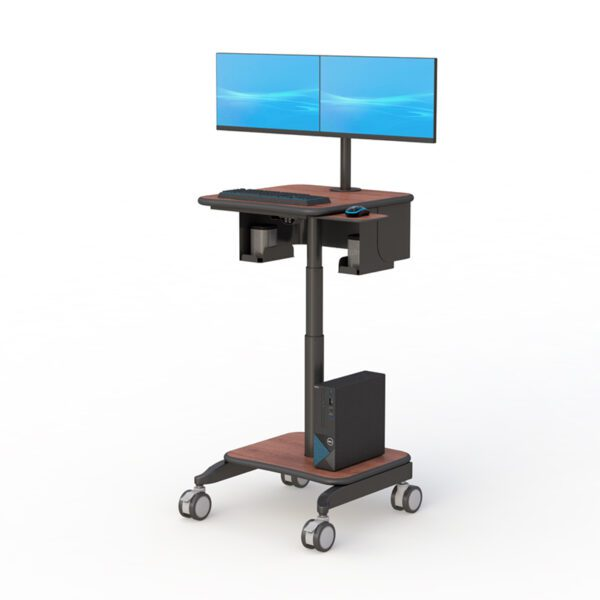
Carts

Why Computer Trolleys Are Becoming Essential in Flexible Work Environments

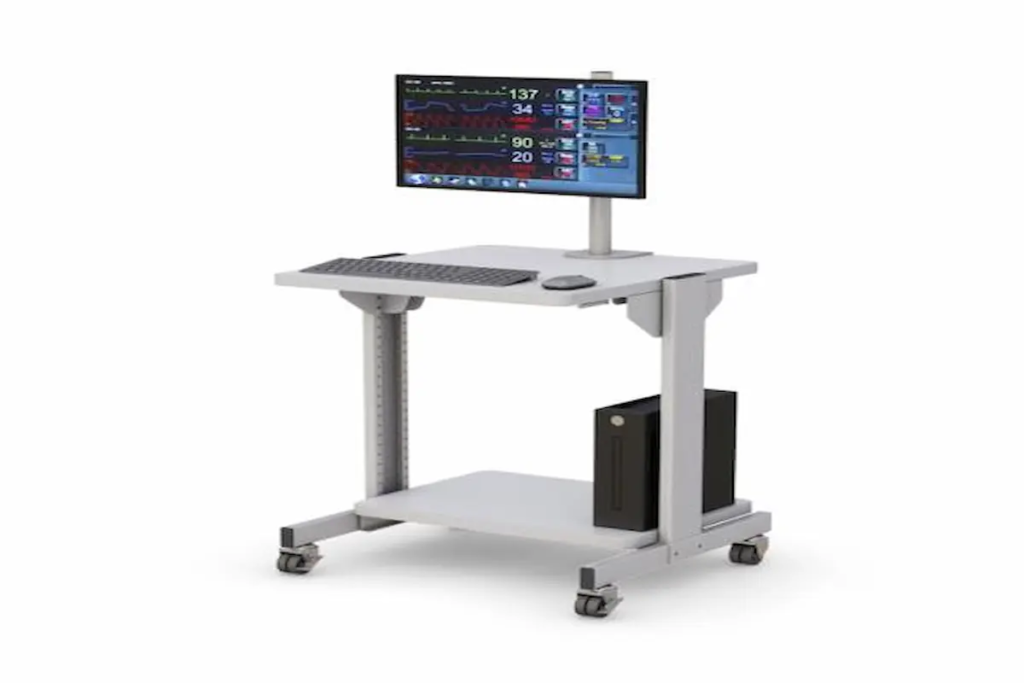
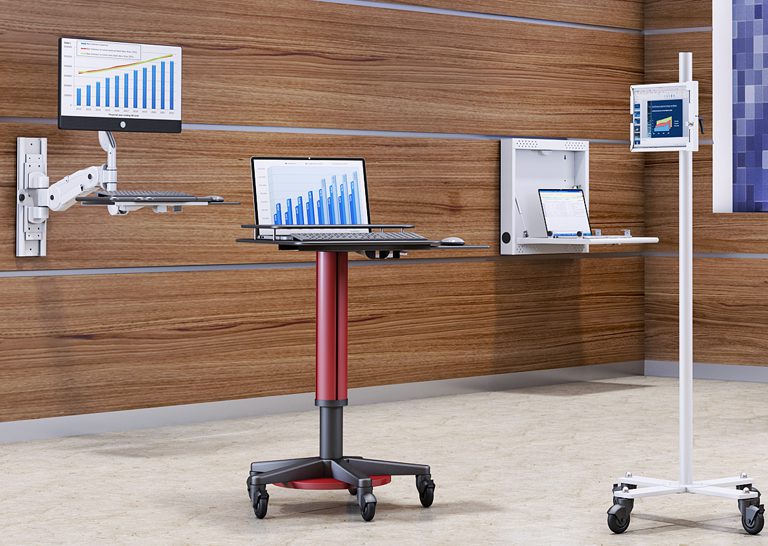
  Why Computer Trolleys Are Becoming Essential in Flexible Work Environments Technology is no longer confined to a single desk or office. Across healthcare facilities, warehouses, manufacturing plants, schools, laboratories, and corporate offices, employees increasingly need access to computers and digital tools wherever work happens. As organizations continue embracing hybrid operations, workplace mobility, and real-time information access, traditional fixed workstations are becoming less practical. This shift has driven growing interest in the computer trolley, a versatile solution that allows technology to move alongside employees instead of requiring employees to travel back and forth to stationary computer stations. Whether supporting patient care, inventory management, training sessions, production monitoring, or collaborative office work, a computer cart on wheels helps organizations improve efficiency while making technology more accessible. Modern businesses are increasingly investing in solutions such as computer carts and mobile workstations because they provide a practical way to bring technology directly to where tasks are being performed. As workplace flexibility becomes a priority, mobile workstation solutions are quickly becoming a standard part of modern operations. Why Are Computer Trolleys Becoming More Popular? Organizations today are under constant pressure to improve productivity while supporting flexible work environments. Employees often need access to computers, scanners, printers, software platforms, and digital records across multiple locations throughout the day. A mobile computer cart helps eliminate unnecessary movement and downtime by providing immediate access to technology where work occurs. Instead of: Walking back to a workstation Waiting for a shared computer Moving equipment manually Interrupting workflows Employees can bring technology directly to the task at hand. This mobility creates several operational advantages: Faster information access Improved collaboration Reduced workflow interruptions Better resource utilization Increased productivity Greater workplace flexibility Businesses that prioritize operational efficiency are increasingly integrating mobile workstation solutions into their daily workflows. How Do Computer Trolleys Improve Workplace Efficiency? One of the biggest causes of inefficiency is the separation between employees and the technology they need. When workers repeatedly leave their task to retrieve information or access a computer, valuable time is lost. A computer trolley solves this challenge by creating a mobile technology hub that moves with the user. For example: Healthcare Environments Nurses and clinicians can access electronic medical records directly at the point of care, reducing trips back to nursing stations. Educational Facilities Teachers and trainers can transport computers and digital learning tools between classrooms and training spaces. Warehouses Employees can update inventory systems and scan products without leaving warehouse aisles. Manufacturing Operations Production teams can monitor systems and access operational data directly from the manufacturing floor. The ability to bring technology closer to the work being performed improves workflow continuity and helps employees remain focused on their primary responsibilities. Organizations seeking additional mobility often pair these solutions with mobile workstations that provide expanded workstation functionality. How Are Computer Trolleys Supporting Hybrid Workspaces? Hybrid work has changed how organizations think about office design and technology deployment. Rather than assigning equipment to fixed locations, businesses increasingly prioritize shared resources that can adapt to changing operational needs. A computer cart on wheels allows organizations to: Support flexible workstations Improve equipment sharing Reduce unused workspace Adapt quickly to changing workflows Enhance team collaboration As workplaces become more dynamic, mobility becomes a valuable asset. Many companies now create flexible workstation ecosystems that combine mobile workstations, ergonomic office standing desks, and customizable solutions through the desk configurator. This approach allows organizations to balance mobility with long-term workplace planning. What Features Matter Most in a Computer Trolley? Not all workstation carts provide the same value. The most effective solutions combine mobility, durability, ergonomics, and organization. Smooth Mobility A workstation should move easily across different flooring surfaces while remaining stable during use. Important features include: Durable wheels Locking casters Stable construction Easy maneuverability Convenient Storage Storage shelves and equipment compartments help users keep technology organized and accessible. This is particularly important in environments where multiple devices or accessories are used throughout the day. Ergonomic Design User comfort remains important even in mobile work environments. Many organizations enhance workstation ergonomics using adjustable monitor arms that improve screen positioning and visibility. Equipment Organization Clutter can reduce efficiency and make equipment harder to access. Solutions such as CPU holders and specialized workstation accessories help maintain cleaner and more organized workspaces. These features improve both usability and long-term productivity. Which Industries Benefit Most From Mobile Computer Carts? Although computer trolleys are highly versatile, several industries benefit particularly from workstation mobility. Healthcare Healthcare professionals frequently move between patient rooms, treatment areas, and nursing stations. Mobile technology access improves efficiency while supporting patient care. Education Schools, colleges, and training centers often share technology across multiple classrooms and learning environments. Warehousing and Logistics Inventory management and order fulfillment require immediate access to digital systems throughout warehouse operations. Manufacturing Production teams benefit from real-time access to operational data and monitoring systems. Corporate Offices Organizations adopting flexible work environments often use workstation carts to support shared spaces and collaborative work models. The versatility of mobile workstation solutions makes them valuable across a wide range of operational settings. What Mistakes Should Buyers Avoid? Selecting the wrong workstation solution can create unnecessary operational challenges. Common mistakes include: Choosing Based Only on Cost Lower-cost solutions may not provide the durability required for daily use. Ignoring User Requirements Different users have different equipment and workflow needs. Overlooking Ergonomics Mobility alone does not guarantee usability. Comfortable workstation design remains essential. Forgetting Future Growth Technology requirements often evolve. Buyers should choose solutions capable of supporting future needs. Careful planning helps maximize return on investment while reducing future replacement costs. How Do You Choose the Right Computer Trolley? The best workstation depends on how it will be used. Organizations should evaluate: What Technology Will Be Used? Consider computers, monitors, scanners, printers, and other peripherals. How Frequently Will The Cart Move? Frequent movement may require greater emphasis on mobility and durability. What Storage Requirements Exist? Some environments require additional shelving or equipment organization. Is Ergonomic Flexibility Important? Adjustable displays and ergonomic positioning can improve long-term usability.

Why Computer Trolleys Are Becoming Essential in Flexible Work Environments Read More »

Why Computer on Wheels Carts Are Transforming Flexible Workspaces in 2026

Why Computer on Wheels Carts Are Transforming Flexible Workspaces in 2026   Modern workplaces are changing faster than ever. Healthcare facilities, warehouses, manufacturing plants, educational institutions, and corporate offices are all looking for ways to improve efficiency while giving employees access to technology wherever work happens. This shift has fueled growing demand for solutions like a computer on wheels cart, mobile workstation, computer cart on wheels, and ergonomic workstation systems. Organizations are increasingly moving away from fixed computer stations and adopting flexible technology environments that allow teams to stay productive without being tied to one location. Whether supporting healthcare staff moving between patient rooms, warehouse personnel tracking inventory, or office teams collaborating across departments, mobile computing solutions are helping organizations work smarter. Products like Ergoville’s computer carts and mobile workstations are becoming valuable assets for businesses that prioritize mobility, efficiency, and workplace ergonomics. Why Are Computer on Wheels Carts Becoming More Popular? They Bring Technology Directly to the Work Traditional workstations require employees to travel back and forth between work areas and fixed computers. This constant movement can slow productivity and create workflow interruptions. A computer cart on wheels eliminates this challenge by bringing technology directly to where work happens. Instead of employees traveling to the workstation, the workstation travels to the employee. This flexibility is particularly valuable in environments where mobility is critical: Hospitals and healthcare facilities Manufacturing floors Warehouses and logistics centers Educational campuses Corporate office environments Technical support departments Organizations investing in mobile workstations often find that employees spend less time searching for equipment and more time completing meaningful tasks. Flexible Workspaces Are Driving Demand Modern workplaces are no longer built around fixed desks and assigned workstations. Hybrid work environments, shared office spaces, and collaborative work zones have become standard across many industries. A computer on wheels cart supports these modern workplace strategies by allowing organizations to adapt technology to changing operational needs. For example: Healthcare workers can document patient information at the bedside. Warehouse employees can access inventory systems directly from storage aisles. Manufacturing teams can review production data at workstations throughout the facility. Office employees can collaborate without returning to dedicated desks. Many organizations combine mobile carts with solutions like office standing desks and the desk configurator to create highly adaptable work environments that support both productivity and employee comfort. What Features Matter Most in a Computer Cart on Wheels? Mobility and Storage Are Essential The best computers on wheels provide more than simple mobility. They also support equipment organization and efficient workflow management. Features that often deliver the most value include: Integrated storage shelves Durable caster wheels Cable management systems Adjustable monitor positioning Equipment organization capabilities Space-saving designs A well-designed cart allows employees to keep everything they need in one location while maintaining the flexibility to move throughout the workplace. This is especially important in fast-paced environments where quick access to equipment can significantly improve operational efficiency. Ergonomic Design Supports Long-Term Productivity Employee comfort directly impacts performance. Poor workstation design can contribute to fatigue, discomfort, and repetitive strain issues that affect both productivity and job satisfaction. Modern computer carts on wheels increasingly incorporate ergonomic features that help employees work comfortably throughout the day. Organizations can further improve ergonomics by integrating: Monitor arms CPU holders Office standing desks Ergonomic accessories and workstation enhancements Proper monitor positioning, improved posture, and flexible workstation setups help create healthier and more sustainable work environments. According to workplace ergonomics guidance from the Mayo Clinic, properly configured workstations can help reduce physical strain and improve overall workplace comfort. Where Are Computer on Wheels Carts Commonly Used? Healthcare Environments Healthcare facilities are among the largest adopters of mobile computing solutions. Nurses, physicians, and support staff frequently use computers on wheels to: Access electronic medical records Document patient information Manage medication workflows Support bedside care activities Mobile technology allows healthcare professionals to spend more time with patients while reducing unnecessary travel throughout the facility. Warehouses and Distribution Centers Warehouse operations depend on speed, accuracy, and real-time data access. A computer on wheels cart allows employees to: Access inventory systems Process shipments Update stock levels Monitor logistics data Instead of returning to centralized workstations, teams can complete tasks directly from the warehouse floor. Organizations often pair these solutions with computer racks and other technology infrastructure to support large-scale operations. Manufacturing Facilities Manufacturing teams rely on continuous access to production information, quality control systems, and operational data. Mobile computing solutions help employees: Monitor production metrics Access work instructions Track quality inspections Collaborate across departments Flexible workstation mobility supports lean manufacturing initiatives while improving information accessibility throughout production environments. Education and Training Environments Schools, universities, and corporate training facilities increasingly use mobile technology carts to support flexible learning environments. These systems help educators: Deliver presentations Manage digital learning tools Support collaborative projects Adapt classroom layouts The ability to move technology where it is needed creates more dynamic and engaging learning experiences. How Do Mobile Workstations Support Ergonomic Workflows? A mobile workstation should do more than move technology. It should improve how people interact with technology. Organizations investing in ergonomic workplace design often prioritize: Adjustable monitor positioning Reduced cable clutter Better workstation accessibility Flexible standing and sitting options Improved equipment organization Solutions like monitor arms and CPU holders help create cleaner, more ergonomic workstation setups while maximizing usable workspace. Businesses looking for customized solutions can also explore Ergoville’s desk configurator to build workstation environments tailored to their specific operational needs. How Do You Choose the Right Computer Cart on Wheels? Selecting the right solution depends on understanding your workflow requirements. Before purchasing a computer cart on wheels, consider: How mobile does the workstation need to be? Some environments require frequent movement throughout large facilities, while others need only occasional repositioning. What equipment will the cart support? Consider: Computer systems Monitors Printers Scanners Peripheral devices How important is storage? Integrated shelves and storage compartments can significantly improve workflow efficiency. What ergonomic requirements exist? Monitor positioning, workstation height, and equipment accessibility should all support comfortable daily use. Will

Why Computer on Wheels Carts Are Transforming Flexible Workspaces in 2026 Read More »

floor post stand

Floor Post Stands for Modern Workspaces

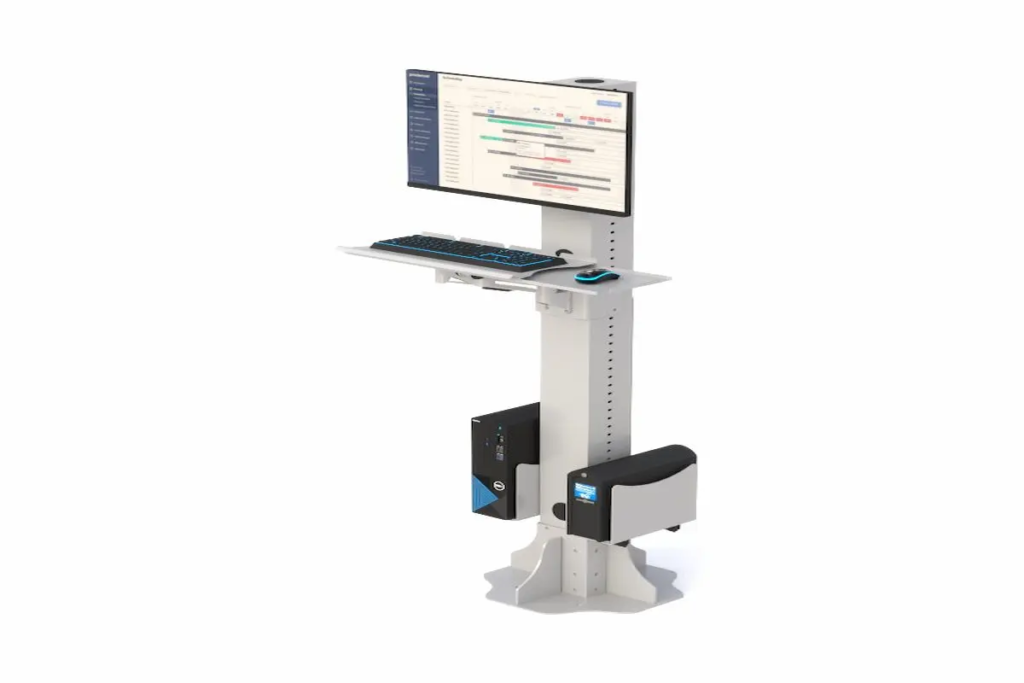
Floor Post Stands for Modern Workspaces Introduction Post stands have become essential fixtures in today’s dynamic work environments. These vertical mounting structures provide flexible, adjustable solutions for displays, monitors, and equipment organization. As workplaces continue evolving, the demand for adaptable furniture solutions has never been higher. This guide covers floor post solutions designed for office environments. We focus on adjustable mounting systems, ergonomic benefits, and practical applications. However, we exclude permanent construction fixtures and built-in cabinetry. Office managers, facility planners, and ergonomic specialists in Berwick, Pennsylvania—and beyond—will find actionable insights here. So, what exactly do post stands offer? They provide height-adjustable, space-efficient mounting solutions that create dynamic workspaces. Moreover, they support proper posture while maintaining professional aesthetics. By reading this article, you’ll learn about: Improved workspace flexibility through modular configurations Enhanced ergonomics that reduce strain and boost productivity Cost-effective alternatives to permanent installations Easy installation processes for various floor types Professional design options that coordinate with modern offices Understanding Floor Post Stand Systems A post stand is an adjustable mounting solution anchored to the floor. It supports displays, keyboard trays, and accessories through a vertical structure. In contemporary workspace design, these systems meet growing demands for flexibility and employee wellness. Stand Post Configurations Single-post configurations use one vertical pole. They’re ideal for lighter loads and smaller footprints. Multi-post systems, however, provide greater stability for heavier equipment. The choice depends on your specific needs. Single-post options fit well in compact spaces. Meanwhile, dual-post bases offer structural integrity for large displays up to 65 inches. Understanding these configurations helps optimize your workspace layout and equipment mounting strategy. Post Up Stand Mechanisms Height adjustment systems vary considerably. Gas-spring mechanisms allow smooth vertical motion, typically ranging from 55 to 70 inches. Additionally, telescoping posts offer fixed increments or continuous adjustment. Stability features include reinforced steel bases and floor plates. These bases ensure the post base remains secure under load. Furthermore, quality stands support weights from 40 lbs per arm to over 160 lbs for heavy-duty models. The relationship between adjustability and ergonomics is clear. Proper height settings reduce neck strain significantly. Now, let’s explore how these foundations translate into practical workplace applications. Applications in Modern Workspace Design Building on these foundational concepts, floor post systems transform various work environments. They create organized, ergonomic spaces while maintaining aesthetic appeal. Monitor and Display Mounting Dual monitor setups have become standard in many offices. Post stands support these configurations with VESA-compatible mounts ranging from 75×75 mm to 600×400 mm. Presentation displays benefit from adjustable heights and tilt options. Consequently, viewing angles improve for both seated and standing users. Equipment Organization Systems Beyond displays, these systems organize entire workstations. Tablet mounts, CPU holders, and keyboard trays attach to the same post. This consolidation reduces clutter and maximizes floor space. As a result, workplaces function more efficiently. Collaborative Workspace Solutions Mobile presentation stands transform meeting rooms instantly. Locking casters provide security while allowing repositioning. Flexible configurations support hot-desking and collaboration zones effectively. Key benefits include: space optimization, improved collaboration, and adaptable room layouts. With these applications understood, let’s examine implementation procedures. Installation and Setup Procedures Installing floor post systems requires careful planning. However, the process is straightforward with proper preparation. Floor Post Base Installation Process Choose floor-mounted solutions when displays must be elevated beyond desk height. They’re also preferred when avoiding wall modifications or requiring mobility. Site Preparation: Assess floor type—concrete, wood post connections, or raised flooring. Verify load capacity and proximity to power sources. Component Selection: Match stand specifications to your equipment. Consider display sizes, VESA patterns, and accessory requirements. Base Installation: Position and anchor the post base securely. For concrete floors, use appropriate fasteners. Ensure the structure is level and flush with the surface. Equipment Mounting: Attach displays and accessories using provided hardware. Route cables through integrated channels for a clean appearance. Final Adjustments: Test height ranges and stability. Adjust for typical user heights and viewing preferences. Post Stand Comparison Guide Feature Fixed Height Adjustable Single Post Dual Post Flexibility Limited Excellent Good Good Weight Capacity High Moderate-High Up to 50 lbs 100+ lbs Best For Signage Workstations Light displays Large screens Installation Simple Moderate Quick More involved Choose adjustable models for shared spaces. Select dual-post configurations when structural integrity matters most for heavy displays. Common Challenges and Solutions Successful implementation requires addressing potential obstacles proactively. Stability, Structural Integrity, and Weight Distribution Issues Select bases with adequate footprint for your equipment weight. Ensure load ratings exceed actual requirements by 20-30%. Additionally, anchor points must coordinate with floor construction materials. Height Adjustment and Ergonomic Positioning Position screen tops at eye level or slightly below. Maintain viewing distances of 20-30 inches. Gas-spring mechanisms simplify frequent adjustments between users. Cable Management and Aesthetics Integrated cable channels maintain professional appearance. Choose finishes and color options that match your office design. Power strips mounted directly on posts reduce cord clutter effectively. These solutions ensure your investment delivers maximum value. Now, let’s summarize the key takeaways. Conclusion and Next Steps Floor post stands offer transformative benefits for modern workspaces. They provide flexibility, enhance ergonomics, and maintain professional aesthetics—all while being cost-effective alternatives to permanent installations. Ready to upgrade your Berwick, Pennsylvania workspace? Assess your current equipment and space requirements Explore Ergoville’s floor post stands collection for options that fit your needs Place your order easily online or coordinate your order with our team for bulk discounts and a smooth purchasing process Contact our team for personalized recommendations Check our limited special offers for current deals For more ergonomic workspace solutions, explore additional products at Ergoville. We offer a variety of sizes and configurations designed to meet diverse project requirements. Frequently Asked Questions What weight capacity should I look for in post stands? For dual monitor setups, choose stands rated for 40 lbs per arm minimum. Heavy-duty models support up to 80-110 kg for larger displays. Always add a 20-30% safety buffer above your actual equipment weight. Can post stands be installed on wood floors? Yes, wood post installations are common. Use appropriate

Floor Post Stands for Modern Workspaces Read More »

pole cart

Pole Carts for Medical & Office Efficiency (2026 Guide)

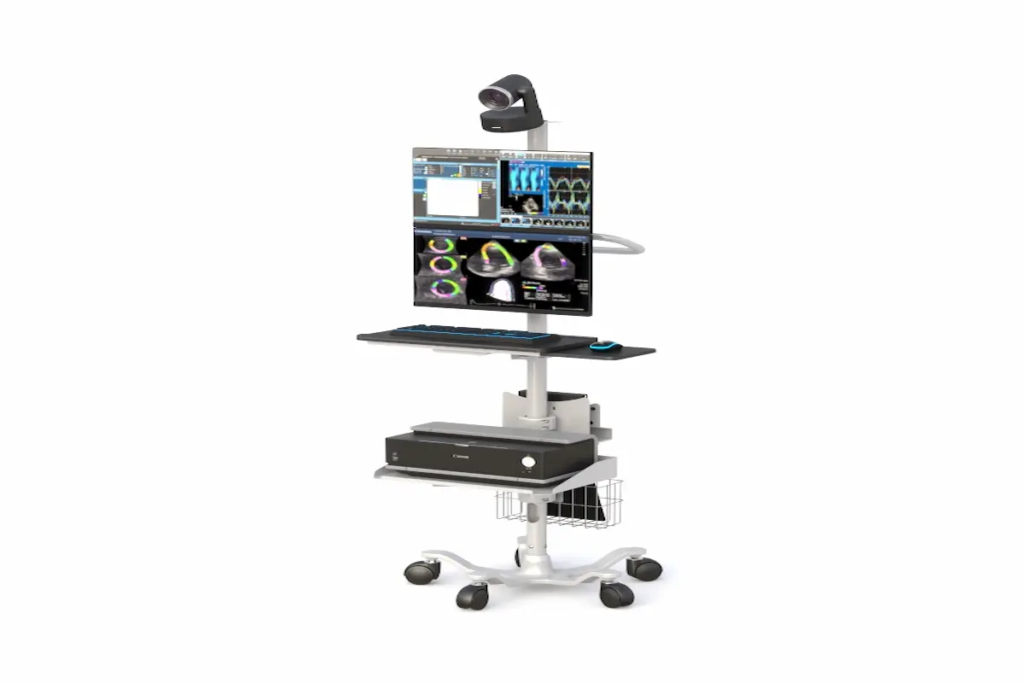
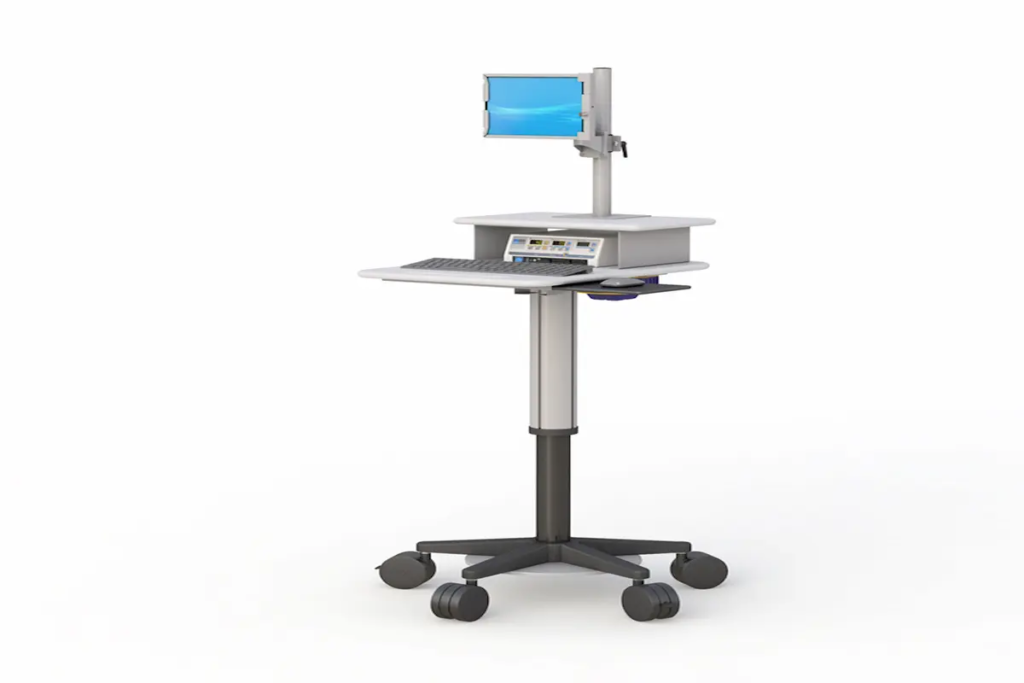
Pole Carts for Medical & Office Efficiency (2026 Guide) Introduction Pole carts have become essential tools for healthcare facilities and modern offices across the country. These mobile computer workstations allow staff to bring technology directly to the point of need. In 2026, their importance continues to grow as organizations prioritize workflow efficiency and employee wellness. This guide covers everything you need to know about computer pole carts, mobile medical carts, and their applications in professional environments. Whether you’re a healthcare administrator in Berwick, Pennsylvania, or an office manager seeking better mobility solutions, this resource is for you. We focus on practical implementation rather than theoretical concepts. Here’s the direct answer: Pole carts are height-adjustable mobile computer workstations that enhance workflow efficiency in medical and office settings. They combine ergonomic design with full mobility, allowing users to work comfortably at any location. By reading this guide, you’ll gain: Clear understanding of pole cart components and configurations Knowledge of 2026 technology integrations and features Step-by-step implementation strategies for your environment Solutions to common deployment challenges Actionable next steps for improving workplace efficiency Understanding Mobile Computer Pole Carts A pole cart is a wheeled workstation featuring an adjustable vertical pole that supports computing equipment. In 2026, these systems serve as the backbone of point-of-care documentation in hospitals and flexible workspace solutions in offices. They eliminate the need for fixed workstations, giving staff freedom to move where work takes them. Computer Pole Cart Components Every pole cart includes several core elements working together. The adjustable pole serves as the central column, typically offering height ranges from 22 to 48 inches. Monitor mounts attach to this pole, supporting displays up to 24 inches. A keyboard tray provides a stable typing surface, while the CPU holder secures computing equipment safely. These components create a configurable system. Users can customize their setup based on specific tasks. The base includes heavy-duty casters that easily moves across different floor surfaces without resistance. Mobile Medical Cart Applications In healthcare settings, mobile medical carts transform patient care delivery. Nurses use them for bedside documentation during rounds. Emergency teams rely on them for rapid response situations. Clinicians conduct telehealth consultations directly from patient rooms. The relationship between mobility and care quality is straightforward. When technology follows the caregiver, documentation happens in real-time. Errors decrease. Patient interactions improve because staff aren’t leaving the room to enter data. These benefits extend beyond healthcare. Office environments gain similar advantages through flexible workstation deployment. Modern Pole Cart Configurations for 2026 Building on foundational concepts, let’s explore the specific technology integrations available this year. Manufacturers have responded to user feedback with smarter, more capable designs. Height-Adjustable Pole Systems Modern height adjustment spans approximately 20 to 25 inches of vertical travel. This range accommodates users from 5 feet to over 6 feet tall comfortably. Electric lift columns with digital controls now include memory presets. Staff can save their preferred heights and recall them instantly. For mixed-use environments, this matters significantly. Different shifts mean different users. Quick adjustment protects everyone’s posture and productivity. Monitor and Display Integration Screen compatibility has expanded considerably. Current systems support monitors from compact tablets up to 24-inch displays. Dual monitor setups are increasingly common, especially for clinical applications requiring reference material alongside documentation software. Mounting arms offer tilt, pan, and rotation. This flexibility ensures optimal viewing angles regardless of user height or room lighting conditions. Power and Connectivity Solutions Battery-powered options dominate the 2026 market. Lithium-ion battery packs provide 8 to 12 hours of continuous operation. Hot-swap technology allows battery changes without system shutdown—critical for uninterrupted patient care. These configurations represent current best practices. Next, we’ll examine how to implement them effectively in your specific environment. Implementation Strategies for Medical and Office Environments Understanding configuration options prepares you for successful deployment. Implementation requires thoughtful planning matched to your organization’s needs. Medical Facility Deployment Process Healthcare environments present unique considerations. Infection control, equipment integration, and workflow patterns all influence cart selection. Here’s a proven approach: Assess current workflow patterns by observing staff movement and identifying mobility needs at each care location. Select appropriate specifications including antimicrobial surfaces, warranty coverage, and compatibility with existing medical equipment. Configure pole height and accessories for clinical tasks, adding holders for barcode scanners or other point-of-care devices. Train staff thoroughly on ergonomic positioning, battery management, and cleaning protocols. At Ergoville, we offer comprehensive pole cart solutions designed specifically for healthcare applications. Our team understands medical facility requirements and can guide your purchase decision. Office Environment vs Medical Environment Comparison Factor Medical-Grade Office-Grade Hygiene Standards Antimicrobial surfaces required Standard materials acceptable Mobility Needs High frequency, tight spaces Moderate frequency, open areas Power Requirements Battery with hot-swap Plug-in often sufficient Regulatory Compliance IEC 60601-1 certification Basic electrical safety Durability Heavy-duty construction Standard commercial grade Choose medical-grade carts when hygiene and compliance matter. Select office-grade options when budget and aesthetics take priority. Both serve their purposes effectively when matched correctly. Common Challenges and Solutions Even well-planned deployments encounter obstacles. Here are solutions to the most frequent issues our Berwick, Pennsylvania customers face. Space Constraints in Medical and Office Settings Tight corridors and crowded rooms create maneuvering challenges. Compact pole cart designs with narrow bases address this directly. Look for carts with 360-degree caster rotation and overall widths under 24 inches. Power Management for Extended Use Battery depletion during shifts disrupts workflows significantly. Request carts with visible charge indicators and establish dedicated charging stations. Hot-swap batteries eliminate downtime entirely for continuous operations. Integration with Existing IT Infrastructure Connectivity failures frustrate users and reduce adoption. Ensure carts include multiple USB ports and network connectivity options. Test compatibility before full deployment to identify potential issues early. Ready to solve these challenges in your facility? Contact Ergoville for personalized consultation. Conclusion and Next Steps Pole carts represent smart investments for any organization prioritizing efficiency and employee wellness in 2026. They combine ergonomic benefits with practical mobility, creating workstations that adapt to your needs rather than limiting them. Take these immediate steps: Evaluate your current mobile workstation

Pole Carts for Medical & Office Efficiency (2026 Guide) Read More »

Mobile Computer Carts

Mobile Computer Carts for Healthcare Efficiency (2026 Guide)

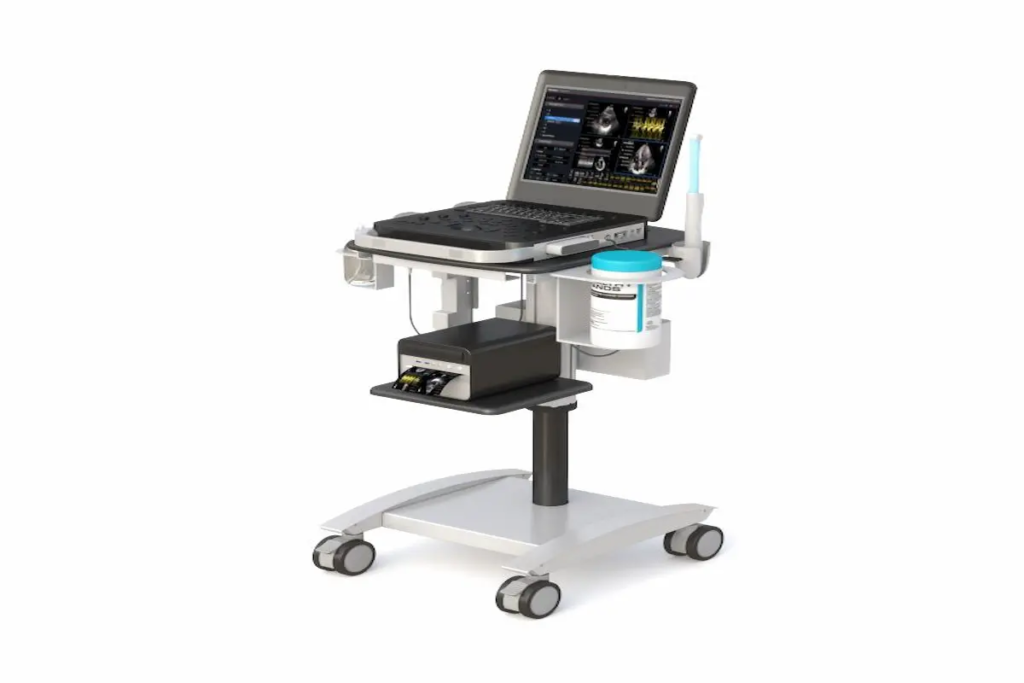
Mobile Computer Carts for Healthcare Efficiency (2026 Guide) Introduction Mobile computer carts have become essential tools for healthcare facilities striving to deliver faster, safer patient care. In 2026, hospitals and clinics across Pennsylvania and beyond rely on these versatile carts to bring technology directly to the point of care. This guide covers hospital mobile computer carts, their clinical applications, power systems, and implementation strategies. It’s written for healthcare administrators, IT professionals, and facility managers who need practical solutions for improving workflow efficiency. Whether you’re managing a small clinic in Berwick or overseeing a large hospital network, understanding these mobile workstations matters for your operations. Quick Answer: Mobile computer carts are wheeled workstations that enable healthcare professionals to access electronic health records, administer medications, and document care at the patient’s bedside—reducing errors and saving valuable time. What You’ll Learn: How mobile medical carts improve patient safety Key components and power systems to consider Clinical benefits across different departments ROI calculations and implementation steps Solutions to common adoption challenges Understanding Mobile Computer Carts in Healthcare Settings Hospital mobile computer carts are wheeled units equipped with monitors, computers, input devices, and power systems. They bring digital tools directly to where care happens. This mobility eliminates the need for nurses and physicians to walk back to fixed stations, which traditionally created documentation delays. With electronic health record mandates and real-time verification requirements, healthcare facilities demand tools that support immediate data entry. Mobile medical computer carts meet this demand by making EHR access convenient at every bedside. Medical Mobile Computer Cart Components Essential hardware includes monitor mounts with anti-microbial bezels, secure CPU storage compartments, and input devices like keyboards and barcode scanners. Many models feature extra shelf space for printers or diagnostic tools. The best medical mobile computer carts accommodate tablets, laptops, and full desktop setups depending on clinical needs. These components directly support patient care efficiency. When staff can easily transport equipment between rooms, they spend more time with patients and less time searching for technology. Mobile Medical Cart Power Systems Power systems represent a critical decision point. Battery-powered models offer true mobility throughout work hours without being tethered to outlets. Lithium-Iron-Phosphate (LiFePO₄) batteries now deliver 8-12 hours of runtime—enough for full shifts. They also support hot-swap capability, meaning staff can replace depleted batteries without shutting down the cart. Plug-in models cost less upfront but limit movement and can interfere with infection control protocols. For facilities that need mobile power without compromise, LiFePO₄ systems offer exceptional value and longevity. At Ergoville, we offer computer carts designed to withstand daily healthcare demands while providing the mobility your staff needs. Healthcare Applications and Clinical Benefits Mobile workstations adapt to various healthcare environments. Their functionality makes a real difference in departments where every minute counts. Emergency Department Efficiency Emergency departments require rapid patient assessment and real-time documentation. Mobile laptop carts allow triage nurses to capture vital signs and update records instantly. One health system reduced documentation lag from 32 minutes to just 2.2 minutes after implementing point-of-care mobile solutions. This efficiency boost improves patient throughput and reduces errors that occur when documentation happens hours after care. Surgical Suite Integration Sterile environments demand equipment that supports rigorous cleaning procedures. Modern medical mobile carts feature IP65-rated components, antimicrobial housing, and smooth surfaces without crevices. These features ensure carts can withstand daily disinfection without degradation. Surgical teams rely on these carts for procedure documentation, inventory management, and real-time access to patient histories. Patient Room Bedside Care Bedside care represents the most common application. Nurses use mobile medical carts for medication administration with barcode verification, reducing medication errors significantly. They also support patient monitoring, family communication, and telehealth consultations. Key Benefits: Reduced walking time between rooms and nurse stations Immediate access to patient records Real-time medication verification Improved patient satisfaction scores These point-of-care benefits translate directly to better outcomes and more productive work environments. Implementation and ROI in Healthcare Facilities Understanding clinical benefits helps, but administrators also need to see the business case. Mobile computer carts represent an investment that pays dividends through efficiency gains and error reduction. Healthcare Mobile Cart Selection Process Selecting the right solution requires a systematic approach: Assess current workflow inefficiencies – Document how much time staff spends walking to fixed stations and waiting for available computers Evaluate infection control requirements – Determine cleaning protocols and select carts with compatible materials Determine power and mobility needs – Calculate shift durations and required battery runtime Calculate staff time savings potential – Estimate documentation time improvements using industry benchmarks Cost-Benefit Analysis for Medical Facilities Factor Without Mobile Carts With Mobile Carts Documentation time per shift 166-175 minutes 130-145 minutes Specimen entry lag 32 minutes 2-3 minutes Walking time to stations High Minimal Medication error risk Higher Reduced The typical price range for powered mobile computer carts falls between $1,200 and $4,500. However, facilities often recover this investment within 18-36 months through staff time savings and error reduction. Looking for economical full size carts that deliver professional functionality? Contact Ergoville to discuss solutions that fit your facility’s budget. Common Healthcare Implementation Challenges and Solutions Successful adoption requires addressing predictable obstacles before they become problems. Infection Control Compliance Solution: Select carts with antimicrobial surfaces, sealed keyboards, and IP-rated components. Ensure all materials tolerate your facility’s approved disinfectants without degradation. Staff Adoption Resistance Solution: Involve nurses and physicians in the selection process. Provide hands-on training before rollout. Start with pilot programs in one department to demonstrate benefits before expanding. Network Connectivity Issues Solution: Audit Wi-Fi coverage in all patient care areas. Modern facilities need Wi-Fi 6 capability to support multiple devices reliably. Consider carts with offline caching functionality for backup. Addressing these challenges proactively creates the foundation for successful implementation. Conclusion and Next Steps Mobile computer carts improve healthcare efficiency by bringing technology to the point of care. They reduce documentation time, minimize errors, and help staff focus on patients rather than paperwork. Your Next Steps: Conduct a workflow assessment in your highest-volume departments Evaluate vendors based on power systems, durability,

Mobile Computer Carts for Healthcare Efficiency (2026 Guide) Read More »

Ergoville

Ergoville’s Ergonomic Furniture for Modern Workspaces

Ergoville’s Ergonomic Furniture for Modern Workspaces Introduction Ergoville, based in Berwick, PA, manufactures ergonomic furniture designed to transform how you work. Whether you’re setting up a corporate office or a home workspace, the right furniture directly impacts your comfort, health, and output. In 2026, with approximately 72% of desk workers reporting musculoskeletal discomfort from prolonged sitting, choosing quality ergonomic solutions isn’t optional—it’s essential. This guide covers Ergoville’s product range, including height adjustable workstations, mobile computer carts, and monitor arms. You’ll learn how these solutions address common workplace challenges. Additionally, we’ll explore implementation strategies for businesses and remote workers in the Berwick, PA area and beyond. What does Ergoville offer? Ergoville manufactures USA-made ergonomic office furniture and ergonomic home office furniture, delivering units fully assembled saving customer time and effort. Their products create solutions that increase productivity while reducing physical strain. Here’s what you’ll discover: How ergonomic furniture principles improve daily work performance Specific product categories that address your workspace needs A practical comparison guide for selecting the right solutions Actionable steps to implement ergonomic improvements today Understanding Ergonomic Furniture Excellence Ergonomic furniture focuses on the spatial relationships between the end user, equipment, and physical space. Ergoville places emphasis on designing products that adapt to human capabilities rather than forcing people to adapt to poorly designed objects. This approach matters significantly in 2026, as hybrid work environments continue expanding across the USA. Height Adjustable Workstations Height adjustable workstations allow you to alternate between sitting and standing throughout the day. Research shows this reduces lower back discomfort, improves circulation, and boosts energy levels. Consequently, sit-stand desk installations increased 38% in corporate offices between 2020 and 2024. Ergoville’s standing desk line offers electric height adjustment mechanisms with custom sizing options. Their engineers provide dimensional drawings for precise workspace planning, ensuring each unit fits your specific environment. Mobile Computing Solutions Mobile carts and laptop carts deliver flexibility that static furniture cannot match. These products provide data access wherever it’s needed—moving seamlessly between conference rooms, patient areas, or classroom settings. Ergoville’s mobile computer carts serve healthcare facilities, educational institutions, and business environments. Their plasma screen carts and laptop wall mounts support dynamic work facilities where information must travel with users. This functionality bridges seamlessly into specific product applications. Ergoville’s Product Categories for Modern Workplaces Building on these foundational concepts, let’s explore Ergoville’s complete product lineup. Each category addresses distinct workspace challenges while maintaining consistent quality standards. Office Standing Desks and Workstations Ergoville’s office standing desks feature durable construction with load capacity supporting dual monitors and essential equipment. The electric mechanisms operate quietly, allowing height changes without disrupting colleagues. Furthermore, full assembly means you’re productive immediately upon delivery. These workstations manufacture in the USA with attention to durability. The design elements accommodate a wide array of work styles and body types. Monitor Arms and Mounting Solutions Monitor arms suit virtually every use case where screen positioning affects comfort. Ergoville offers pc wall mounts and multi-display configurations that reduce neck flexion and eye strain. Proper monitor height—with the top of screen at eye level—prevents the forward head posture that causes chronic discomfort. Wall-mounted solutions also free desk space, creating cleaner, more organized environments. This directly supports an effective and efficient workplace. Mobile Cart Systems From medical utility carts to dual-display video carts, Ergoville’s mobile solutions assist organizations requiring flexible data access. Healthcare facilities use these units for telemedicine and clinical workflow. Educational institutions deploy laptop carts for classroom technology integration. The supply includes options for various weight capacities and equipment configurations. Each cart system prioritizes cable management and secure storage. Choosing and Implementing Ergoville Solutions Selecting the right ergonomic furniture requires understanding your current challenges. A systematic approach ensures you invest in solutions that deliver measurable results. Workspace Assessment Process Before purchasing, evaluate your existing setup thoroughly. Here’s a simple four-step process: Assess current setup – Measure desk heights, monitor positions, and seating arrangements Identify pain points – Document areas causing physical discomfort or workflow inefficiency Select appropriate products – Match Ergoville solutions to identified challenges Implement solutions – Install equipment, adjust settings, and train users on proper positioning Product Comparison Guide Product Type Best For Key Features Investment Level Standing Desks Primary workstations Height adjustment, dual-monitor support Mid-Premium Monitor Arms Screen positioning Multi-axis adjustment, space saving Accessible Mobile Carts Flexible environments Mobility, secure storage, cable management Premium Wall Mounts Space-constrained areas Fixed positioning, easy cleaning Accessible Consider your specific work tasks, available physical space, and budget when making selections. For personalized guidance, contact Ergoville directly. Common Workplace Ergonomic Challenges and Ergoville Solutions Businesses in Berwick, PA and remote workers nationwide face similar ergonomic obstacles. Here’s how Ergoville products address them. Back and Neck Pain from Poor Posture Prolonged sitting in static positions causes muscle fatigue and spinal compression. Height adjustable workstations let you shift between sitting and standing, reducing pressure on your lower back. The consequences of ignoring posture include chronic pain and decreased productivity. Limited Workspace Flexibility Modern projects demand adaptable environments. Mobile carts enable equipment to move where needed, supporting collaborative sessions or private work equally. This proves especially valuable in smaller offices where every square foot matters. Eye Strain and Monitor Positioning Issues Incorrect screen angles force awkward head positions that strain eyes and neck muscles. Ergoville’s monitor arms allow precise positioning adjustments. Mount your displays at proper height and distance to maintain neutral posture throughout the day. Conclusion and Next Steps Ergoville’s ergonomic furniture delivers tangible improvements in workplace comfort and productivity. Their USA manufacturing, full assembly, and customization options answer the needs of both corporate offices and home-based professionals. Ready to transform your workspace? Take these immediate steps: Browse current special offers for ergonomic solutions Contact Ergoville at 1-800-518-4860 for consultation Visit the Berwick, PA showroom at 232 S. Poplar Street Assess your current workspace using the process outlined above Explore Ergoville’s complete product range to discover solutions matching your specific requirements. Frequently Asked Questions Does Ergoville deliver furniture outside Berwick, PA? Yes, Ergoville ships units fully assembled saving customer

Ergoville’s Ergonomic Furniture for Modern Workspaces Read More »

Ergonomic Furniture

Ergonomic Furniture in Berwick PA: Ergoville’s Buyer Guide 2026

  Ergonomic Furniture in Berwick PA: Ergoville’s Buyer Guide 2026 Introduction Ergonomic furniture refers to chairs, desks, and accessories designed to support your body’s natural posture while reducing strain and discomfort. In 2026, this matters more than ever. With remote work becoming permanent for many Berwick PA professionals, your workspace directly impacts your health, productivity, and well being. This guide covers everything you need to know about selecting ergonomic office furniture for your home or business in Berwick, Pennsylvania. Whether you’re setting up a computer workstation for the first time or upgrading an existing office, we’ll help you make informed decisions. However, this isn’t about general interior design—it’s specifically about furniture that supports your body during focused work. Direct answer: The best ergonomic furniture includes height-adjustable standing desks, supportive office chairs with lumbar support, and properly configured computer workstations that promote neutral posture. By the end of this guide, you’ll understand: How to identify quality ergonomic furniture features The health benefits of proper workspace setup Which furniture categories matter most for your needs How Ergoville’s local solutions serve Berwick PA customers Practical steps to create your ideal ergonomic workspace Understanding Ergonomic Furniture Fundamentals Ergonomic furniture fits work to your body—not the other way around. Consequently, these pieces help prevent musculoskeletal disorders, which accounted for roughly 21% of workplace injuries in recent years. Moreover, proper ergonomic support can reduce injury claims by up to 60%, according to workplace safety research. The connection between furniture design and body mechanics is straightforward. When your spine maintains its natural curve, your arms rest comfortably, and your eyes align with your monitor, your muscles experience less fatigue. As a result, you feel less pain and maintain better focus throughout your workday. Computer Workstation Essentials A properly configured computer workstation prevents neck strain, eye fatigue, and repetitive stress injuries. First, position your monitor so the top of the screen sits at or slightly below eye level. Additionally, maintain an arm’s length distance (20-28 inches) between your eyes and the screen. Your keyboard placement matters equally. Keep it directly in front of you with forearms parallel to the floor. Similarly, place your mouse close to the keyboard at the same height. These adjustments create neutral posture for your wrists and reduce contact stress. Ergonomic Office Furniture Categories The main ergonomic furniture categories work together to create a cohesive workspace. Ergonomic office chairs provide essential support for your spine and arms during long sessions. Standing desks enable natural movement and position changes throughout the day. Accessories like monitor arms, keyboard trays, and footrests complete the setup. Even storage solutions matter—placing frequently used items within easy reach prevents unnecessary stretching. Together, these pieces create an environment where comfort and performance coexist perfectly. Ergonomic Home Office Furniture Solutions The shift to remote work has transformed how Berwick PA residents think about home office spaces. Creating an ergonomic furniture for home setup isn’t luxury—it’s essential for protecting your health during daily work sessions. Standing Desk Options Height-adjustable desks remain the cornerstone of ergonomic home office furniture. These desks improve circulation and allow you to alternate between sitting and standing. Research consistently shows this movement reduces lower back pain and boosts energy. Electric adjustment mechanisms offer convenience with preset memory positions. Manual crank options provide a budget-friendly alternative while still delivering the core benefits. At Ergoville, our office standing desk collection features multiple variants to match different workspace needs and style preferences. Ergonomic Seating Solutions Your office chair deserves careful consideration since you’ll spend hours in it daily. Look for adjustable lumbar support that maintains your spine’s natural curve. Additionally, seek chairs with adjustable armrests—ideally 4D armrests that move in height, width, and angle. Mesh chairs offer excellent breathability, making them ideal for warmer Berwick summers. Upholstered options provide soft, comfy seating with more cushioning. The perfect fit depends on your body type, work style, and personal preference. Ergonomic Furniture for Home Integration Space constraints challenge many Berwick homes and apartments. Fortunately, modern ergonomic solutions include compact desks and chairs designed for smaller rooms. Furthermore, manufacturers now prioritize style alongside functionality. You no longer need to choose between a workspace that looks good and one that feels supportive. Today’s ergonomic pieces blend seamlessly with home décor while delivering unparalleled comfort. Implementing Ergonomic Workspace Setup Creating an effective ergonomic environment requires thoughtful planning. Beyond selecting individual pieces, you need to configure everything to work together harmoniously. Step-by-Step Workspace Configuration Measure your workspace dimensions — Note available floor space, ceiling height, and any constraints like windows or outlets. Assess current furniture limitations — Identify what causes discomfort currently. Is your desk too low? Does your chair lack support? Select your primary desk/chair combination — Choose pieces with sufficient adjustability. Desk height should range from approximately 22-30 inches for seated work. Add supportive accessories — Consider monitor arms, keyboard trays, or footrests based on your specific setup needs. Test and adjust settings — Set your chair height so feet rest flat on the floor. Recline the backrest to 100-110 degrees for optimal lumbar pressure relief. Ergonomic Furniture Comparison Criterion Budget-Friendly Premium Solutions Professional-Grade Price Range $200-$400 $600-$1,000 $1,200+ Key Features Basic adjustability Advanced controls, memory presets Full customization, smart features Durability 3-5 years 7-10 years 10+ years Warranty 1-2 years 5-7 years Lifetime frame warranty Your choice depends on budget, usage intensity, and long-term goals. Businesses investing in employees often find premium options deliver better value over time. Meanwhile, individuals might start with quality mid-range pieces. Common Ergonomic Furniture Challenges and Solutions Berwick PA customers frequently encounter similar obstacles when selecting ergonomic furniture. Here’s how to overcome them. Limited Budget for Quality Furniture Prioritize your chair first—it impacts your body most directly. Then add a standing desk when finances allow. Check Ergoville’s limited special offers for quality pieces at reduced prices. We also offer financing options to make ergonomic solutions accessible. Uncertainty About Proper Fit and Sizing Many people feel impressed by showroom furniture but worry about compatibility at home. That’s why Ergoville provides

Ergonomic Furniture in Berwick PA: Ergoville’s Buyer Guide 2026 Read More »

Computer on wheels

Computer on Wheels: A Smarter Way to Work Anywhere

Computer on Wheels: A Smarter Way to Work Anywhere If your workflow depends on staying in one place, you’re already losing time. Whether you’re in healthcare, warehouses, offices, or even hybrid work environments, being stuck at a desk can slow down productivity and create unnecessary friction. A computer on wheels changes that completely. Instead of bringing work to a fixed station, you bring the workstation to where the work actually happens. This shift not only saves time but also creates a more flexible, efficient, and ergonomic workflow. If you’re looking for a smarter way to work across different environments, this guide will help you understand exactly how mobile computer carts can transform your setup—and whether it’s the right move for you. What Is a Computer on Wheels and Why Is It Becoming Essential? A computer on wheels is a mobile workstation mounted on a cart that allows you to move your setup easily between locations. Unlike traditional desks or fixed workstations, mobile carts provide flexibility and accessibility. They’re designed to hold monitors, CPUs, keyboards, and accessories while remaining stable and easy to maneuver. This makes them ideal for fast-paced environments where efficiency and adaptability are critical. Businesses are increasingly adopting these solutions because they reduce downtime, improve workflow continuity, and allow teams to work directly where tasks are happening instead of returning to a central station. What Are the Best Ways to Use a Computer on Wheels? How Can Mobile Computer Carts Improve Productivity? Mobile computer carts improve productivity by allowing you to bring your workstation directly to your task. Instead of walking back and forth between stations, you can stay focused and complete tasks faster. This is especially valuable in environments where time and efficiency are critical. By reducing unnecessary movement, teams can streamline operations and improve overall output. For organizations looking to improve workflow efficiency, investing in a computer cart can significantly enhance daily operations. Are Computer on Wheels Ideal for Healthcare and Industrial Use? Yes, they are widely used in healthcare and industrial settings due to their flexibility and efficiency. In healthcare, mobile carts allow professionals to access patient data at the bedside, improving care delivery and reducing delays. In industrial environments, they provide on-the-go access to systems for inventory, diagnostics, and operations management. Their ability to move seamlessly between tasks makes them an essential tool in fast-paced, high-demand environments. Can You Use a Computer on Wheels in an Office or Home Setup? Yes, they are increasingly popular in offices and home workspaces for flexibility and space optimization. In offices, they support collaborative work and flexible layouts. In home environments, they offer a dynamic alternative to static desks, especially in multi-purpose spaces. You can easily reposition your workstation depending on your needs throughout the day. Pairing a mobile setup with solutions like a standing desk can further enhance comfort and productivity. How Do You Choose the Right Computer on Wheels? What Features Should You Look For in a Mobile Computer Cart? Key features include mobility, stability, storage, and adjustability. A good mobile cart should be easy to move but stable enough to support your equipment securely. Look for options with adjustable height, durable wheels, and built-in storage for accessories. These features ensure that your setup remains efficient and adaptable to different tasks. If you’re exploring options, you can review a complete solution like this mobile computer cart with wheels designed for both convenience and efficiency. What’s the Difference Between Powered and Non-Powered Carts? Powered carts include battery systems for continuous use, while non-powered carts rely on standard plug-in setups. Powered carts are ideal for environments where constant movement is required without access to power outlets. Non-powered carts are simpler and more cost-effective, making them suitable for controlled environments where power access is readily available. Choosing between the two depends on your workflow and how frequently you need uninterrupted mobility. When Should You Invest in a Mobile Workstation? You should invest in a mobile workstation when your workflow requires flexibility, efficiency, and multi-location access. If your team constantly moves between tasks or locations, a mobile solution can significantly reduce inefficiencies. It eliminates the need to return to a central station and allows work to happen in real time. For businesses aiming to optimize operations, exploring options on the Ergoville homepage can help identify the right setup. What Does a Computer on Wheels Look Like in Real Use? What Are Common Real-World Applications? Common applications include hospitals, warehouses, offices, and remote work environments. In hospitals, carts move with healthcare providers, improving patient care. In warehouses, they support real-time inventory tracking. In offices, they enable flexible collaboration. At home, they create adaptable workspaces that can shift throughout the day. These examples show how versatile and practical mobile workstations can be across industries. What Problems Can a Computer on Wheels Solve Immediately? A computer on wheels solves problems like inefficiency, limited mobility, and workspace clutter. If your current setup requires constant movement or feels restrictive, a mobile workstation removes those barriers. It creates a smoother, more efficient workflow while improving comfort and accessibility. If you’re considering upgrading your setup, you can always reach out through the Ergoville contact page for personalized recommendations. Frequently Asked Questions What is a computer on wheels? A computer on wheels is a mobile workstation that allows you to move your setup easily between locations. Are mobile computer carts stable? Yes, high-quality carts are designed for stability while still being easy to maneuver. Do I need a powered cart? Only if your workflow requires continuous mobility without access to power outlets. Can I use a computer on wheels at home? Yes, it’s a great option for flexible and space-saving home office setups.

Computer on Wheels: A Smarter Way to Work Anywhere Read More »