July 2026

Why Computer Trolleys Are Becoming Essential in Flexible Work Environments

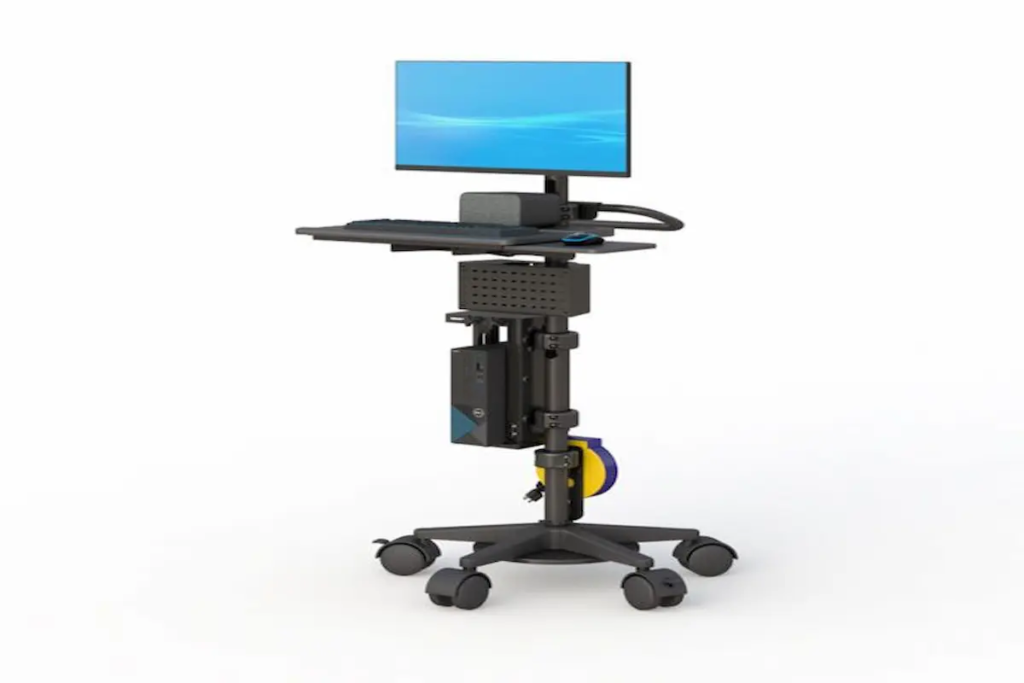
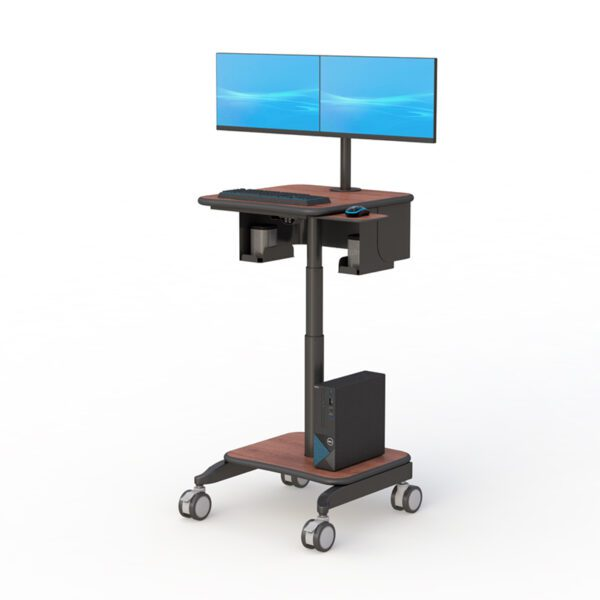
  Why Computer Trolleys Are Becoming Essential in Flexible Work Environments Technology is no longer confined to a single desk or office. Across healthcare facilities, warehouses, manufacturing plants, schools, laboratories, and corporate offices, employees increasingly need access to computers and digital tools wherever work happens. As organizations continue embracing hybrid operations, workplace mobility, and real-time information access, traditional fixed workstations are becoming less practical. This shift has driven growing interest in the computer trolley, a versatile solution that allows technology to move alongside employees instead of requiring employees to travel back and forth to stationary computer stations. Whether supporting patient care, inventory management, training sessions, production monitoring, or collaborative office work, a computer cart on wheels helps organizations improve efficiency while making technology more accessible. Modern businesses are increasingly investing in solutions such as computer carts and mobile workstations because they provide a practical way to bring technology directly to where tasks are being performed. As workplace flexibility becomes a priority, mobile workstation solutions are quickly becoming a standard part of modern operations. Why Are Computer Trolleys Becoming More Popular? Organizations today are under constant pressure to improve productivity while supporting flexible work environments. Employees often need access to computers, scanners, printers, software platforms, and digital records across multiple locations throughout the day. A mobile computer cart helps eliminate unnecessary movement and downtime by providing immediate access to technology where work occurs. Instead of: Walking back to a workstation Waiting for a shared computer Moving equipment manually Interrupting workflows Employees can bring technology directly to the task at hand. This mobility creates several operational advantages: Faster information access Improved collaboration Reduced workflow interruptions Better resource utilization Increased productivity Greater workplace flexibility Businesses that prioritize operational efficiency are increasingly integrating mobile workstation solutions into their daily workflows. How Do Computer Trolleys Improve Workplace Efficiency? One of the biggest causes of inefficiency is the separation between employees and the technology they need. When workers repeatedly leave their task to retrieve information or access a computer, valuable time is lost. A computer trolley solves this challenge by creating a mobile technology hub that moves with the user. For example: Healthcare Environments Nurses and clinicians can access electronic medical records directly at the point of care, reducing trips back to nursing stations. Educational Facilities Teachers and trainers can transport computers and digital learning tools between classrooms and training spaces. Warehouses Employees can update inventory systems and scan products without leaving warehouse aisles. Manufacturing Operations Production teams can monitor systems and access operational data directly from the manufacturing floor. The ability to bring technology closer to the work being performed improves workflow continuity and helps employees remain focused on their primary responsibilities. Organizations seeking additional mobility often pair these solutions with mobile workstations that provide expanded workstation functionality. How Are Computer Trolleys Supporting Hybrid Workspaces? Hybrid work has changed how organizations think about office design and technology deployment. Rather than assigning equipment to fixed locations, businesses increasingly prioritize shared resources that can adapt to changing operational needs. A computer cart on wheels allows organizations to: Support flexible workstations Improve equipment sharing Reduce unused workspace Adapt quickly to changing workflows Enhance team collaboration As workplaces become more dynamic, mobility becomes a valuable asset. Many companies now create flexible workstation ecosystems that combine mobile workstations, ergonomic office standing desks, and customizable solutions through the desk configurator. This approach allows organizations to balance mobility with long-term workplace planning. What Features Matter Most in a Computer Trolley? Not all workstation carts provide the same value. The most effective solutions combine mobility, durability, ergonomics, and organization. Smooth Mobility A workstation should move easily across different flooring surfaces while remaining stable during use. Important features include: Durable wheels Locking casters Stable construction Easy maneuverability Convenient Storage Storage shelves and equipment compartments help users keep technology organized and accessible. This is particularly important in environments where multiple devices or accessories are used throughout the day. Ergonomic Design User comfort remains important even in mobile work environments. Many organizations enhance workstation ergonomics using adjustable monitor arms that improve screen positioning and visibility. Equipment Organization Clutter can reduce efficiency and make equipment harder to access. Solutions such as CPU holders and specialized workstation accessories help maintain cleaner and more organized workspaces. These features improve both usability and long-term productivity. Which Industries Benefit Most From Mobile Computer Carts? Although computer trolleys are highly versatile, several industries benefit particularly from workstation mobility. Healthcare Healthcare professionals frequently move between patient rooms, treatment areas, and nursing stations. Mobile technology access improves efficiency while supporting patient care. Education Schools, colleges, and training centers often share technology across multiple classrooms and learning environments. Warehousing and Logistics Inventory management and order fulfillment require immediate access to digital systems throughout warehouse operations. Manufacturing Production teams benefit from real-time access to operational data and monitoring systems. Corporate Offices Organizations adopting flexible work environments often use workstation carts to support shared spaces and collaborative work models. The versatility of mobile workstation solutions makes them valuable across a wide range of operational settings. What Mistakes Should Buyers Avoid? Selecting the wrong workstation solution can create unnecessary operational challenges. Common mistakes include: Choosing Based Only on Cost Lower-cost solutions may not provide the durability required for daily use. Ignoring User Requirements Different users have different equipment and workflow needs. Overlooking Ergonomics Mobility alone does not guarantee usability. Comfortable workstation design remains essential. Forgetting Future Growth Technology requirements often evolve. Buyers should choose solutions capable of supporting future needs. Careful planning helps maximize return on investment while reducing future replacement costs. How Do You Choose the Right Computer Trolley? The best workstation depends on how it will be used. Organizations should evaluate: What Technology Will Be Used? Consider computers, monitors, scanners, printers, and other peripherals. How Frequently Will The Cart Move? Frequent movement may require greater emphasis on mobility and durability. What Storage Requirements Exist? Some environments require additional shelving or equipment organization. Is Ergonomic Flexibility Important? Adjustable displays and ergonomic positioning can improve long-term usability.

Why Computer Trolleys Are Becoming Essential in Flexible Work Environments Read More »

Why Mobile Powered Workstations Are Becoming Essential for Flexible Work Environments in 2026

Why Mobile Powered Workstations Are Reshaping Productivity Across Industries in 2026   As organizations continue embracing digital transformation, flexible work environments, and real-time collaboration, traditional fixed workstations are becoming less practical for many industries. Employees increasingly need access to computers, monitors, software platforms, and digital tools wherever work happens—not just at a designated desk. This shift is driving rapid adoption of the mobile powered workstation, a solution designed to bring technology directly to the point of work. Whether in healthcare facilities, manufacturing plants, warehouses, educational institutions, laboratories, or corporate environments, organizations are recognizing the value of mobile technology that moves with the user. Unlike traditional desk setups, a mobile workstation cart enables employees to remain productive while moving between departments, workstations, patient rooms, production lines, or collaboration spaces. Modern businesses are increasingly turning to solutions such as mobile workstations to improve efficiency, reduce downtime, and support evolving workplace demands. As workforce mobility continues to increase, powered workstation solutions are becoming an essential part of modern operational strategies. Why Are Mobile Powered Workstations Becoming More Important? The modern workplace demands flexibility. Employees no longer work exclusively from a single location, and organizations must ensure that technology can adapt to changing operational needs. A workstation on wheels helps eliminate one of the most common productivity barriers: the need to repeatedly travel back and forth between work areas and computer stations. Instead of bringing employees to technology, mobile powered workstations bring technology directly to employees. Benefits include: Faster access to information Improved workflow efficiency Better collaboration Reduced downtime Increased workplace flexibility Enhanced operational responsiveness For example, healthcare professionals can access electronic records at the bedside, while manufacturing operators can monitor production systems directly from the factory floor. Businesses seeking greater workplace mobility often complement their setups with solutions such as computer carts and customized workstation systems. How Do Mobile Workstation Carts Improve Daily Operations? Many workplace inefficiencies stem from interruptions. Employees frequently stop what they are doing to retrieve information, access software, or use equipment located elsewhere. A mobile computer cart reduces these interruptions by allowing technology to remain accessible wherever work is performed. This approach helps employees: Complete tasks faster Improve information accuracy Reduce unnecessary movement Increase productivity Enhance collaboration between teams In healthcare environments, clinicians can document patient information directly at the point of care. In warehouses, workers can update inventory systems without returning to a central workstation. In manufacturing facilities, operators can access production data while remaining focused on operational processes. The result is a more streamlined workflow that supports both productivity and user satisfaction. What Features Matter Most in a Mobile Powered Workstation? Choosing the right workstation requires understanding how employees interact with technology throughout the day. Several features consistently provide the greatest value. Reliable Mobility Mobility is the foundation of any workstation on wheels. A high-quality system should provide: Smooth movement Stable construction Durable casters Secure locking mechanisms These features allow users to move equipment safely while maintaining workstation stability during use. Ergonomic Flexibility Employees often spend long hours interacting with workstation systems. Ergonomic features help improve comfort through: Adjustable monitor positioning Height-adjustable work surfaces Flexible workstation layouts Organizations frequently enhance workstation ergonomics using monitor arms that allow users to position displays for optimal visibility and comfort. Workspace Organization Clutter can negatively affect productivity and usability. Solutions such as CPU holders and workstation accessories help maintain cleaner, more organized environments while maximizing usable workspace. Why Are Mobile Powered Workstations Supporting Hybrid Work Models? Hybrid work environments continue evolving across nearly every industry. Organizations increasingly operate across: Shared offices Flexible workspaces Healthcare facilities Warehouses Manufacturing plants Educational environments A mobile workstation cart supports these changing environments by allowing technology to move where it is needed most. Rather than dedicating expensive equipment to a single location, businesses can deploy mobile workstations throughout multiple operational areas. This flexibility supports: Better resource utilization Improved collaboration Faster decision-making Greater workspace efficiency Organizations designing adaptable work environments often use the desk configurator to create customized workstation solutions that support both mobile and stationary workflows. How Are Mobile Powered Workstations Supporting Industry Trends in 2026? Several major workplace trends continue driving demand for workstation mobility. Digital Transformation Organizations increasingly rely on digital systems to manage operations, analyze data, and support decision-making. Mobile workstations help bring these technologies directly to employees. Real-Time Information Access Immediate access to information has become essential for productivity. A workstation on wheels allows employees to access systems wherever work occurs. Workforce Flexibility Employees are expected to move quickly between tasks and locations. Mobile workstation solutions support these dynamic workflows. Space Optimization Businesses are reevaluating how physical workspaces are used. Mobile technology helps maximize available space while maintaining access to critical equipment and systems. As workplace requirements continue evolving, mobile powered workstations are becoming a strategic investment rather than a convenience. What Mistakes Should Buyers Avoid? Selecting the wrong workstation can create long-term challenges. Common mistakes include: Focusing Only on Initial Cost Lower-cost solutions may lack the durability and flexibility needed for demanding environments. Ignoring User Requirements Different departments often require different workstation configurations. A healthcare environment may have very different needs than a manufacturing facility or warehouse. Overlooking Ergonomics Poor ergonomics can contribute to discomfort, reduced productivity, and lower user satisfaction. Forgetting Future Growth Technology requirements continue evolving. Organizations should choose workstation systems capable of adapting to future operational needs. Proper planning helps maximize return on investment while reducing the need for future replacements. How Do You Choose the Right Mobile Powered Workstation? The ideal workstation depends on how it will be used. Before making a decision, consider the following questions: What Tasks Will The Workstation Support? Different applications require different configurations. What Equipment Needs To Be Mounted? Consider monitors, computers, scanners, printers, and other peripherals. How Frequently Will The Workstation Move? Frequent movement may require additional emphasis on mobility and durability. Is Ergonomic Flexibility Important? Adjustability helps support multiple users and changing workflows. Will Future Expansion Be Necessary? Organizations should select solutions that can grow alongside evolving technology requirements.

Why Mobile Powered Workstations Are Becoming Essential for Flexible Work Environments in 2026 Read More »

Why Cardiology Reading Desks Are Being Redesigned for the Future of Cardiac Imaging

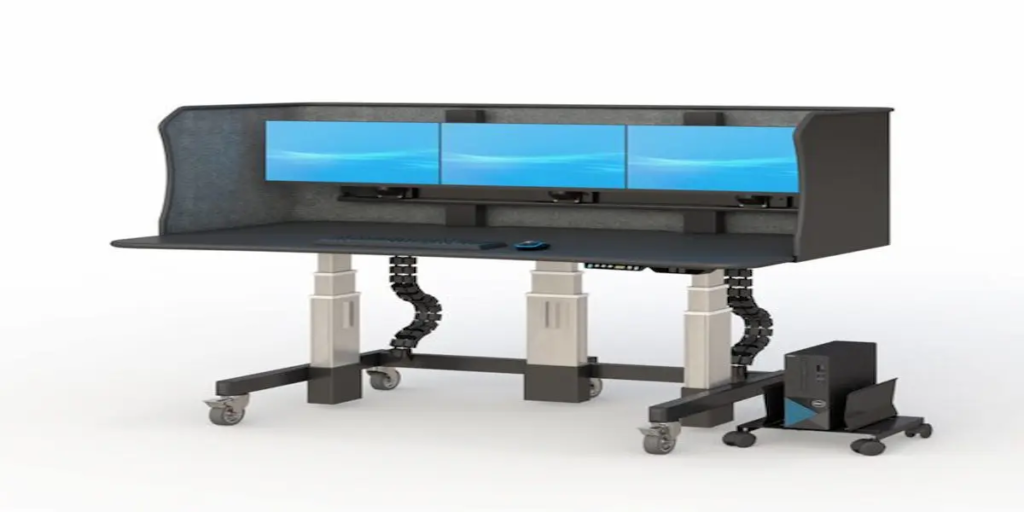
Why Cardiology Reading Desks Are Being Redesigned for the Future of Cardiac Imaging Cardiovascular disease remains one of the most closely monitored health concerns worldwide, driving a growing demand for advanced cardiac imaging and faster diagnostic interpretation. As imaging volumes continue to rise, cardiologists are spending more time reviewing echocardiograms, cardiac CT scans, cardiac MRI studies, and nuclear cardiology exams. At the same time, healthcare organizations are embracing telecardiology, AI-assisted diagnostics, and hybrid work environments that allow specialists to review cases from multiple locations. These changes have elevated the importance of workstation design. A modern cardiology reading desk is no longer simply office furniture—it is a critical component of diagnostic efficiency, physician wellbeing, and workflow optimization. Today’s specialists need workstations that support multi-monitor environments, prolonged image review sessions, PACS access, and seamless integration with healthcare technologies. Organizations are increasingly investing in solutions such as office standing desks, ergonomic monitor arms, and customized workstation solutions through the desk configurator to support modern imaging teams. As cardiovascular imaging continues evolving, workstation design is becoming just as important as the technology used to generate the images themselves. Why Does Workstation Design Affect Cardiologist Performance? Cardiologists often spend hours reviewing complex diagnostic studies that require sustained concentration and precise interpretation. Whether analyzing echocardiography images, cardiac CT scans, or MRI studies, maintaining focus throughout long reading sessions is essential. Unfortunately, workstation limitations can create unnecessary obstacles that affect daily productivity. Common challenges include: Poor monitor positioning Neck and shoulder discomfort Workspace clutter Eye strain Limited ergonomic flexibility Workflow interruptions A properly designed cardiology reading desk helps address these challenges by supporting better posture, improving monitor accessibility, and creating a more organized workspace. When physicians can comfortably access imaging studies and supporting clinical information, they spend less time adjusting their environment and more time focusing on patient care. Healthcare organizations frequently improve workstation flexibility with ergonomic monitor arms and space-saving CPU holders that optimize equipment placement while maximizing usable desk space. The goal is not simply comfort—it is creating an environment that supports consistent performance throughout demanding workdays. How Are AI and Advanced Imaging Technologies Changing Reading Rooms? Artificial intelligence is rapidly becoming part of cardiovascular imaging workflows. AI-powered tools can assist with image analysis, workflow prioritization, anomaly detection, and data organization. At the same time, cardiologists increasingly rely on: PACS platforms Electronic Health Records (EHR) Imaging reporting systems Clinical communication tools Decision support software Advanced visualization applications This growing technology ecosystem requires workstation environments capable of supporting multiple applications simultaneously. A modern cardiology reading desk must provide enough flexibility to accommodate evolving technology while maintaining accessibility and organization. Healthcare facilities often supplement workstation environments with ergonomic accessories and adaptable wall mounts that support changing technology requirements. As AI-assisted imaging continues expanding, workstation infrastructure will play a larger role in helping physicians interact efficiently with increasingly sophisticated diagnostic tools. What Features Matter Most in a Cardiology Reading Desk? Not every workstation is designed for the demands of cardiovascular imaging. Specialists reviewing diagnostic studies often require features that go beyond standard office furniture. Several workstation characteristics consistently provide the greatest value. Height Adjustability Long reading sessions can contribute to physical discomfort and fatigue. Adjustable workstations allow physicians to alternate between sitting and standing positions throughout the day. Many healthcare organizations invest in office standing desks because they provide greater flexibility while supporting healthier work habits. Multi-Monitor Support Cardiology workflows frequently involve reviewing imaging studies alongside reports, patient records, and clinical data. A workstation should provide stable support for multiple displays without compromising visibility or workspace organization. Workspace Organization Efficient workspaces reduce distractions and improve workflow consistency. Proper cable management, monitor positioning, and equipment placement help maintain a clean and functional environment. Technology Integration Modern imaging environments often require support for computers, displays, peripherals, and future upgrades. Solutions such as CPU holders and ergonomic monitor arms help create flexible workstations that can adapt as technology evolves. Why Are Radiology Reading Stations Facing Similar Challenges? Although cardiology and radiology are distinct specialties, both rely heavily on technology-intensive diagnostic workflows. Radiologists and cardiologists often share common workstation requirements, including: Multi-monitor configurations Long periods of image review Diagnostic concentration PACS integration Ergonomic support Workflow efficiency A modern radiology reading station faces many of the same challenges encountered in cardiovascular imaging environments. Both specialties must manage growing imaging volumes while maintaining productivity and reducing fatigue. As a result, healthcare organizations frequently adopt workstation solutions that can support multiple specialties while allowing customization based on individual workflow needs. Ergonomic monitor arms and flexible office standing desks help create adaptable environments capable of supporting diverse diagnostic teams. Why Are Home and Hybrid Reading Environments Growing? Healthcare delivery models continue evolving, and specialists increasingly work across multiple locations. Many cardiologists now divide their time between: Hospitals Imaging centers Physician offices Home reading environments The growth of telecardiology and remote collaboration has increased demand for well-designed radiology home workstations and cardiovascular imaging workspaces. A productive home reading environment should support: Diagnostic-quality monitor configurations Secure system access Ergonomic comfort Reliable workflow continuity Long-term productivity Healthcare professionals increasingly recognize that remote work environments require the same ergonomic attention as traditional reading rooms. Many specialists use customized workstation solutions created through the desk configurator alongside ergonomic office standing desks to create highly functional home workspaces. As hybrid healthcare models become more common, workstation flexibility will remain a key consideration for healthcare organizations and physicians alike. How Can Healthcare Organizations Reduce Diagnostic Fatigue? Diagnostic fatigue is one of the most common concerns among imaging professionals. Long periods of image interpretation can contribute to: Eye strain Neck discomfort Shoulder tension Physical fatigue Reduced concentration While workstation design cannot eliminate every challenge associated with diagnostic work, it can significantly improve daily comfort and usability. Organizations focused on physician wellbeing often prioritize: Adjustable monitor positioning Flexible workstation layouts Organized workspaces Improved ergonomics Technology accessibility Solutions such as monitor arms, accessories, and customized workstation environments help create reading spaces that support long-term productivity. Reducing fatigue is not only about comfort—it also helps healthcare

Why Cardiology Reading Desks Are Being Redesigned for the Future of Cardiac Imaging Read More »

Why Radiology Reading Stations Are Evolving for the AI-Assisted Imaging Era

Why Radiology Reading Stations Are Evolving for the AI-Assisted Imaging Era   The radiology profession is undergoing one of the most significant transformations in healthcare. Imaging volumes continue to increase, artificial intelligence tools are becoming more common in diagnostic workflows, and healthcare organizations are increasingly adopting hybrid reading models that allow radiologists to work across hospitals, imaging centers, and home offices. While advances in imaging technology often receive the most attention, workstation design has emerged as a critical factor in diagnostic efficiency, radiologist wellbeing, and workflow optimization. Today’s radiologists rely heavily on PACS (Picture Archiving and Communication Systems), AI-assisted image analysis tools, and multi-monitor environments to interpret large volumes of studies with accuracy and consistency. A modern radiology reading station is no longer just a desk with monitors. It has become a specialized environment designed to support concentration, reduce physical fatigue, and improve workflow performance throughout long reading sessions. Organizations are increasingly investing in solutions such as office standing desks, ergonomic monitor arms, and custom workstation designs through the desk configurator to create reading environments that support both current and future imaging workflows. As tele-radiology, AI-assisted diagnostics, and hybrid healthcare models continue expanding, workstation design is becoming an essential part of delivering efficient and sustainable diagnostic imaging services. How Does Workstation Design Affect Reading Performance? Radiologists often spend hours reviewing diagnostic studies with intense focus. Whether interpreting CT scans, MRI studies, mammography images, or X-rays, maintaining concentration over extended periods is critical. Unfortunately, poorly designed workstations can create unnecessary challenges that affect daily performance. Common workstation-related issues include: Improper monitor positioning Neck and shoulder discomfort Eye strain Cluttered workspaces Reduced workflow efficiency Frequent posture adjustments A properly designed radiologist workstation helps minimize these distractions by creating an environment where technology supports the user rather than becoming an obstacle. Ergonomic monitor placement, organized workspace layouts, and height-adjustable work surfaces help radiologists maintain comfortable working positions throughout lengthy reading sessions. Many healthcare organizations improve workstation flexibility further by incorporating monitor arms and ergonomic CPU holders that optimize equipment placement while maximizing available workspace. Small improvements in workstation design can significantly enhance comfort and support more sustainable imaging workflows over time. How Are AI and PACS Systems Changing Reading Rooms? Artificial intelligence is rapidly becoming a valuable tool in diagnostic imaging. Modern AI platforms can assist with study prioritization, anomaly detection, workflow management, and case triage. At the same time, PACS systems continue evolving to provide faster access to imaging studies, reporting tools, and collaborative review environments. These technological advances have increased the importance of workstation design. Today’s radiologists often interact simultaneously with: PACS software Reporting systems Electronic Health Records (EHR) AI-assisted imaging tools Clinical communication platforms Multi-monitor diagnostic displays A modern radiology reading station must support these complex workflows without creating additional physical or cognitive strain. Healthcare facilities increasingly invest in workstation environments that allow radiologists to move seamlessly between systems while maintaining productivity throughout the workday. Many organizations also integrate solutions such as wall mounts and specialized accessories to create cleaner and more organized reading environments. As imaging technology continues advancing, workstation infrastructure must evolve alongside it. What Features Matter Most in a Radiology Reading Station? Choosing a radiology workstation involves more than selecting a desk. The workstation must support diagnostic workflows, accommodate specialized equipment, and remain adaptable as technology changes. Several features consistently provide the greatest value. Height Adjustability Height-adjustable workstations allow radiologists to alternate between sitting and standing positions throughout the day, helping reduce physical strain during extended reading sessions. Solutions such as office standing desks are increasingly popular because they support healthier work habits while maintaining productivity. Multi-Monitor Support Diagnostic imaging often requires multiple displays for reviewing studies, reports, and clinical information simultaneously. A workstation should provide stable support for multi-monitor configurations without compromising accessibility or workspace organization. Workspace Organization Clutter can disrupt workflow efficiency and reduce available working space. Proper cable management, monitor positioning, and equipment placement help create a cleaner and more functional reading environment. Equipment Integration Modern radiology environments often require support for computers, displays, peripherals, and future technology upgrades. Solutions such as CPU holders and ergonomic monitor arms help maximize flexibility while maintaining workstation organization. Why Are Cardiology Reading Desks Facing Similar Challenges? While radiology and cardiology involve different specialties, both disciplines share many workstation requirements. Cardiologists frequently review: Echocardiograms Cardiac CT studies Nuclear imaging results Cardiac MRI examinations Diagnostic reports These activities often require prolonged screen time and intensive visual analysis. As a result, cardiology reading desks face many of the same challenges as radiology workstations: Reading fatigue Monitor positioning concerns Workspace organization issues Workflow interruptions Ergonomic demands Many healthcare organizations are adopting workstation strategies that support multiple specialties while maintaining flexibility for individual user preferences. Solutions like office standing desks and adjustable monitor arms help create adaptable environments capable of supporting both radiology and cardiology workflows. Why Are Radiology Home Workstations Becoming More Common? Tele-radiology has expanded significantly over the past decade, and hybrid reading models continue gaining popularity across healthcare systems. Many radiologists now split their time between: Hospital reading rooms Imaging centers Home offices Remote reading environments This shift has increased demand for well-designed radiology home workstations capable of supporting professional diagnostic workflows outside traditional healthcare facilities. A successful home reading environment should support: Multi-monitor configurations PACS access Comfortable ergonomics Reliable workflow continuity Long-term productivity Healthcare organizations increasingly recognize that home reading environments require the same level of ergonomic consideration as hospital-based reading rooms. Many professionals use solutions such as office standing desks and customized workstation layouts through the desk configurator to create productive remote reading environments. As hybrid healthcare models continue evolving, workstation flexibility will become increasingly important. How Can Healthcare Organizations Reduce Reading Fatigue? Reading fatigue remains one of the most common concerns among radiologists and imaging professionals. Long periods of screen-based work can contribute to: Eye strain Neck discomfort Shoulder tension Mental fatigue Reduced concentration While no workstation can eliminate these challenges entirely, proper workstation design can help reduce unnecessary physical stress. Healthcare organizations often focus

Why Radiology Reading Stations Are Evolving for the AI-Assisted Imaging Era Read More »

Why Industrial Computer Stands Are Becoming Critical to Industry 4.0 Workflows in 2026

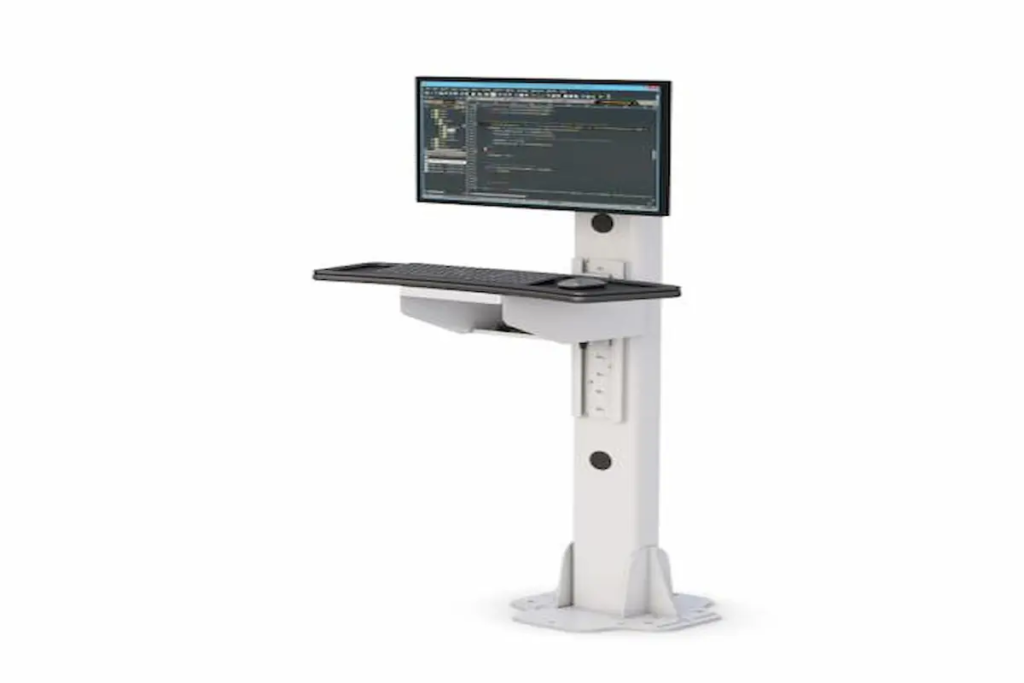
Why Industrial Computer Stands Are Becoming Critical to Industry 4.0 Workflows in 2026   Manufacturing is entering a new phase of digital transformation. As Industry 4.0 initiatives continue accelerating across factories, warehouses, distribution centers, and production facilities, organizations are increasingly investing in technologies that improve efficiency, visibility, and workforce productivity. Today’s smart factories rely heavily on real-time production data, Human Machine Interface (HMI) systems, industrial computer monitors, manufacturing execution systems (MES), and connected automation platforms. However, even the most advanced digital systems can become inefficient if employees cannot easily access the information they need. This is where industrial computer stands have become increasingly important. A properly designed industrial computer stand helps operators access critical data, improve workstation ergonomics, and maintain workflow efficiency throughout industrial environments. Organizations implementing Industry 4.0 strategies are increasingly adopting solutions like Ergoville’s floor post stands, computer racks, and customized workstation configurations through the desk configurator to support smarter and more connected workplaces. As manufacturing technology continues evolving, workstation accessibility is becoming just as important as the technology itself. How Do Industrial Computer Monitors Support Smart Factory Operations? Modern factories generate enormous amounts of operational data. Production metrics, quality control information, maintenance alerts, machine diagnostics, and workflow instructions must be available to employees in real time. Industrial computer monitors serve as the primary interface between workers and these digital systems. Whether operators are monitoring production equipment, reviewing quality control data, or accessing work instructions, monitor visibility and accessibility directly affect operational performance. An effective industrial computer stand ensures that critical information is always positioned where employees can easily see and interact with it. Benefits include: Faster decision-making Improved workflow efficiency Reduced production delays Better visibility of operational data Enhanced communication between teams As factories become more connected, industrial computer monitors are no longer optional tools—they are becoming essential components of daily operations. Many organizations enhance these systems further through ergonomic monitor arms that improve monitor positioning and workstation flexibility throughout industrial environments. Why Is Workstation Accessibility Becoming More Important? Technology investments alone do not automatically improve productivity. Employees must be able to access and use those technologies efficiently. Poorly positioned monitors can create numerous workplace challenges: Operators walking unnecessarily between stations Reduced visibility of production information Delayed response times Increased physical strain Workflow interruptions Industrial facilities increasingly recognize that workstation accessibility directly influences operational efficiency. A properly mounted monitor allows workers to interact with production data without leaving their designated work areas. This reduces unnecessary movement while helping maintain focus on critical operational tasks. Solutions such as Ergoville’s floor post stands help organizations position technology where it delivers the greatest operational value. Accessibility is particularly important in: Manufacturing facilities Warehouses Distribution centers Assembly lines Industrial laboratories Quality control stations As industrial environments continue becoming more data-driven, workstation accessibility will remain a key component of digital transformation success. How Are Industrial Workstations Supporting Digital Manufacturing? Digital manufacturing depends on continuous access to information. Employees increasingly rely on industrial computer systems to interact with: Manufacturing Execution Systems (MES) Human Machine Interface (HMI) platforms Production scheduling systems Inventory management software Quality assurance applications Predictive maintenance platforms Industrial workstations act as the bridge between employees and digital operations. Without properly configured workstations, organizations may struggle to fully realize the benefits of Industry 4.0 initiatives. Industrial computer stands help create organized environments that support digital workflows while improving equipment accessibility and operational efficiency. Many manufacturers combine industrial monitor solutions with computer racks and track mounts to create comprehensive workstation ecosystems that support evolving operational requirements. As manufacturing technology becomes more sophisticated, workstation infrastructure must evolve alongside it. What Features Matter Most in Industrial Computer Stands? Industrial buyers often focus heavily on monitor specifications and software capabilities. However, the stand supporting those technologies can have a significant impact on productivity and usability. When evaluating industrial computer stands, several features deserve careful consideration. Durability Industrial environments require equipment capable of withstanding demanding conditions. Heavy-duty construction helps ensure long-term reliability. Adjustability Workers vary in height, responsibilities, and workflow requirements. Adjustable monitor positioning helps improve accessibility for different users. Cable Management Proper cable routing creates safer and more organized work environments while reducing maintenance concerns. Equipment Protection Industrial computer stands should help protect valuable hardware while supporting easy access for maintenance and upgrades. Flexibility As operational needs change, workstation systems should adapt without requiring complete replacement. Organizations frequently integrate solutions such as CPU holders and specialized accessories to further enhance workstation functionality. Why Does Ergonomics Matter in Industrial Environments? Industrial workers often spend long hours interacting with computer systems throughout production shifts. Poor monitor placement can contribute to: Neck strain Shoulder discomfort Eye fatigue Reduced productivity Increased employee frustration While ergonomics is commonly associated with office environments, it plays an equally important role in industrial workplaces. Proper monitor positioning allows employees to work more comfortably while maintaining visibility of critical production information. Modern industrial workstation design focuses on improving both efficiency and employee wellbeing. Solutions such as monitor arms provide additional flexibility by allowing operators to adjust monitors based on individual preferences and workflow requirements. Organizations investing in ergonomic improvements often see benefits that extend beyond comfort, including improved productivity and employee satisfaction. What Mistakes Should Companies Avoid? Selecting industrial workstation solutions without fully evaluating operational needs can create long-term challenges. Common mistakes include: Prioritizing Price Over Functionality The least expensive solution may not provide the durability or flexibility required for industrial environments. Ignoring Future Expansion Industry 4.0 initiatives continue evolving. Organizations should choose workstation systems capable of supporting future growth. Overlooking Ergonomics Poor monitor placement can negatively affect productivity and employee wellbeing. Failing to Consider Workflow Requirements Different industrial environments require different workstation configurations. Manufacturing facilities, warehouses, laboratories, and distribution centers often have unique operational needs that should influence equipment selection. Organizations planning long-term workstation strategies frequently use Ergoville’s desk configurator to design customized solutions that align with operational goals. How Do You Choose the Right Industrial Computer Stand? Choosing the right solution begins with understanding how employees interact with technology throughout daily operations.

Why Industrial Computer Stands Are Becoming Critical to Industry 4.0 Workflows in 2026 Read More »

Why Medical Computer Carts Are Powering the Next Generation of Patient Care in 2026

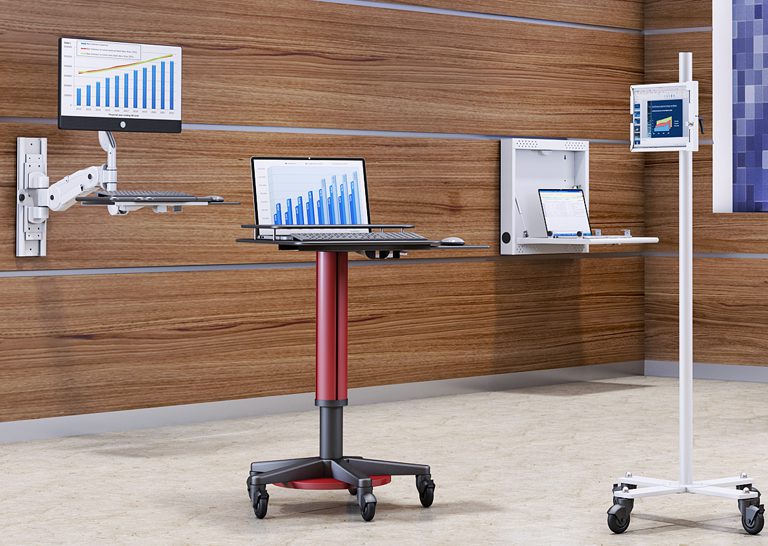
  Why Medical Computer Carts Are Powering the Next Generation of Patient Care in 2026 Healthcare organizations are facing increasing pressure to improve patient outcomes, reduce administrative burdens, and support healthcare professionals who manage growing workloads every day. At the same time, hospitals, clinics, and long-term care facilities are accelerating investments in healthcare technology, Electronic Health Records (EHR), telehealth systems, and point-of-care computing solutions. As healthcare continues its digital transformation, solutions such as medical computer carts, mobile workstations, and healthcare medical computer carts are becoming critical tools for delivering efficient and patient-centered care. These systems allow healthcare professionals to access digital records, chart patient information, communicate with care teams, and manage workflows directly at the point of care. Organizations looking to improve healthcare mobility are increasingly turning to solutions like Ergoville’s computer carts, mobile workstations, and customizable solutions available through the desk configurator to support modern clinical environments. The future of healthcare is mobile, connected, and patient-focused—and medical computer carts are helping healthcare facilities achieve those goals. Why Are Healthcare Teams Moving Away From Fixed Workstations? For years, healthcare facilities relied heavily on centralized nurse stations and fixed computer workstations. While these systems provided access to patient information, they often required healthcare professionals to leave patient rooms and walk back and forth throughout their shifts. These interruptions can lead to: Delayed documentation Reduced patient interaction time Workflow bottlenecks Increased staff fatigue Communication inefficiencies A mobile computer cart helps solve these challenges by bringing technology directly to where patient care happens. Instead of returning repeatedly to a workstation, nurses and clinicians can access patient records, chart information, and clinical applications directly at the bedside. This allows healthcare providers to remain focused on patient care while reducing unnecessary movement throughout the facility. Many healthcare organizations are integrating mobile workstations into clinical workflows because mobility supports both operational efficiency and better patient experiences. How Does Point-of-Care Computing Improve Patient Experiences? Modern healthcare increasingly revolves around real-time information. Providers need immediate access to patient records, medication histories, laboratory results, imaging reports, and care plans throughout the treatment process. Point-of-care computing allows clinicians to access this information exactly where care is delivered. When healthcare professionals use a healthcare medical computer cart, they can: Verify patient information instantly Document care in real time Review treatment plans with patients Improve communication accuracy Reduce delays in chart updates Patients often appreciate seeing providers spend more time focused on their care instead of repeatedly leaving the room to access information. Point-of-care computing also supports better collaboration between departments, helping care teams coordinate treatment plans more effectively. Healthcare organizations looking to optimize digital workflows frequently combine medical carts with ergonomic solutions such as monitor arms and specialized accessories to create more efficient workstation environments. What Features Matter Most in a Healthcare Medical Computer Cart? Not all medical carts are designed the same way. Healthcare environments require solutions that balance mobility, durability, ergonomics, and workflow efficiency. When evaluating a medical computer cart, healthcare buyers should focus on features that improve daily usability rather than simply comparing specifications. Important features often include: Mobility and Maneuverability Smooth-rolling casters allow staff to move efficiently between patient rooms, treatment areas, and nursing stations. Adjustable Ergonomics Height-adjustable work surfaces help support different users and improve comfort during long shifts. Integrated Storage Convenient storage compartments allow clinicians to organize supplies, devices, and accessories while maintaining workflow efficiency. Equipment Compatibility The cart should support monitors, computers, barcode scanners, printers, and other healthcare technology systems. Cable Management Organized cable routing helps maintain a cleaner and safer work environment. Healthcare facilities often enhance workstation flexibility further through solutions like CPU holders and ergonomic monitor arms. Why Does Ergonomics Matter for Healthcare Staff? Healthcare professionals routinely work 10- to 12-hour shifts that involve standing, walking, charting, and interacting with technology throughout the day. Poor workstation design can contribute to: Neck strain Back discomfort Shoulder fatigue Repetitive stress injuries Reduced productivity Modern medical computer carts are increasingly designed with ergonomics in mind because healthcare organizations understand that staff wellbeing directly impacts patient care quality. Features such as adjustable monitor positioning, accessible work surfaces, and flexible mobility allow clinicians to maintain more comfortable working postures throughout their shifts. Healthcare facilities looking to improve workplace ergonomics often complement mobile carts with solutions such as office standing desks and ergonomic monitor arms. Investing in ergonomic equipment not only supports employee wellbeing but can also improve workflow efficiency and job satisfaction. How Are Hospitals Using Computer Carts to Improve Patient Care? Hospitals and healthcare facilities are finding new ways to leverage mobile technology throughout their operations. Today, computer carts support a variety of healthcare workflows, including: Bedside Documentation Nurses can chart information immediately after patient interactions, improving accuracy and reducing documentation delays. Medication Administration Clinicians can verify medication information directly at the point of care. Telehealth Support Mobile carts can support virtual consultations and remote communication with specialists. Care Team Collaboration Providers can access records, imaging, and treatment plans while coordinating care with colleagues. Patient Education Clinicians can review test results, treatment plans, and educational materials directly with patients. Organizations implementing mobile computing strategies frequently pair their carts with wall mounts and additional accessories to support specialized healthcare workflows. What Mistakes Should Healthcare Buyers Avoid? Selecting the wrong medical cart can create long-term operational challenges. Common mistakes include: Choosing Based Only on Price The least expensive solution may not provide the durability or functionality required in healthcare environments. Ignoring User Needs Different departments have different workflow requirements. Emergency departments, outpatient clinics, and long-term care facilities often require different configurations. Overlooking Ergonomics Poor ergonomics can reduce staff satisfaction and increase workplace discomfort. Forgetting Future Growth Healthcare technology continues evolving. Facilities should invest in solutions that can adapt to future needs. Organizations planning long-term healthcare mobility strategies often use Ergoville’s desk configurator to create customized workstation environments designed around specific operational goals. How Do You Choose the Right Medical Computer Cart? Choosing the right solution starts with understanding how the cart will be used. Healthcare decision-makers should

Why Medical Computer Carts Are Powering the Next Generation of Patient Care in 2026 Read More »

Why Computer on Wheels Carts Are Transforming Flexible Workspaces in 2026

Why Computer on Wheels Carts Are Transforming Flexible Workspaces in 2026   Modern workplaces are changing faster than ever. Healthcare facilities, warehouses, manufacturing plants, educational institutions, and corporate offices are all looking for ways to improve efficiency while giving employees access to technology wherever work happens. This shift has fueled growing demand for solutions like a computer on wheels cart, mobile workstation, computer cart on wheels, and ergonomic workstation systems. Organizations are increasingly moving away from fixed computer stations and adopting flexible technology environments that allow teams to stay productive without being tied to one location. Whether supporting healthcare staff moving between patient rooms, warehouse personnel tracking inventory, or office teams collaborating across departments, mobile computing solutions are helping organizations work smarter. Products like Ergoville’s computer carts and mobile workstations are becoming valuable assets for businesses that prioritize mobility, efficiency, and workplace ergonomics. Why Are Computer on Wheels Carts Becoming More Popular? They Bring Technology Directly to the Work Traditional workstations require employees to travel back and forth between work areas and fixed computers. This constant movement can slow productivity and create workflow interruptions. A computer cart on wheels eliminates this challenge by bringing technology directly to where work happens. Instead of employees traveling to the workstation, the workstation travels to the employee. This flexibility is particularly valuable in environments where mobility is critical: Hospitals and healthcare facilities Manufacturing floors Warehouses and logistics centers Educational campuses Corporate office environments Technical support departments Organizations investing in mobile workstations often find that employees spend less time searching for equipment and more time completing meaningful tasks. Flexible Workspaces Are Driving Demand Modern workplaces are no longer built around fixed desks and assigned workstations. Hybrid work environments, shared office spaces, and collaborative work zones have become standard across many industries. A computer on wheels cart supports these modern workplace strategies by allowing organizations to adapt technology to changing operational needs. For example: Healthcare workers can document patient information at the bedside. Warehouse employees can access inventory systems directly from storage aisles. Manufacturing teams can review production data at workstations throughout the facility. Office employees can collaborate without returning to dedicated desks. Many organizations combine mobile carts with solutions like office standing desks and the desk configurator to create highly adaptable work environments that support both productivity and employee comfort. What Features Matter Most in a Computer Cart on Wheels? Mobility and Storage Are Essential The best computers on wheels provide more than simple mobility. They also support equipment organization and efficient workflow management. Features that often deliver the most value include: Integrated storage shelves Durable caster wheels Cable management systems Adjustable monitor positioning Equipment organization capabilities Space-saving designs A well-designed cart allows employees to keep everything they need in one location while maintaining the flexibility to move throughout the workplace. This is especially important in fast-paced environments where quick access to equipment can significantly improve operational efficiency. Ergonomic Design Supports Long-Term Productivity Employee comfort directly impacts performance. Poor workstation design can contribute to fatigue, discomfort, and repetitive strain issues that affect both productivity and job satisfaction. Modern computer carts on wheels increasingly incorporate ergonomic features that help employees work comfortably throughout the day. Organizations can further improve ergonomics by integrating: Monitor arms CPU holders Office standing desks Ergonomic accessories and workstation enhancements Proper monitor positioning, improved posture, and flexible workstation setups help create healthier and more sustainable work environments. According to workplace ergonomics guidance from the Mayo Clinic, properly configured workstations can help reduce physical strain and improve overall workplace comfort. Where Are Computer on Wheels Carts Commonly Used? Healthcare Environments Healthcare facilities are among the largest adopters of mobile computing solutions. Nurses, physicians, and support staff frequently use computers on wheels to: Access electronic medical records Document patient information Manage medication workflows Support bedside care activities Mobile technology allows healthcare professionals to spend more time with patients while reducing unnecessary travel throughout the facility. Warehouses and Distribution Centers Warehouse operations depend on speed, accuracy, and real-time data access. A computer on wheels cart allows employees to: Access inventory systems Process shipments Update stock levels Monitor logistics data Instead of returning to centralized workstations, teams can complete tasks directly from the warehouse floor. Organizations often pair these solutions with computer racks and other technology infrastructure to support large-scale operations. Manufacturing Facilities Manufacturing teams rely on continuous access to production information, quality control systems, and operational data. Mobile computing solutions help employees: Monitor production metrics Access work instructions Track quality inspections Collaborate across departments Flexible workstation mobility supports lean manufacturing initiatives while improving information accessibility throughout production environments. Education and Training Environments Schools, universities, and corporate training facilities increasingly use mobile technology carts to support flexible learning environments. These systems help educators: Deliver presentations Manage digital learning tools Support collaborative projects Adapt classroom layouts The ability to move technology where it is needed creates more dynamic and engaging learning experiences. How Do Mobile Workstations Support Ergonomic Workflows? A mobile workstation should do more than move technology. It should improve how people interact with technology. Organizations investing in ergonomic workplace design often prioritize: Adjustable monitor positioning Reduced cable clutter Better workstation accessibility Flexible standing and sitting options Improved equipment organization Solutions like monitor arms and CPU holders help create cleaner, more ergonomic workstation setups while maximizing usable workspace. Businesses looking for customized solutions can also explore Ergoville’s desk configurator to build workstation environments tailored to their specific operational needs. How Do You Choose the Right Computer Cart on Wheels? Selecting the right solution depends on understanding your workflow requirements. Before purchasing a computer cart on wheels, consider: How mobile does the workstation need to be? Some environments require frequent movement throughout large facilities, while others need only occasional repositioning. What equipment will the cart support? Consider: Computer systems Monitors Printers Scanners Peripheral devices How important is storage? Integrated shelves and storage compartments can significantly improve workflow efficiency. What ergonomic requirements exist? Monitor positioning, workstation height, and equipment accessibility should all support comfortable daily use. Will

Why Computer on Wheels Carts Are Transforming Flexible Workspaces in 2026 Read More »