Wall Mounts

wall mounts

Wall Mounts for Space-Saving & Ergonomic Setups (2026 Guide)

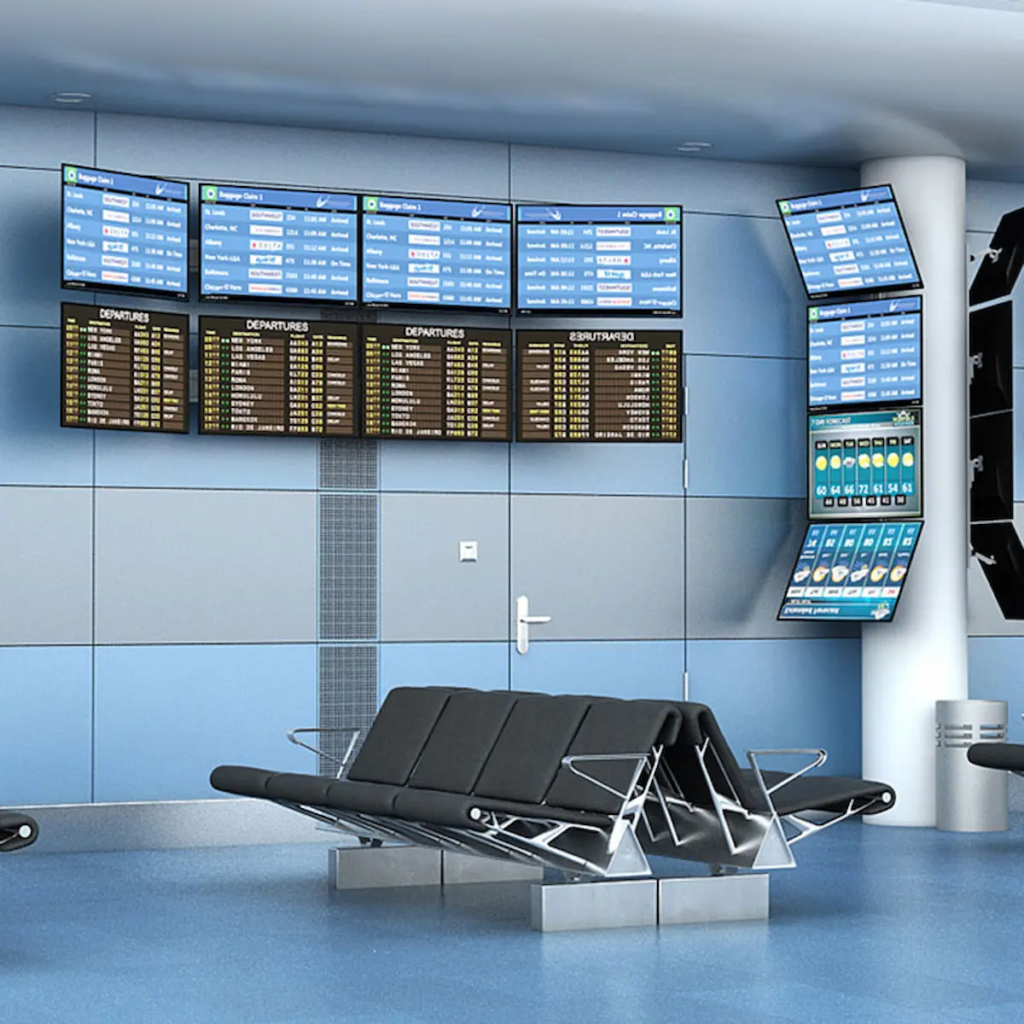
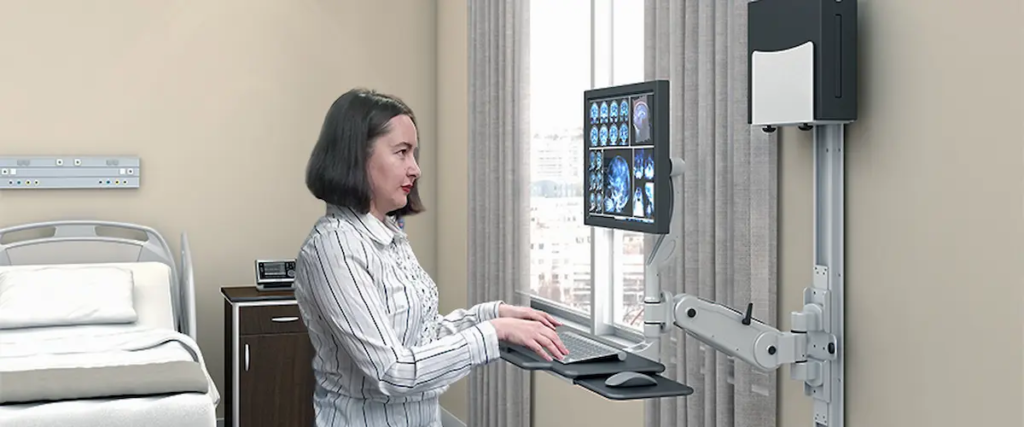
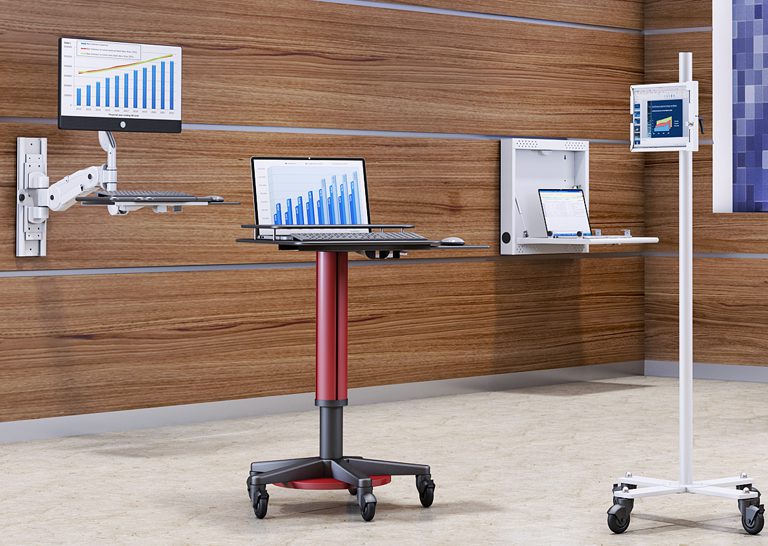
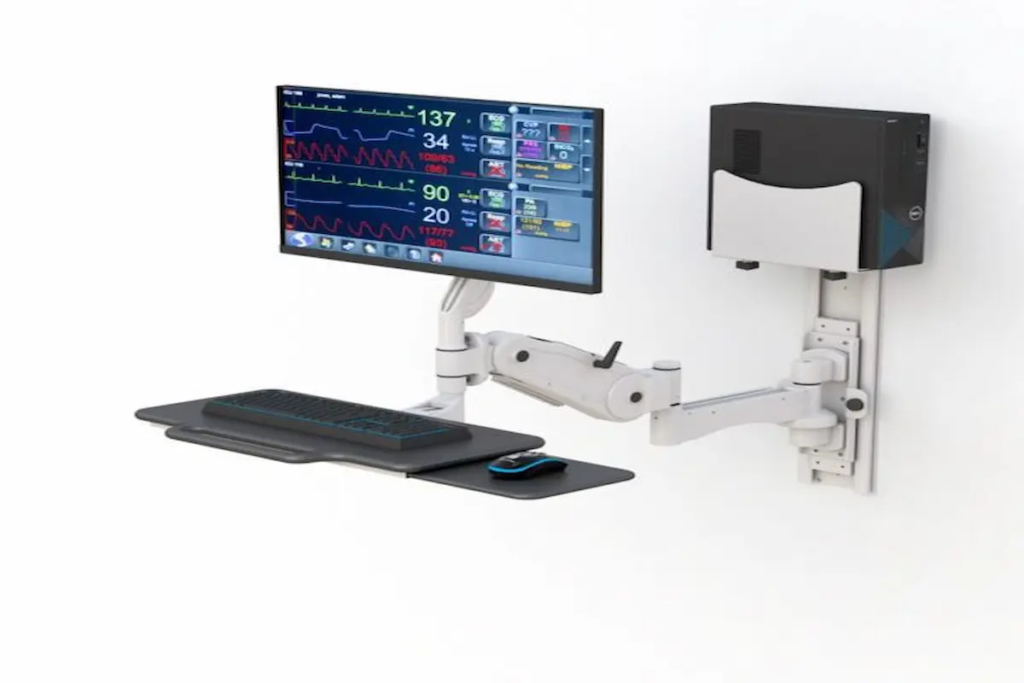
Wall Mounts for Space-Saving & Ergonomic Setups (2026 Guide) Introduction Wall mounts have become essential tools for anyone looking to maximize space while improving comfort. Whether you’re setting up a home office or redesigning your living room, these versatile solutions help you reclaim valuable floor and desk space. In 2026, more homeowners and remote workers are turning to wall mounts to create cleaner, healthier environments. This guide covers the four main categories: TV mounts, monitor wall mounts, wall mounts for shelves, and iPad wall mounts. We’re writing this for homeowners, hybrid workers, and anyone seeking practical solutions—especially those in the Berwick, Pennsylvania area looking for local expertise. Here’s the direct answer: Wall mounts maximize space efficiency while improving ergonomics and organization. They allow you to position devices at ideal heights, reduce clutter, and protect your posture. By reading this guide, you’ll learn: How wall mounts save space and improve room aesthetics Which ergonomic positioning reduces neck strain and eye fatigue How to select the right mount for your needs Installation tips for different wall types Solutions to common mounting challenges At Ergoville, we specialize in ergonomic wall mounting solutions. Our team helps customers throughout Berwick, Pennsylvania find the perfect fit for their spaces. Understanding Wall Mounts and Their Ergonomic Benefits Wall mounts are bracket systems that secure devices directly to walls instead of placing them on furniture. They’ve evolved significantly since flat-panel TVs first became popular. Today, they’re central to modern workspace optimization trends. Space-Saving Advantages First, consider how much floor space a TV stand consumes. A 65-inch TV on a full motion mount can retract flush against the wall, freeing several feet of room depth. Similarly, floating shelves eliminate bulky bookcases while adding storage. The aesthetic impact is equally significant. Wall mounts create clean lines and reduce visual clutter. You can hide cables within walls or cable channels, making any room feel more organized. This philosophy aligns perfectly with Ergoville’s commitment to space optimization. Ergonomic Health Benefits Proper positioning matters more than most people realize. According to OSHA guidelines, the top of your screen should sit at or slightly below eye level. The center should be roughly 10-20 degrees below your horizontal line of sight. Research shows that correcting monitor height and distance alone can reduce neck and shoulder discomfort by 20-30% within weeks. That’s a meaningful improvement for anyone spending hours at a screen. For those wearing bifocals, lowering the monitor an additional 2-4 centimeters helps tremendously. Modern Workplace Integration Hybrid work arrangements have changed how we think about home offices. Many people now need dual monitor setups in smaller spaces. Wall-mounted monitors free up desk space for documents, keyboards, and other essentials. This natural progression leads us to explore specific mount types. Types of Wall Mounts for Every Need Understanding the benefits is one thing. Choosing the right mount is another. Let’s explore each category so you can make an informed decision. Monitor Wall Mounts Single and dual monitor wall mounts offer tremendous flexibility. They allow tilt, swivel, and rotation adjustments. VESA compatibility is crucial here—most monitors use 75x75mm or 100x100mm patterns. Weight capacity varies significantly. Dual setups typically support 20-30 pounds per arm. Larger displays may require mounts rated for 25-40 pounds. Gas-spring arms make repositioning effortless throughout your workday. TV Wall Mounts TV mounts come in three main styles. A fixed tv wall mount offers a slim profile, keeping your tv wall installation flush and minimal. Tilting mounts adapt to reduce glare when mounted above a fireplace. Full motion mounts provide the ultimate flexibility, allowing you to swivel and extend your screen. For 2026, ultra-slim full motion mounts supporting TVs up to 125 pounds represent the latest trend. Viewing distance recommendations suggest positioning your seat 1.5 to 2.5 times the diagonal screen length away. Wall Mounts for Shelves Wall mounts for shelves range from simple L-brackets to sophisticated concealed rod supports. Floating shelves require strong anchorage—ideally into wall studs or using masonry anchors for brick walls. Weight distribution matters significantly. Brackets should be spaced no more than 16-24 inches apart depending on shelf depth. These solutions work beautifully for office organization and home storage throughout any room. iPad Wall Mounts iPad wall mounts have gained popularity for smart home integration. You can install them in kitchens for recipes, bedrooms for entertainment, or offices as reference screens. Modern options include magnetic docks with integrated USB-C charging. Some models lock securely for added security. The ability to switch between portrait and landscape orientations makes them incredibly versatile. Selection and Installation Guide Choosing the right mount requires considering several factors. Here’s what to evaluate: Key Selection Criteria Wall type: Drywall with wood studs, metal studs, brick, or concrete each require different anchoring approaches. Device weight: Always check the mount’s weight limit and VESA compatibility. Adjustability needs: Determine whether fixed, tilt, or full motion best suits your room layout. Installation complexity: Consider available tools and whether professional help is needed. Budget: Prices range from $15 for basic mounts to $300+ for premium full motion options. Cable management: Plan how you’ll hide wires for a clean aesthetic. Wall Mount Comparison Table Type Best Use Case Adjustability Price Range Installation Difficulty Fixed Direct viewing, flush aesthetic Minimal $15-$60 Low Tilting High mounting, glare reduction Vertical tilt $40-$120 Medium Full Motion Multiple viewing angles, corners Complete range $80-$300+ High Professional vs DIY Installation DIY installation works well for standard walls with wood studs and moderate-weight devices. However, certain situations call for professional help. Hire a professional when mounting very heavy TVs, working with concrete or brick, or routing electrical behind walls. In the Berwick, Pennsylvania area, local building codes may require licensed electricians for concealed wiring. Contact Ergoville for installation guidance specific to your situation. Common Challenges and Solutions Even experienced installers encounter obstacles. Here’s how to address the most frequent issues. Finding Wall Studs in Older Homes Use a stud finder or the knock test to locate studs. Most homes have studs 16 inches apart. If no stud exists where

Wall Mounts for Space-Saving & Ergonomic Setups (2026 Guide) Read More »
computer rack

Best Computer Racks for Office & IT Setup 2026

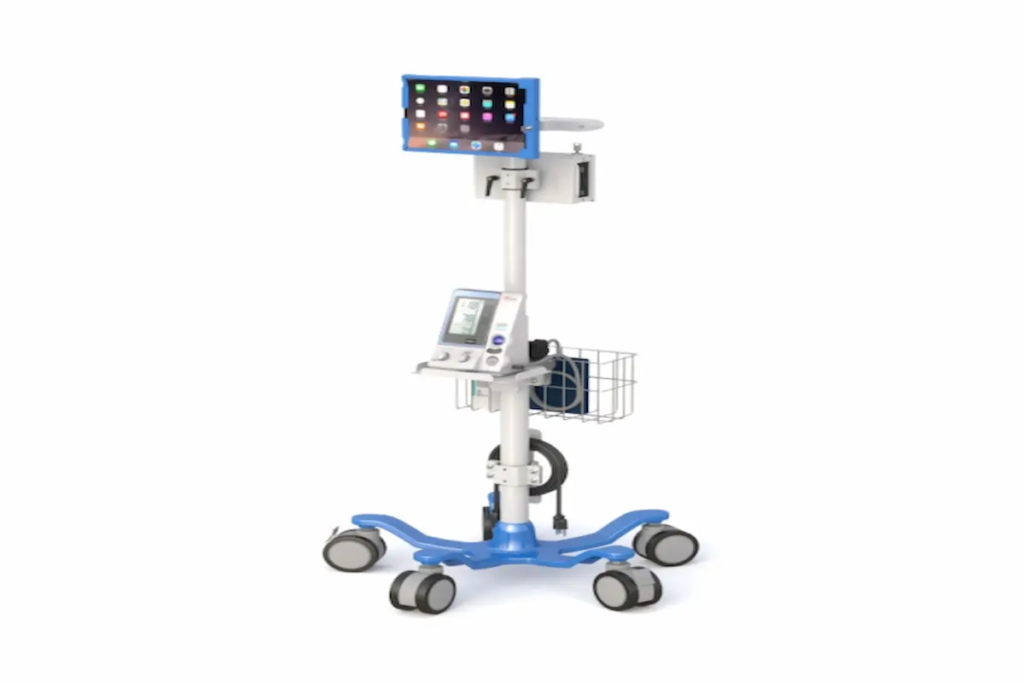
Best Computer Racks for Office & IT Setup 2026 Introduction Computer racks are the backbone of any organized office or IT environment. Simply put, they’re frameworks designed to house servers, networking equipment, monitors, and storage devices in a secure, accessible manner. In 2026, these racks have become essential infrastructure for businesses adapting to hybrid work models and increasingly complex technology demands. This guide covers everything you need to know about selecting computer racks for office environments, IT infrastructure, and home office setups. Whether you’re an IT manager overseeing a data center, an office administrator organizing workspace equipment, or a remote worker building an efficient home setup, you’ll find practical guidance here. We’ve focused specifically on the challenges Pennsylvania businesses face, though these principles apply broadly. Here’s the direct answer: Computer racks organize and secure IT equipment while optimizing workspace efficiency, improving cable management, and ensuring proper airflow for your devices. By the end of this guide, you’ll understand: How to choose the perfect rack for your specific needs Key differences between rack types and their applications Solutions for common challenges like cooling and cable management Weight capacity and dimension guidelines for 2026 equipment Where to find quality racks in the Berwick, Pennsylvania area Understanding Computer Racks A computer rack is a standardized framework that holds IT hardware in vertical configurations. These racks use rack units (commonly called “U”) as their measurement standard—each U equals 1.75 inches in height. Therefore, a 42U rack stands approximately 6-7 feet tall and can accommodate multiple servers, switches, and storage devices. Modern offices rely on racks and cabinets because they transform chaotic equipment setups into organized, maintainable systems. Additionally, they protect expensive hardware from damage while enabling easy access for maintenance. Types of Computer Racks Server Racks for Network Infrastructure Computer server racks typically feature four posts with an internal width of 19 inches—the industry standard. Floor standing models range from 42U to 44U and support static weight capacities of 2,500 to 5,000 pounds. These enclosed racks are ideal for data center environments where security matters. Desktop Computer Storage Racks Computer storage racks offer compact solutions for organizing workstations and peripheral devices. They’re smaller than full server rack cabinets, often wall mount compatible, and perfect for offices with limited floor space. Monitor Mounting Racks and Stands Computer monitor racks focus on ergonomic positioning and VESA compatibility. They help create clean workspaces by elevating displays and integrating cable management features. Mobile Computer Workstation Racks These racks feature casters for mobility, making them adaptable for classrooms, labs, or flexible office environments. However, dynamic load capacity differs significantly from static capacity—always check specifications before loading equipment. Key Components and Features Quality racks and cabinets include several essential components: Cable Management Systems: Vertical and horizontal cable managers, brush strips, and color-coded routing keep cables organized. Good cable management prevents airflow blockage and simplifies maintenance. Ventilation Features: Vented side panels, doors, and roof panels ensure proper airflow. As equipment density increases, some racks now support liquid cooling accessories for high-performance hardware. Security Elements: Lockable doors, tamper-resistant screws, and grounding bar installations protect sensitive networking equipment. Some advanced rack enclosure models even feature fingerprint access controls. At Ergoville, we offer a range of computer racks designed with these features in mind—because we understand that Pennsylvania businesses need reliable, secure solutions. Computer Rack Applications for 2026 Building on these fundamentals, let’s explore how different environments benefit from specific rack configurations. Office IT Infrastructure Setup Server room organization requires careful planning around rack type, depth, and cooling requirements. The 19-inch standard remains dominant in office environments, though the Open Compute Project’s 21-inch format is gaining traction for hyperscale applications. For most Berwick-area businesses, enclosed racks with lockable doors offer the balance of security and accessibility that modern offices demand. They accommodate everything from routers to servers while maintaining a professional environment. Workspace Organization Solutions Desktop computer storage racks help maintain clean, efficient workspaces. Computer monitor racks with adjustable mounting options improve ergonomic positioning, reducing strain during long work hours. Furthermore, integrated cable management creates the “clean tech aesthetic” that modern offices prefer. Equipment stays organized, and maintenance becomes straightforward. Home Office and Remote Work Setups Remote workers increasingly need compact rack solutions. Wall mount options save valuable floor space while still providing secure storage for home lab equipment. These smaller racks typically support 200-600 pounds—plenty for most home office configurations. Consider factors like noise levels and depth requirements when selecting home office racks. Some enclosed cabinets offer sound dampening features that keep workspaces comfortable. Selecting the Right Computer Rack for Your Needs Choosing the perfect rack requires understanding your current situation and future plans. Size and Dimension Guidelines Follow this process for determining your rack requirements: Assess current and future equipment needs – Count your devices and plan for 20-30% growth capacity Measure available floor or wall space – Standard racks require 24-inch floor tile alignment; add aisle clearance Consider ventilation and access requirements – Ensure adequate space behind racks for airflow and cable routing Plan for cable management and future expansion – Reserve “0U” space for PDUs and cable managers Typical dimensions to remember: most servers require 36-42 inches of depth, while standard rack cabinet external widths run around 24 inches. Rack Type Comparison Criterion Open Frame Racks Enclosed Racks Wall Mount Options Space Requirements Moderate floor space Larger footprint Minimal—uses wall Security Level Low—requires room controls High—lockable doors, panels Moderate—lockable enclosures Ventilation Excellent natural airflow Controlled—requires fans Variable—check depth Cost Lower upfront Higher initial investment Budget-friendly Open frame racks excel in labs and development environments where easy access matters most. Enclosed racks suit businesses handling sensitive data or requiring dust protection. Wall mount options work beautifully for small offices and remote work setups. Common Challenges and Solutions Every IT setup faces obstacles. Here’s how to address the most frequent issues. Inadequate Cooling and Ventilation Solution: Maintain proper spacing between devices, use blanking panels to direct airflow, and install fan trays in enclosed cabinets. For high-density configurations exceeding 50kW per rack,

Best Computer Racks for Office & IT Setup 2026 Read More »

dual monitor wall mount

Why a Dual Monitor Wall Mount Improves Workspace Efficiency

Why a Dual Monitor Wall Mount Improves Workspace Efficiency If your desk feels crowded, your monitors are likely part of the problem. Two screens can boost productivity—but without the right setup, they can also create clutter, poor posture, and constant adjustments throughout your day. A dual monitor wall mount offers a cleaner, more efficient solution. By moving your screens off the desk and onto the wall, you instantly free up space while creating a more ergonomic viewing experience. Whether you’re working in an office, managing operations, or building a home workspace, understanding how a wall-mounted dual monitor setup works can help you create a more comfortable and productive environment. What Is a Dual Monitor Wall Mount and Why Is It Useful? A dual monitor wall mount is a mounting system that holds two monitors on a wall, often in horizontal or vertical alignment. Instead of placing monitors on a desk stand, this setup elevates them into a fixed or adjustable wall-mounted position. This not only saves desk space but also improves screen alignment, helping reduce strain on your neck and eyes. For optimized vertical setups, solutions like this dual monitor vertical wall mount provide flexibility while maintaining a clean and organized workspace. What Are the Benefits of Using a Dual Monitor Wall Mount? How Does It Improve Workspace Organization? A dual monitor wall mount improves organization by eliminating bulky stands and freeing up desk space. When your monitors are mounted on the wall, your desk becomes less cluttered and more functional. This allows you to focus on your tasks without distractions while maintaining a cleaner, more professional setup. For businesses and professionals, this simple upgrade can significantly improve daily workflow. Does a Vertical Setup Improve Productivity? Yes, a vertical dual monitor setup can improve productivity by making it easier to view long documents and multitask efficiently. Stacked monitors are especially useful for reading, coding, or monitoring multiple streams of information. Instead of shifting your gaze side to side, you can move naturally between top and bottom screens. This setup is ideal for professionals who need continuous visibility without constant switching. Is a Dual Monitor Wall Mount Ergonomic? Yes, it improves ergonomics by positioning screens at optimal viewing height and angle. When monitors are aligned properly, you reduce strain on your neck, shoulders, and eyes. Wall mounts allow for better positioning compared to fixed desk stands, helping you maintain a more natural posture throughout the day. Pairing this setup with ergonomic solutions like monitor arms or a standing desk can further enhance comfort. How Do You Choose the Right Dual Monitor Wall Mount? What Features Should You Look For? Key features include adjustability, weight capacity, compatibility, and build quality. A good wall mount should securely hold your monitors while allowing adjustments for height and angle. It should also be compatible with your monitor size and mounting standards. These features ensure both safety and usability. If you’re exploring options, browsing the Ergoville homepage can help you compare different solutions. What’s the Difference Between Vertical and Horizontal Mounts? Vertical mounts stack monitors on top of each other, while horizontal mounts place them side by side. Vertical setups are ideal for reading and monitoring tasks, while horizontal layouts are better for multitasking across multiple applications. Choosing the right configuration depends on how you use your screens daily. Understanding your workflow is key to selecting the best setup. Who Should Use a Dual Monitor Wall Mount? Anyone looking to improve workspace efficiency, ergonomics, and organization can benefit from this setup. This includes office professionals, developers, designers, healthcare workers, and remote employees. If your work involves multitasking or extended screen time, a wall-mounted solution can significantly improve comfort and productivity. For personalized recommendations, you can reach out through the Ergoville contact page. What Does a Dual Monitor Wall Mount Look Like in Real Use? What Are Common Real-World Applications? Common applications include offices, healthcare environments, control rooms, and home workspaces. In offices, they create clean and efficient setups. In healthcare, they improve accessibility and reduce clutter. In control rooms, they support continuous monitoring. At home, they help maximize limited space. These use cases highlight the versatility of wall-mounted monitor systems. What Problems Can It Solve Immediately? A dual monitor wall mount solves clutter, improves posture, and enhances workflow efficiency. If your desk feels overcrowded or your monitors are poorly positioned, switching to a wall mount provides an immediate improvement. It creates a more organized and comfortable workspace, allowing you to focus on what matters most. Frequently Asked Questions What is a dual monitor wall mount? It is a mounting system designed to hold two monitors on a wall for better space and ergonomics. Is a vertical monitor setup better? It depends on your workflow, but vertical setups are ideal for reading and monitoring tasks. Can I install a wall mount myself? Some mounts allow DIY installation, but professional installation is recommended for safety. Will a wall mount damage my wall? Proper installation ensures minimal impact and long-term stability.

Why a Dual Monitor Wall Mount Improves Workspace Efficiency Read More »

wall mount

Wall Mounted Printer Shelf: A Smarter Way to Organize Your Workspace

Wall Mounted Printer Shelf: A Smarter Way to Organize Your Workspace   Printers, CPUs, monitors—your workspace fills up fast. Before you know it, your desk becomes cluttered, limiting your movement and making it harder to stay productive. Whether you’re in an office, healthcare environment, or home workspace, space is always at a premium. A wall mounted printer shelf offers a simple but powerful solution. By moving your printer and workstation components off your desk and onto the wall, you create a cleaner, more efficient environment that supports better workflow and ergonomics. If you’re looking for a way to reclaim your workspace without sacrificing functionality, this guide will help you understand how wall-mounted solutions can make a real difference. What Is a Wall Mounted Printer Shelf and Why Do You Need One? A wall mounted printer shelf is a mounted platform designed to hold printers and related equipment while freeing up desk space. Instead of placing your printer on a desk or cabinet, a wall-mounted solution elevates it into a fixed, accessible position. This not only saves space but also keeps your equipment organized and within reach. For many work environments, this small adjustment can significantly improve workflow and reduce clutter. If your current setup feels crowded or inefficient, switching to a wall-mounted configuration can instantly create a more functional workspace. What Are the Best Ways to Use a Wall Mounted Printer Shelf? How Does It Improve Workspace Organization? A wall mounted printer shelf improves organization by removing bulky equipment from your desk. By relocating your printer and accessories to the wall, you free up valuable surface area for essential tasks. This creates a cleaner, more focused workspace that reduces distractions and improves efficiency. It also makes it easier to manage cables and maintain a professional appearance. For a complete solution, integrating a wall mounted workstation can help you centralize all your equipment in one streamlined setup. Is It Suitable for Offices, Healthcare, and Industrial Use? Yes, wall mounted printer shelves are ideal for environments where space and efficiency are critical. In offices, they help maintain a clean and organized workspace. In healthcare settings, they reduce surface clutter and improve accessibility. In industrial environments, they keep equipment off work surfaces, improving safety and workflow. Their versatility makes them a practical solution across multiple industries where organization and accessibility are essential. Can You Use a Wall Mounted Printer Shelf at Home? Yes, they are highly effective in home offices, especially in small or shared spaces. For remote workers, space optimization is often a challenge. A wall-mounted shelf allows you to keep your printer accessible without taking up valuable desk space. It also contributes to a cleaner, more minimalist setup that supports focus and productivity. Combining this setup with tools like monitor arms can further enhance your workspace flexibility. How Do You Choose the Right Wall Mounted Printer Shelf? What Features Should You Look For? Important features include weight capacity, durability, and compatibility with your equipment. A reliable shelf should securely support your printer and any additional devices. Look for sturdy materials and designs that ensure stability over time. It’s also important to consider how the shelf integrates with your overall workstation setup. If you’re exploring options, you can compare solutions directly through the Ergoville homepage to find the best fit. What’s the Difference Between Basic Shelves and Full Workstations? Basic shelves hold equipment, while full workstations provide integrated support for multiple devices. A simple shelf is ideal if you only need to mount a printer. However, a full workstation offers added functionality, including support for monitors, keyboards, and CPUs. This creates a more comprehensive and efficient setup. Choosing between the two depends on how much functionality you need and how you plan to use your workspace. When Should You Upgrade to a Wall Mounted Workstation? You should upgrade when you need a more organized, efficient, and space-saving setup. If your workspace includes multiple devices and feels cluttered, a full wall-mounted workstation can simplify your setup. It allows you to centralize everything in one place while improving ergonomics and accessibility. This is especially useful for environments where efficiency and organization directly impact productivity. What Does a Wall Mounted Printer Shelf Look Like in Real Use? What Are Common Real-World Applications? Common uses include office setups, healthcare stations, and compact home workspaces. In offices, they keep shared equipment organized and accessible. In healthcare, they support efficient workflows while maintaining cleanliness. At home, they create space-saving solutions that make small areas more functional. These real-world applications highlight how adaptable and practical wall-mounted setups can be. What Problems Can It Solve Immediately? A wall mounted printer shelf solves clutter, improves accessibility, and enhances workspace efficiency. If your desk feels overcrowded or disorganized, moving equipment to the wall provides an immediate improvement. It creates a cleaner environment, reduces distractions, and allows you to focus on your work. If you’re ready to upgrade your setup, you can reach out through the Ergoville contact page for expert guidance. Frequently Asked Questions   What is a wall mounted printer shelf? It is a wall-mounted platform designed to hold printers and free up desk space. Are wall mounted printer shelves strong enough? Yes, high-quality options are built to support standard office equipment securely. Can I install a wall mounted printer shelf myself? Some models allow DIY installation, but professional installation ensures stability and safety. Is a wall mounted workstation better than a shelf? It depends on your needs—workstations offer more functionality, while shelves provide simple space-saving solutions.

Wall Mounted Printer Shelf: A Smarter Way to Organize Your Workspace Read More »

wall mounted computer

Wall Mounted Computer: Save Space & Improve Workflow

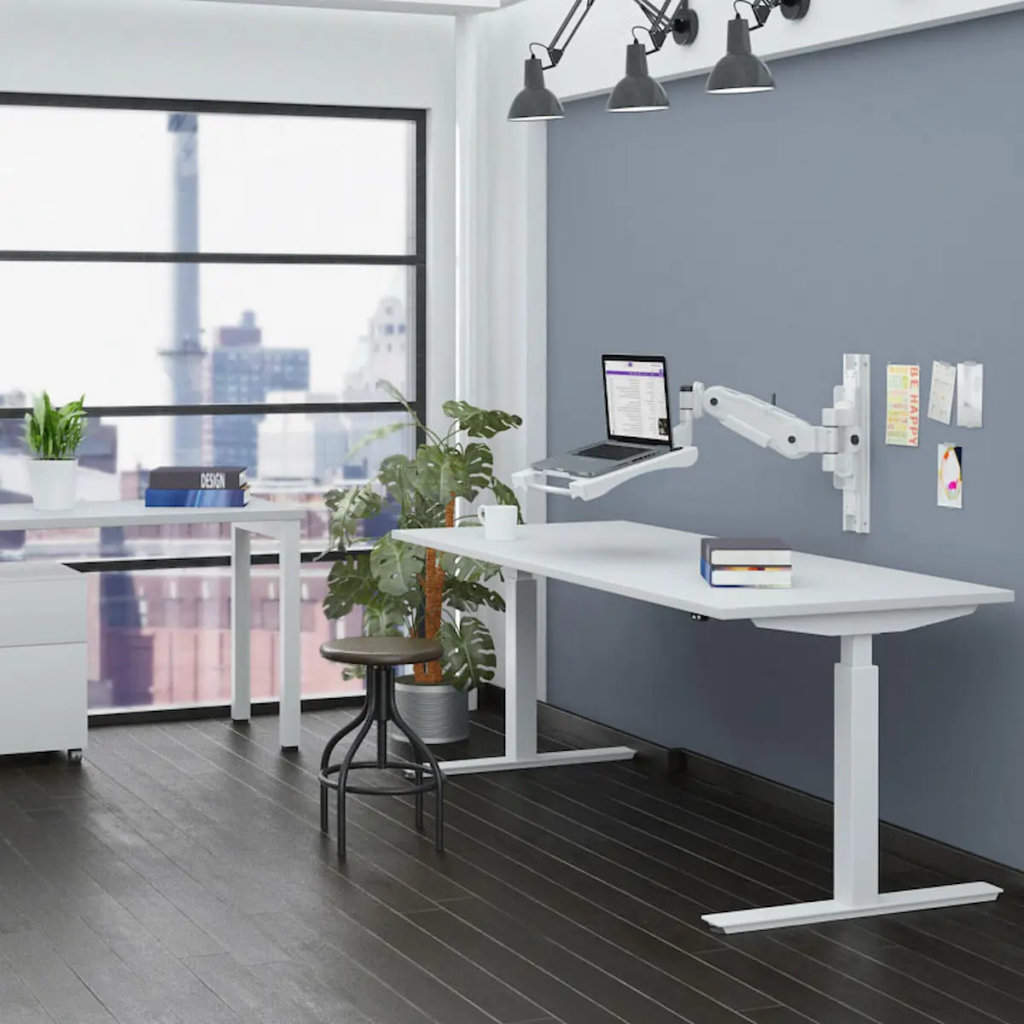
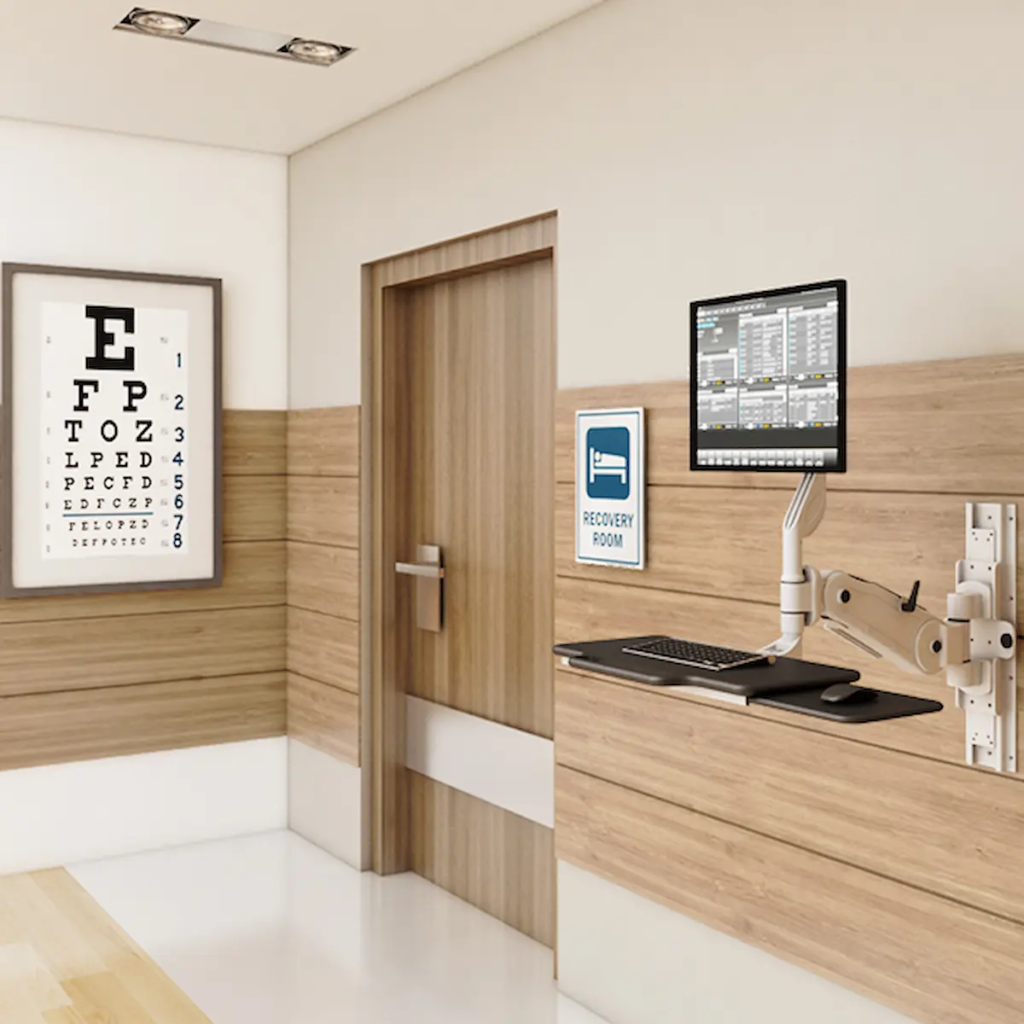
Wall Mounted Computer: Save Space & Improve Workflow Introduction: Is Your Workspace Holding You Back? A cluttered desk doesn’t just look unprofessional—it slows you down, limits movement, and can even impact your posture. Whether you’re managing a busy office, running a healthcare facility, or working from home, space and efficiency matter more than ever. A wall mounted computer offers a smarter way to work. By moving your workstation off the desk and onto the wall, you instantly create a cleaner, more ergonomic, and more productive environment. If you’re exploring ways to upgrade your setup, this guide will help you understand exactly how and why this solution works—and whether it’s the right fit for you. What Is a Wall Mounted Computer and Why Are People Switching to It? A wall mounted computer is a workstation setup that is securely attached to a wall, designed to save space and improve ergonomics. Unlike traditional desk setups, wall-mounted systems elevate your monitor, CPU, and accessories into a compact, organized structure. This shift is becoming increasingly popular in modern workspaces where efficiency and flexibility are essential. Businesses and individuals are moving toward these solutions to eliminate clutter, improve posture, and create a more streamlined workflow. If your current setup feels cramped or inefficient, switching to a wall-mounted system can transform how you work—without requiring a complete office overhaul. What Are the Best Ways to Use a Wall Mounted Computer Setup? How Can Wall Mounted Computers Improve Office Productivity? Wall mounted computers improve productivity by freeing up desk space and creating a more organized workflow. When your workspace is clear, your focus improves. With fewer distractions and better access to your tools, tasks become easier to manage. Employees can move more freely, collaborate more efficiently, and maintain better posture throughout the day. Over time, these small improvements can significantly impact overall performance. For offices looking to optimize efficiency, integrating solutions like wall mount systems (https://ergoville.com/wall-mounts/) or pairing them with monitor arms (https://ergoville.com/monitor-arms/) can create a flexible and scalable setup. Are Wall Mounted Computers Good for Healthcare or Industrial Settings? Yes, wall mounted computers are ideal for healthcare and industrial environments because they improve hygiene, accessibility, and space efficiency. In healthcare settings, reducing surface contact is critical. Wall-mounted systems help minimize contamination risks by keeping equipment off shared surfaces. In industrial environments, they provide durable, space-saving access to systems without interfering with workflow or safety. These setups are especially valuable in high-traffic areas where every inch of space matters and quick access to systems is essential. Can a Wall Mounted Computer Work in a Home Office? Yes, wall mounted computers are perfect for home offices, especially in smaller spaces. Remote work has made space optimization a priority. A wall-mounted setup allows you to create a clean, minimalist workspace—even in tight areas. It also helps separate your work environment from your personal space, improving focus and productivity. If you’re working with limited room, combining a wall mount with a standing desk (https://ergoville.com/office-standing-desk/) can create a highly functional and ergonomic home office. How Do You Choose the Right Wall Mounted Computer Setup? What Factors Should You Consider Before Buying? Key factors include available space, adjustability, weight capacity, and your daily workflow needs. Before choosing a system, think about how you work. Do you need flexibility for different users? Will the setup support multiple devices? Is space your main concern, or are you focused on ergonomics? Answering these questions helps narrow down your options and ensures you invest in a solution that actually improves your workflow—not complicates it. What Types of Wall Mount Systems Are Available? Wall mount systems range from fixed mounts to fully adjustable workstation arms. Fixed mounts are simple and stable, ideal for static setups. Adjustable arms offer flexibility, allowing you to move screens and equipment as needed. Full workstation systems combine multiple features, supporting monitors, keyboards, and CPUs in one integrated unit. If you’re unsure which direction to take, exploring options directly on the Ergoville homepage (https://ergoville.com/) can help you compare solutions based on your needs. When Should You Choose a Fully Integrated Workstation? Choose a fully integrated workstation when you need maximum flexibility, adjustability, and multi-device support. These systems are ideal for environments where users frequently change positions or require access to multiple tools. They allow seamless transitions between sitting and standing while keeping everything within reach. If your workflow is dynamic or shared across multiple users, investing in a more advanced system can provide long-term value and efficiency. What Does a Real Wall Mounted Computer Setup Look Like in Practice? What Are Common Real-World Setup Examples? Common examples include hospital workstations, warehouse terminals, and compact home office setups. In hospitals, wall-mounted systems allow quick access to patient data without cluttering critical spaces. In warehouses, they provide durable and accessible terminals for inventory management. At home, they create clean, distraction-free environments that maximize limited space. Seeing how these setups function in real-world scenarios makes it easier to visualize how they could work for you. What Problems Can This Setup Solve Immediately? Wall mounted computers immediately reduce clutter, improve posture, and enhance workflow efficiency. If your current setup feels disorganized or uncomfortable, this solution addresses those issues right away. By creating a dedicated, ergonomic workstation, you can work more comfortably and efficiently from day one. If you’re ready to explore options tailored to your needs, you can always reach out through the Ergoville contact page (https://ergoville.com/contact/) for guidance. Frequently Asked Questions What is a wall mounted computer setup? A wall mounted computer setup is a workstation attached to a wall to save space and improve ergonomics. Are wall mounted computers ergonomic? Yes, when properly installed, they promote better posture and reduce strain on the neck and back. How much weight can wall mounts hold? It depends on the system, but most are designed to support monitors, CPUs, and full workstation setups. Can I install a wall mounted workstation myself? Some systems allow DIY installation, but professional installation is recommended for complex setups. { “@context”: “https://schema.org”,

Wall Mounted Computer: Save Space & Improve Workflow Read More »

wall mounted workstations for healthcare

Wall Mounted Workstations for Healthcare: Secure, Hygienic & Space-Saving Solutions

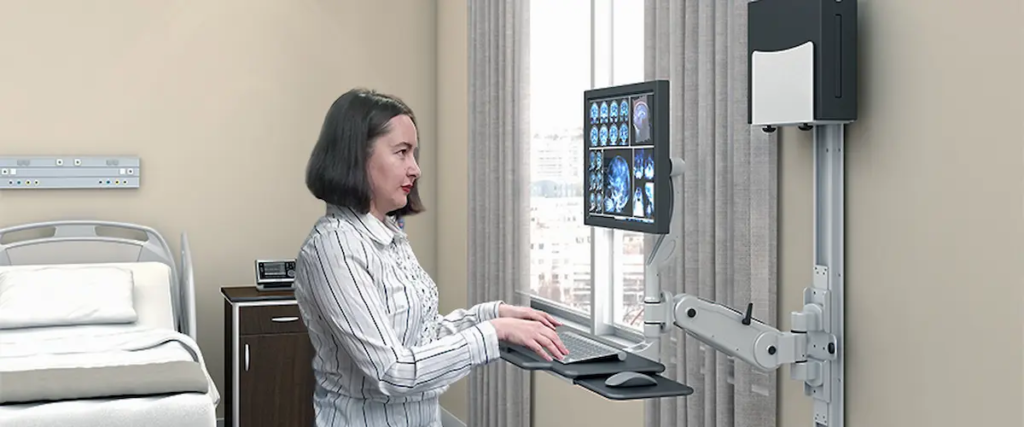
Wall Mounted Workstations for Healthcare: Secure, Hygienic & Space-Saving Solutions   Healthcare environments demand efficiency, cleanliness, and security—all at once. With increasing reliance on digital systems, hospitals and clinics need computing solutions that don’t compromise space or safety. That’s why wall mounted workstations for healthcare are becoming essential in modern medical facilities. These systems are designed to deliver secure, accessible computing while supporting infection control protocols and maximizing valuable floor space. For healthcare professionals, this means better workflow, improved patient care, and a more organized environment. What Are Wall Mounted Workstations in Healthcare? Wall mounted workstations are fixed computing units installed directly onto walls, typically enclosed in protective housings to secure sensitive equipment. In healthcare settings, they are used to access patient records, manage workflows, and support clinical operations without occupying floor space. Unlike traditional setups, these systems integrate seamlessly into clinical environments while maintaining strict hygiene and safety standards. Solutions like secure workstation systems help ensure that both hardware and data remain protected. Key Benefits of Wall Mounted Workstations for Healthcare 1. Improved Infection Control and Hygiene In healthcare, cleanliness is critical. Wall mounted systems reduce surface contact and eliminate clutter, making cleaning and disinfection easier. Because they are elevated and enclosed, these workstations help minimize contamination risks—supporting infection control protocols that are essential in hospitals and clinics. 2. Space Optimization in Clinical Environments Floor space in healthcare facilities is often limited. By mounting systems directly to walls, facilities can free up valuable room for patient care and equipment. Compared to bulky setups, wall-mounted units provide a streamlined alternative that enhances movement and accessibility—especially in high-traffic areas. 3. Secure Access to Patient Data Data security is a top priority in healthcare. With lockable enclosures, wall mounted workstations protect sensitive patient information and computing hardware. This makes them ideal for shared environments where multiple staff members require access while maintaining compliance and confidentiality. 4. Enhanced Workflow Efficiency Healthcare professionals need fast, reliable access to systems. Wall-mounted workstations allow staff to: Access records instantly Update patient information in real time Reduce unnecessary movement This improves workflow efficiency and helps medical teams focus on delivering care. 5. Ergonomic and User-Friendly Design Ergonomics plays a key role in reducing fatigue during long shifts. When paired with adjustable components like monitor arms, wall-mounted systems allow for comfortable positioning and better usability. This supports healthcare staff who rely on these systems throughout the day. Real-World Applications in Healthcare Settings Wall mounted workstations are used across a wide range of medical environments: Patient Rooms Provide direct access to records and systems at the point of care. Nursing Stations Enable quick data entry and coordination among staff. Laboratories Support secure and organized access to testing systems. Emergency Departments Ensure critical tools are always accessible in high-pressure situations. Choosing the Right Wall Mounted Workstation Selecting the right solution depends on your facility’s needs. Consider the following: Security Features Look for lockable enclosures and tamper-resistant designs. Hygiene and Cleanability Choose materials that are easy to disinfect and maintain. Space Efficiency Ensure the design fits your available wall space without obstruction. Compatibility Your workstation should support your current systems and devices. Customization Solutions like the desk configurator allow facilities to tailor setups based on workflow requirements. Why Healthcare Facilities Are Moving Toward Wall Mounted Solutions As healthcare becomes more technology-driven, facilities are prioritizing solutions that combine efficiency with safety. Wall mounted workstations offer: Reduced clutter and improved organization Enhanced infection control Secure access to sensitive data Better utilization of space For facilities looking to modernize operations, these systems provide a scalable and future-ready solution. To explore complete solutions, visit the Ergoville homepage or reach out directly through the contact page for tailored recommendations. Conclusion Wall mounted workstations for healthcare are more than just space-saving tools—they are essential components of modern, efficient medical environments. By improving security, supporting hygiene, and enhancing workflow, these systems help healthcare providers deliver better patient care. Investing in a secure wall-mounted computer workstation with metal enclosure ensures long-term reliability, efficiency, and adaptability in today’s evolving healthcare landscape.

Wall Mounted Workstations for Healthcare: Secure, Hygienic & Space-Saving Solutions Read More »

secure wall-mounted computer workstation

Secure Wall-Mounted Computer Workstation: Space-Saving, Safe & Efficient Computing

Secure Wall-Mounted Computer Workstation: Space-Saving, Safe & Efficient Computing   In environments where space is limited and security is critical, traditional workstations often fall short. Healthcare facilities, industrial sites, and commercial spaces require solutions that are both compact and highly secure. This is where a secure wall-mounted computer workstation becomes a game-changing investment. Designed to deliver reliable computing while protecting sensitive equipment, these workstations provide a streamlined, space-saving approach that enhances both efficiency and safety. What Is a Secure Wall-Mounted Computer Workstation? A secure wall-mounted computer workstation is a fixed computing station attached to a wall, typically enclosed in a durable metal housing to protect internal components. Unlike mobile carts or desks, these systems are built for permanent installation in high-demand environments. Solutions like wall-mounted computer systems are engineered to: Maximize available floor space Secure hardware with lockable enclosures Reduce clutter and improve organization Support continuous operation in demanding settings Key Benefits of a Secure Wall-Mounted Workstation 1. Enhanced Security and Equipment Protection One of the biggest advantages is the built-in security. A metal enclosure protects against unauthorized access, tampering, and accidental damage. Using solutions like secure computing enclosures ensures sensitive hardware and data remain protected in high-traffic environments. 2. Space-Saving Design for Efficient Layouts Wall-mounted systems eliminate bulky furniture and free up floor space. When paired with track-mounted systems, facilities can maximize vertical space while maintaining accessibility. 3. Improved Workflow and Accessibility Wall-mounted workstations keep essential systems within reach while maintaining organization. Integrating monitor arms allows flexible positioning, improving usability and efficiency. 4. Durable Construction for Demanding Environments These systems are built with rugged materials that protect against dust, impact, and wear. Adding workspace accessories enhances protection and functionality. 5. Clean and Professional Workspace Setup Wall-mounted systems reduce clutter and improve visual organization. For tailored configurations, tools like desk configurator help match exact workspace requirements. Common Use Cases Across Industries Healthcare: Secure access to patient data Industrial: Rugged computing in harsh environments Retail: Organized and secure POS setups IT environments: Controlled access using computer rack systems  How to Choose the Right Wall-Mounted Workstation When selecting a solution, consider: Security features (lockable enclosures) Space efficiency Hardware compatibility Ergonomic integration with monitor arms  Customization using desk configurator  Why Security and Space Optimization Matter Today Modern workplaces require efficient use of space and stronger protection for equipment. A secure wall-mounted workstation helps: Improve workflow efficiency Protect sensitive systems Reduce clutter Ensure long-term durability Conclusion A secure wall-mounted computer workstation  is a smart investment for organizations that prioritize security, efficiency, and space optimization. By implementing the right setup, businesses can create a streamlined, protected, and high-performing work environment.

Secure Wall-Mounted Computer Workstation: Space-Saving, Safe & Efficient Computing Read More »