May 2026

Computer on wheels

Computer on Wheels: A Smarter Way to Work Anywhere

Computer on Wheels: A Smarter Way to Work Anywhere If your workflow depends on staying in one place, you’re already losing time. Whether you’re in healthcare, warehouses, offices, or even hybrid work environments, being stuck at a desk can slow down productivity and create unnecessary friction. A computer on wheels changes that completely. Instead of bringing work to a fixed station, you bring the workstation to where the work actually happens. This shift not only saves time but also creates a more flexible, efficient, and ergonomic workflow. If you’re looking for a smarter way to work across different environments, this guide will help you understand exactly how mobile computer carts can transform your setup—and whether it’s the right move for you. What Is a Computer on Wheels and Why Is It Becoming Essential? A computer on wheels is a mobile workstation mounted on a cart that allows you to move your setup easily between locations. Unlike traditional desks or fixed workstations, mobile carts provide flexibility and accessibility. They’re designed to hold monitors, CPUs, keyboards, and accessories while remaining stable and easy to maneuver. This makes them ideal for fast-paced environments where efficiency and adaptability are critical. Businesses are increasingly adopting these solutions because they reduce downtime, improve workflow continuity, and allow teams to work directly where tasks are happening instead of returning to a central station. What Are the Best Ways to Use a Computer on Wheels? How Can Mobile Computer Carts Improve Productivity? Mobile computer carts improve productivity by allowing you to bring your workstation directly to your task. Instead of walking back and forth between stations, you can stay focused and complete tasks faster. This is especially valuable in environments where time and efficiency are critical. By reducing unnecessary movement, teams can streamline operations and improve overall output. For organizations looking to improve workflow efficiency, investing in a computer cart can significantly enhance daily operations. Are Computer on Wheels Ideal for Healthcare and Industrial Use? Yes, they are widely used in healthcare and industrial settings due to their flexibility and efficiency. In healthcare, mobile carts allow professionals to access patient data at the bedside, improving care delivery and reducing delays. In industrial environments, they provide on-the-go access to systems for inventory, diagnostics, and operations management. Their ability to move seamlessly between tasks makes them an essential tool in fast-paced, high-demand environments. Can You Use a Computer on Wheels in an Office or Home Setup? Yes, they are increasingly popular in offices and home workspaces for flexibility and space optimization. In offices, they support collaborative work and flexible layouts. In home environments, they offer a dynamic alternative to static desks, especially in multi-purpose spaces. You can easily reposition your workstation depending on your needs throughout the day. Pairing a mobile setup with solutions like a standing desk can further enhance comfort and productivity. How Do You Choose the Right Computer on Wheels? What Features Should You Look For in a Mobile Computer Cart? Key features include mobility, stability, storage, and adjustability. A good mobile cart should be easy to move but stable enough to support your equipment securely. Look for options with adjustable height, durable wheels, and built-in storage for accessories. These features ensure that your setup remains efficient and adaptable to different tasks. If you’re exploring options, you can review a complete solution like this mobile computer cart with wheels designed for both convenience and efficiency. What’s the Difference Between Powered and Non-Powered Carts? Powered carts include battery systems for continuous use, while non-powered carts rely on standard plug-in setups. Powered carts are ideal for environments where constant movement is required without access to power outlets. Non-powered carts are simpler and more cost-effective, making them suitable for controlled environments where power access is readily available. Choosing between the two depends on your workflow and how frequently you need uninterrupted mobility. When Should You Invest in a Mobile Workstation? You should invest in a mobile workstation when your workflow requires flexibility, efficiency, and multi-location access. If your team constantly moves between tasks or locations, a mobile solution can significantly reduce inefficiencies. It eliminates the need to return to a central station and allows work to happen in real time. For businesses aiming to optimize operations, exploring options on the Ergoville homepage can help identify the right setup. What Does a Computer on Wheels Look Like in Real Use? What Are Common Real-World Applications? Common applications include hospitals, warehouses, offices, and remote work environments. In hospitals, carts move with healthcare providers, improving patient care. In warehouses, they support real-time inventory tracking. In offices, they enable flexible collaboration. At home, they create adaptable workspaces that can shift throughout the day. These examples show how versatile and practical mobile workstations can be across industries. What Problems Can a Computer on Wheels Solve Immediately? A computer on wheels solves problems like inefficiency, limited mobility, and workspace clutter. If your current setup requires constant movement or feels restrictive, a mobile workstation removes those barriers. It creates a smoother, more efficient workflow while improving comfort and accessibility. If you’re considering upgrading your setup, you can always reach out through the Ergoville contact page for personalized recommendations. Frequently Asked Questions What is a computer on wheels? A computer on wheels is a mobile workstation that allows you to move your setup easily between locations. Are mobile computer carts stable? Yes, high-quality carts are designed for stability while still being easy to maneuver. Do I need a powered cart? Only if your workflow requires continuous mobility without access to power outlets. Can I use a computer on wheels at home? Yes, it’s a great option for flexible and space-saving home office setups.

Computer on Wheels: A Smarter Way to Work Anywhere Read More »

wall mounted computer

Wall Mounted Computer: Save Space & Improve Workflow

Wall Mounted Computer: Save Space & Improve Workflow Introduction: Is Your Workspace Holding You Back? A cluttered desk doesn’t just look unprofessional—it slows you down, limits movement, and can even impact your posture. Whether you’re managing a busy office, running a healthcare facility, or working from home, space and efficiency matter more than ever. A wall mounted computer offers a smarter way to work. By moving your workstation off the desk and onto the wall, you instantly create a cleaner, more ergonomic, and more productive environment. If you’re exploring ways to upgrade your setup, this guide will help you understand exactly how and why this solution works—and whether it’s the right fit for you. What Is a Wall Mounted Computer and Why Are People Switching to It? A wall mounted computer is a workstation setup that is securely attached to a wall, designed to save space and improve ergonomics. Unlike traditional desk setups, wall-mounted systems elevate your monitor, CPU, and accessories into a compact, organized structure. This shift is becoming increasingly popular in modern workspaces where efficiency and flexibility are essential. Businesses and individuals are moving toward these solutions to eliminate clutter, improve posture, and create a more streamlined workflow. If your current setup feels cramped or inefficient, switching to a wall-mounted system can transform how you work—without requiring a complete office overhaul. What Are the Best Ways to Use a Wall Mounted Computer Setup? How Can Wall Mounted Computers Improve Office Productivity? Wall mounted computers improve productivity by freeing up desk space and creating a more organized workflow. When your workspace is clear, your focus improves. With fewer distractions and better access to your tools, tasks become easier to manage. Employees can move more freely, collaborate more efficiently, and maintain better posture throughout the day. Over time, these small improvements can significantly impact overall performance. For offices looking to optimize efficiency, integrating solutions like wall mount systems (https://ergoville.com/wall-mounts/) or pairing them with monitor arms (https://ergoville.com/monitor-arms/) can create a flexible and scalable setup. Are Wall Mounted Computers Good for Healthcare or Industrial Settings? Yes, wall mounted computers are ideal for healthcare and industrial environments because they improve hygiene, accessibility, and space efficiency. In healthcare settings, reducing surface contact is critical. Wall-mounted systems help minimize contamination risks by keeping equipment off shared surfaces. In industrial environments, they provide durable, space-saving access to systems without interfering with workflow or safety. These setups are especially valuable in high-traffic areas where every inch of space matters and quick access to systems is essential. Can a Wall Mounted Computer Work in a Home Office? Yes, wall mounted computers are perfect for home offices, especially in smaller spaces. Remote work has made space optimization a priority. A wall-mounted setup allows you to create a clean, minimalist workspace—even in tight areas. It also helps separate your work environment from your personal space, improving focus and productivity. If you’re working with limited room, combining a wall mount with a standing desk (https://ergoville.com/office-standing-desk/) can create a highly functional and ergonomic home office. How Do You Choose the Right Wall Mounted Computer Setup? What Factors Should You Consider Before Buying? Key factors include available space, adjustability, weight capacity, and your daily workflow needs. Before choosing a system, think about how you work. Do you need flexibility for different users? Will the setup support multiple devices? Is space your main concern, or are you focused on ergonomics? Answering these questions helps narrow down your options and ensures you invest in a solution that actually improves your workflow—not complicates it. What Types of Wall Mount Systems Are Available? Wall mount systems range from fixed mounts to fully adjustable workstation arms. Fixed mounts are simple and stable, ideal for static setups. Adjustable arms offer flexibility, allowing you to move screens and equipment as needed. Full workstation systems combine multiple features, supporting monitors, keyboards, and CPUs in one integrated unit. If you’re unsure which direction to take, exploring options directly on the Ergoville homepage (https://ergoville.com/) can help you compare solutions based on your needs. When Should You Choose a Fully Integrated Workstation? Choose a fully integrated workstation when you need maximum flexibility, adjustability, and multi-device support. These systems are ideal for environments where users frequently change positions or require access to multiple tools. They allow seamless transitions between sitting and standing while keeping everything within reach. If your workflow is dynamic or shared across multiple users, investing in a more advanced system can provide long-term value and efficiency. What Does a Real Wall Mounted Computer Setup Look Like in Practice? What Are Common Real-World Setup Examples? Common examples include hospital workstations, warehouse terminals, and compact home office setups. In hospitals, wall-mounted systems allow quick access to patient data without cluttering critical spaces. In warehouses, they provide durable and accessible terminals for inventory management. At home, they create clean, distraction-free environments that maximize limited space. Seeing how these setups function in real-world scenarios makes it easier to visualize how they could work for you. What Problems Can This Setup Solve Immediately? Wall mounted computers immediately reduce clutter, improve posture, and enhance workflow efficiency. If your current setup feels disorganized or uncomfortable, this solution addresses those issues right away. By creating a dedicated, ergonomic workstation, you can work more comfortably and efficiently from day one. If you’re ready to explore options tailored to your needs, you can always reach out through the Ergoville contact page (https://ergoville.com/contact/) for guidance. Frequently Asked Questions What is a wall mounted computer setup? A wall mounted computer setup is a workstation attached to a wall to save space and improve ergonomics. Are wall mounted computers ergonomic? Yes, when properly installed, they promote better posture and reduce strain on the neck and back. How much weight can wall mounts hold? It depends on the system, but most are designed to support monitors, CPUs, and full workstation setups. Can I install a wall mounted workstation myself? Some systems allow DIY installation, but professional installation is recommended for complex setups. { “@context”: “https://schema.org”,

Wall Mounted Computer: Save Space & Improve Workflow Read More »

wall mounted workstations for healthcare

Wall Mounted Workstations for Healthcare: Secure, Hygienic & Space-Saving Solutions

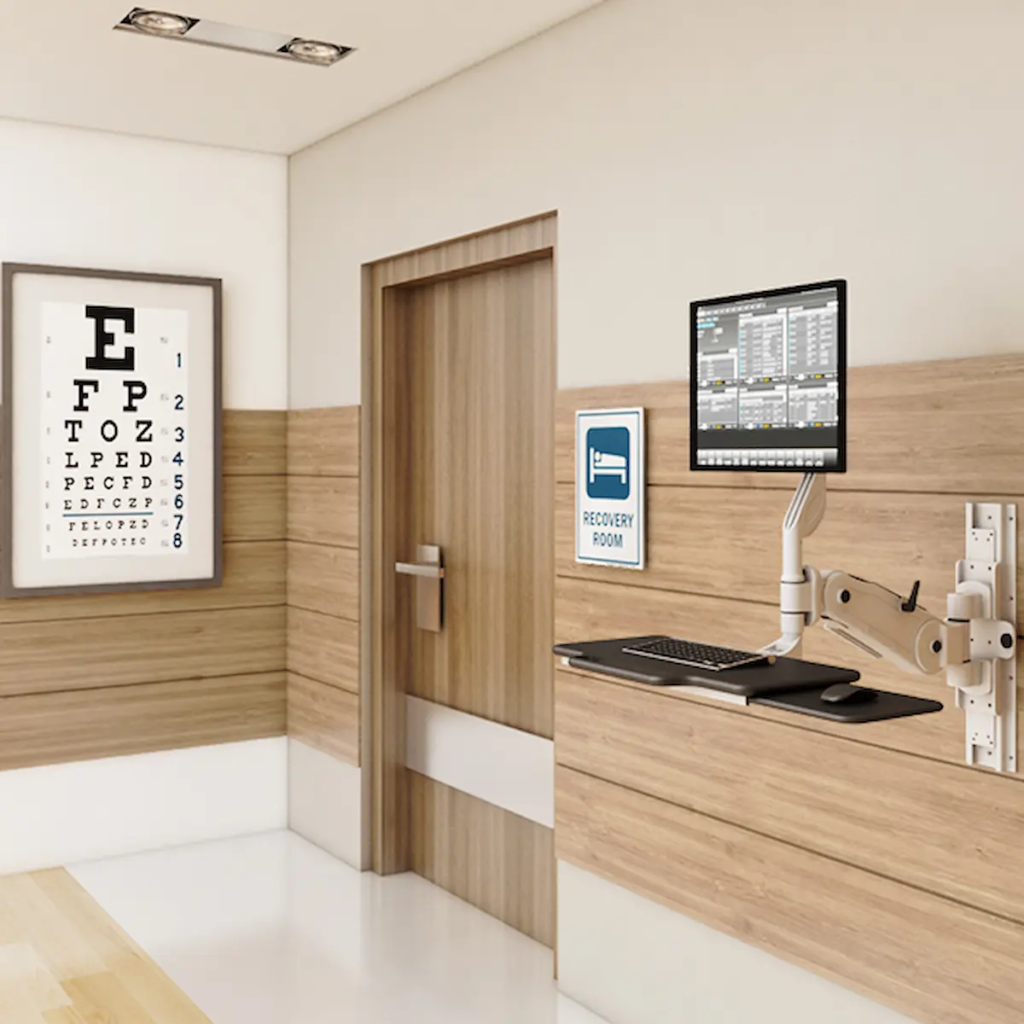
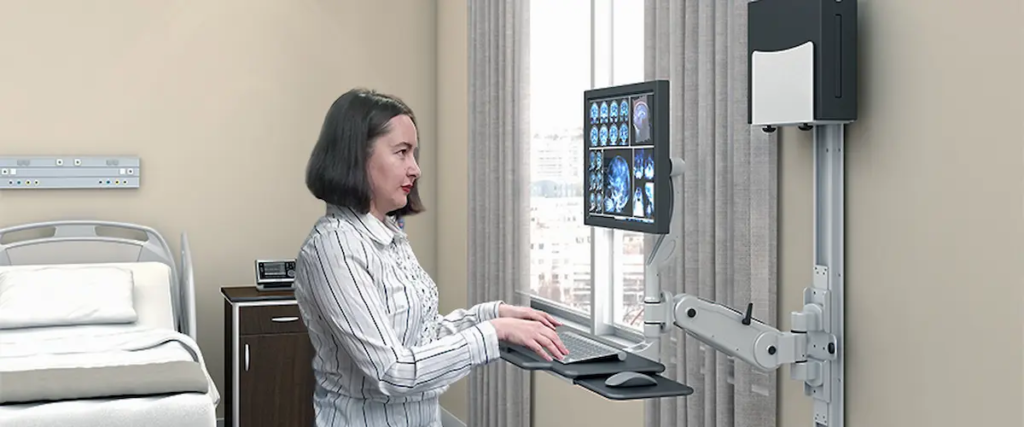
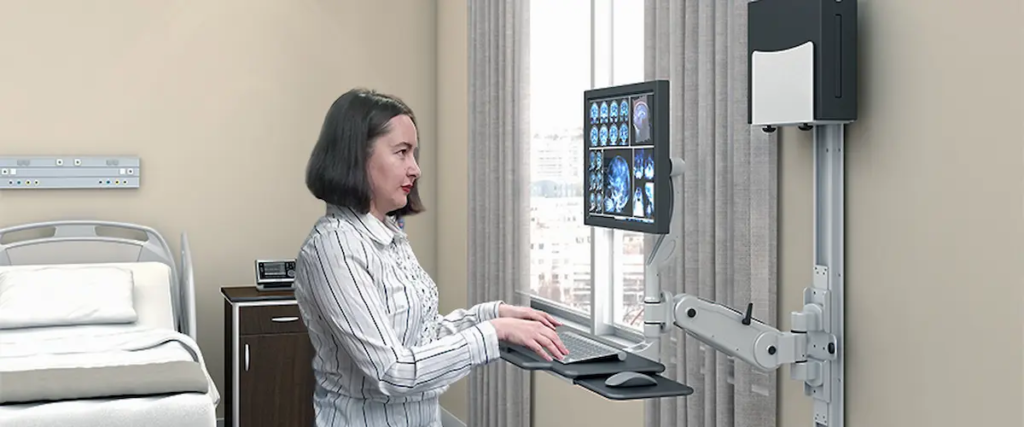
Wall Mounted Workstations for Healthcare: Secure, Hygienic & Space-Saving Solutions   Healthcare environments demand efficiency, cleanliness, and security—all at once. With increasing reliance on digital systems, hospitals and clinics need computing solutions that don’t compromise space or safety. That’s why wall mounted workstations for healthcare are becoming essential in modern medical facilities. These systems are designed to deliver secure, accessible computing while supporting infection control protocols and maximizing valuable floor space. For healthcare professionals, this means better workflow, improved patient care, and a more organized environment. What Are Wall Mounted Workstations in Healthcare? Wall mounted workstations are fixed computing units installed directly onto walls, typically enclosed in protective housings to secure sensitive equipment. In healthcare settings, they are used to access patient records, manage workflows, and support clinical operations without occupying floor space. Unlike traditional setups, these systems integrate seamlessly into clinical environments while maintaining strict hygiene and safety standards. Solutions like secure workstation systems help ensure that both hardware and data remain protected. Key Benefits of Wall Mounted Workstations for Healthcare 1. Improved Infection Control and Hygiene In healthcare, cleanliness is critical. Wall mounted systems reduce surface contact and eliminate clutter, making cleaning and disinfection easier. Because they are elevated and enclosed, these workstations help minimize contamination risks—supporting infection control protocols that are essential in hospitals and clinics. 2. Space Optimization in Clinical Environments Floor space in healthcare facilities is often limited. By mounting systems directly to walls, facilities can free up valuable room for patient care and equipment. Compared to bulky setups, wall-mounted units provide a streamlined alternative that enhances movement and accessibility—especially in high-traffic areas. 3. Secure Access to Patient Data Data security is a top priority in healthcare. With lockable enclosures, wall mounted workstations protect sensitive patient information and computing hardware. This makes them ideal for shared environments where multiple staff members require access while maintaining compliance and confidentiality. 4. Enhanced Workflow Efficiency Healthcare professionals need fast, reliable access to systems. Wall-mounted workstations allow staff to: Access records instantly Update patient information in real time Reduce unnecessary movement This improves workflow efficiency and helps medical teams focus on delivering care. 5. Ergonomic and User-Friendly Design Ergonomics plays a key role in reducing fatigue during long shifts. When paired with adjustable components like monitor arms, wall-mounted systems allow for comfortable positioning and better usability. This supports healthcare staff who rely on these systems throughout the day. Real-World Applications in Healthcare Settings Wall mounted workstations are used across a wide range of medical environments: Patient Rooms Provide direct access to records and systems at the point of care. Nursing Stations Enable quick data entry and coordination among staff. Laboratories Support secure and organized access to testing systems. Emergency Departments Ensure critical tools are always accessible in high-pressure situations. Choosing the Right Wall Mounted Workstation Selecting the right solution depends on your facility’s needs. Consider the following: Security Features Look for lockable enclosures and tamper-resistant designs. Hygiene and Cleanability Choose materials that are easy to disinfect and maintain. Space Efficiency Ensure the design fits your available wall space without obstruction. Compatibility Your workstation should support your current systems and devices. Customization Solutions like the desk configurator allow facilities to tailor setups based on workflow requirements. Why Healthcare Facilities Are Moving Toward Wall Mounted Solutions As healthcare becomes more technology-driven, facilities are prioritizing solutions that combine efficiency with safety. Wall mounted workstations offer: Reduced clutter and improved organization Enhanced infection control Secure access to sensitive data Better utilization of space For facilities looking to modernize operations, these systems provide a scalable and future-ready solution. To explore complete solutions, visit the Ergoville homepage or reach out directly through the contact page for tailored recommendations. Conclusion Wall mounted workstations for healthcare are more than just space-saving tools—they are essential components of modern, efficient medical environments. By improving security, supporting hygiene, and enhancing workflow, these systems help healthcare providers deliver better patient care. Investing in a secure wall-mounted computer workstation with metal enclosure ensures long-term reliability, efficiency, and adaptability in today’s evolving healthcare landscape.

Wall Mounted Workstations for Healthcare: Secure, Hygienic & Space-Saving Solutions Read More »

secure wall-mounted computer workstation

Secure Wall-Mounted Computer Workstation: Space-Saving, Safe & Efficient Computing

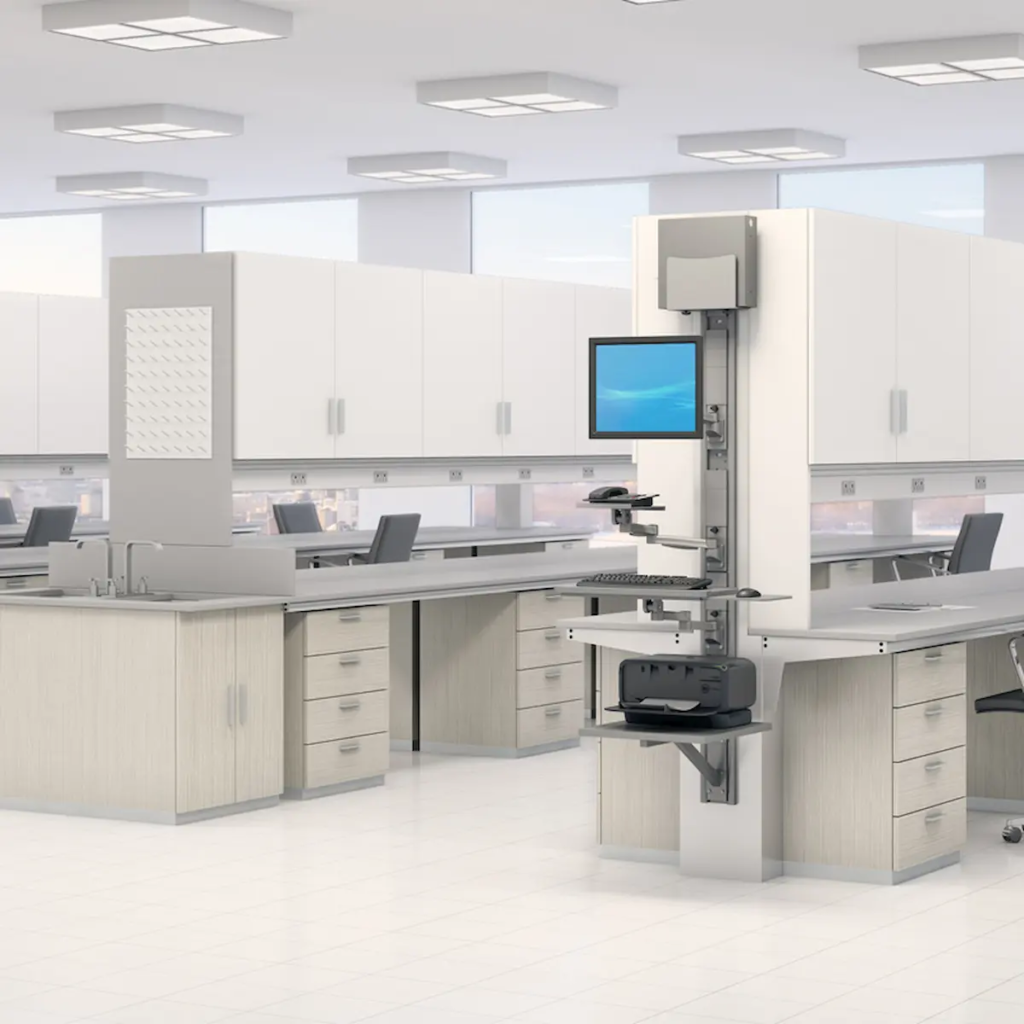
Secure Wall-Mounted Computer Workstation: Space-Saving, Safe & Efficient Computing   In environments where space is limited and security is critical, traditional workstations often fall short. Healthcare facilities, industrial sites, and commercial spaces require solutions that are both compact and highly secure. This is where a secure wall-mounted computer workstation becomes a game-changing investment. Designed to deliver reliable computing while protecting sensitive equipment, these workstations provide a streamlined, space-saving approach that enhances both efficiency and safety. What Is a Secure Wall-Mounted Computer Workstation? A secure wall-mounted computer workstation is a fixed computing station attached to a wall, typically enclosed in a durable metal housing to protect internal components. Unlike mobile carts or desks, these systems are built for permanent installation in high-demand environments. Solutions like wall-mounted computer systems are engineered to: Maximize available floor space Secure hardware with lockable enclosures Reduce clutter and improve organization Support continuous operation in demanding settings Key Benefits of a Secure Wall-Mounted Workstation 1. Enhanced Security and Equipment Protection One of the biggest advantages is the built-in security. A metal enclosure protects against unauthorized access, tampering, and accidental damage. Using solutions like secure computing enclosures ensures sensitive hardware and data remain protected in high-traffic environments. 2. Space-Saving Design for Efficient Layouts Wall-mounted systems eliminate bulky furniture and free up floor space. When paired with track-mounted systems, facilities can maximize vertical space while maintaining accessibility. 3. Improved Workflow and Accessibility Wall-mounted workstations keep essential systems within reach while maintaining organization. Integrating monitor arms allows flexible positioning, improving usability and efficiency. 4. Durable Construction for Demanding Environments These systems are built with rugged materials that protect against dust, impact, and wear. Adding workspace accessories enhances protection and functionality. 5. Clean and Professional Workspace Setup Wall-mounted systems reduce clutter and improve visual organization. For tailored configurations, tools like desk configurator help match exact workspace requirements. Common Use Cases Across Industries Healthcare: Secure access to patient data Industrial: Rugged computing in harsh environments Retail: Organized and secure POS setups IT environments: Controlled access using computer rack systems  How to Choose the Right Wall-Mounted Workstation When selecting a solution, consider: Security features (lockable enclosures) Space efficiency Hardware compatibility Ergonomic integration with monitor arms  Customization using desk configurator  Why Security and Space Optimization Matter Today Modern workplaces require efficient use of space and stronger protection for equipment. A secure wall-mounted workstation helps: Improve workflow efficiency Protect sensitive systems Reduce clutter Ensure long-term durability Conclusion A secure wall-mounted computer workstation  is a smart investment for organizations that prioritize security, efficiency, and space optimization. By implementing the right setup, businesses can create a streamlined, protected, and high-performing work environment.

Secure Wall-Mounted Computer Workstation: Space-Saving, Safe & Efficient Computing Read More »

Convenient and Reliable Computing for Medical Professionals

Convenient and Reliable Computing for Medical Professionals: Why the Right Medical Computer Cart Matters

Convenient and Reliable Computing for Medical Professionals: Why the Right Medical Computer Cart Matters   In fast-paced healthcare environments, every second matters. Medical professionals rely on quick access to patient data, efficient workflows, and dependable equipment to deliver quality care. That’s where a medical computer cart becomes essential—bridging the gap between mobility and reliable computing in clinical settings. Whether in hospitals, clinics, or telemedicine environments, having convenient and reliable computing for medical professionals is critical for productivity, patient safety, and operational efficiency. What Is a Medical Computer Cart and Why Does It Matter? A medical computer cart is a mobile workstation designed to securely hold computing equipment while enabling healthcare professionals to move freely between patient rooms and departments. Unlike static setups, solutions like medical computer carts are engineered for: Mobility across clinical environments Secure device mounting Ergonomic adjustability Seamless workflow integration This allows clinicians to access EHR systems, update patient data in real time, and reduce inefficiencies. Key Benefits of Medical Computer Carts in Healthcare 1. Improved Clinical Workflow Efficiency Medical computer carts streamline operations by bringing computing directly to the point of care. Healthcare professionals using mobile workstations can: Document patient information instantly Reduce administrative delays Improve accuracy of medical records This leads to faster decisions and better patient outcomes. 2. Enhanced Mobility and Flexibility Healthcare environments require adaptability. With computer carts, staff can move between departments without losing access to critical systems. This is especially useful for: Emergency care Multi-room patient rounds Telemedicine workflows Mobility ensures continuous productivity. 3. Ergonomic Design for Long Shifts Long shifts demand equipment that supports physical well-being. Pairing carts with ergonomic tools like height-adjustable standing desks and monitor arms helps reduce strain and fatigue. Benefits include: Better posture support Reduced physical stress Increased comfort during extended use 4. Reliable and Secure Equipment Integration A quality medical cart supports and protects essential hardware. With add-ons like CPU holders and workspace accessories, healthcare teams can ensure organized and secure setups. These features help: Prevent device damage Improve cable management Maintain consistent performance 5. Supports Modern Healthcare Technology Today’s healthcare systems depend on digital integration. Medical carts allow seamless use of: Electronic Health Records (EHR) Telemedicine platforms Diagnostic tools With customizable solutions like the desk configurator, facilities can tailor setups based on workflow needs. Use Cases in Real Healthcare Environments Bedside Patient Care Clinicians can document patient data in real time, improving accuracy and efficiency. Telemedicine and Remote Consultations Mobile carts support virtual care delivery directly at the point of care. Emergency Response Quick mobility ensures critical tools are always within reach. Administrative Efficiency Staff can complete documentation without leaving their workflow zone. How to Choose the Right Medical Computer Cart When selecting a solution, consider: Mobility and Stability Look for smooth movement with locking mechanisms. Ergonomic Adjustability Ensure usability across different staff members. Device Compatibility Support for existing systems is essential. Durability and Cleanability Choose materials suited for healthcare environments. Customization Options Flexible setups using tools like desk configurator improve efficiency. Why Reliable Computing Is Critical in Healthcare Reliable computing directly impacts: Patient safety Accuracy of records Speed of care delivery Operational efficiency Using dependable solutions like medical computer carts allows professionals to focus on patient care without interruptions. Conclusion The need for convenient and reliable computing for medical professionals continues to grow. A well-designed medical computer cart enhances mobility, improves workflow, and supports better patient outcomes. Investing in reliable solutions like computer carts and mobile workstations is a strategic step toward modern, efficient healthcare environments. FAQs   What is a medical computer cart used for? A medical computer cart provides mobile computing access, allowing healthcare professionals to manage patient data efficiently. Why are medical carts important in hospitals? They improve workflow efficiency and enable real-time access to patient information. Are medical computer carts ergonomic? Yes, they are designed with adjustable features to support comfort during long shifts. Can medical carts support telemedicine? Yes, they enable remote consultations and mobile healthcare delivery. How do I choose the best medical computer cart? Focus on mobility, ergonomics, compatibility, durability, and customization options.

Convenient and Reliable Computing for Medical Professionals: Why the Right Medical Computer Cart Matters Read More »

workstation accessories

Workstation Accessories: How to Build a More Efficient and Ergonomic Workspace

Workstation Accessories: How to Build a More Efficient and Ergonomic Workspace   How Do Workstation Accessories Improve Productivity and Comfort? Workstation accessories improve productivity and comfort by optimizing ergonomics, organization, and accessibility. Many workspaces look functional at first glance, but over time, small inefficiencies start to add up. Poor monitor positioning, tangled cables, and lack of proper support can lead to discomfort and slower workflows. The right accessories solve these problems by creating a more organized and ergonomic environment, helping users stay focused and efficient throughout the day. What Workstation Accessories Do You Actually Need? Which Accessories Make the Biggest Impact on Daily Work? The most impactful workstation accessories are those that improve ergonomics, reduce clutter, and enhance accessibility. Not every accessory is necessary, and adding too many can create more complexity than value. Instead, focusing on high-impact solutions ensures that your workspace remains efficient and easy to manage. Choosing the right combination of accessories can transform a basic workstation into a highly functional and comfortable setup. 1. Monitor Arms and Mounts Monitor arms help position screens at the correct height and angle, reducing neck and eye strain. They are essential for maintaining proper posture and improving visibility, especially in multi-screen setups. Solutions like ergonomic mounts provide flexibility and precision for better screen positioning. 2. Cable Management Accessories Cable management solutions keep wires organized and prevent clutter. A clean workspace not only looks better but also improves efficiency by making it easier to access and maintain equipment. Organized cables reduce distractions and create a safer working environment. 3. CPU Holders and Mounting Solutions CPU holders free up desk space and improve airflow around your equipment. By mounting CPUs off the floor or desk, users can create more room for work while also protecting equipment from dust and damage. 4. Keyboard Trays and Ergonomic Add-ons Keyboard trays and ergonomic accessories support proper wrist positioning and reduce strain. These solutions are especially important for users who spend long hours typing, as they help prevent discomfort and repetitive stress injuries. 5. Storage and Utility Accessories Storage accessories help keep essential tools and supplies organized and within reach. An organized workspace reduces time spent searching for items and improves overall productivity. 6. Integrated Workstation Add-ons Integrated add-ons combine multiple accessories into one cohesive system. Pairing solutions like computer carts and medical carts allows users to create a fully functional and mobile workstation. How Do You Choose the Right Workstation Accessories? What Factors Should You Consider Before Buying Accessories? Choosing the right workstation accessories requires evaluating compatibility, ergonomics, workspace layout, and workflow needs. Start by assessing your current setup and identifying pain points. Consider the size of your desk, the number of devices you use, and how you interact with your workspace daily. Selecting accessories that align with these factors ensures that your setup remains efficient and easy to use. How Do Accessories Work Together as a System? Workstation accessories are most effective when they function as a connected system rather than individual add-ons. For example, combining monitor mounts with cable management solutions creates a cleaner and more organized workspace. Thinking in terms of bundles or “frequently used together” setups helps ensure compatibility and maximizes the benefits of each component. Exploring custom products can further enhance integration and performance. How Do Workstation Accessories Improve Efficiency and ROI? Workstation accessories improve efficiency by reducing physical strain, improving organization, and streamlining workflows. When users are comfortable and have easy access to tools, they can complete tasks more quickly and accurately. This leads to improved productivity and fewer interruptions. Over time, these benefits translate into a stronger return on investment. Where Are Workstation Accessories Most Valuable? What Real-World Use Cases Show Their Importance? Workstation accessories are valuable across offices, healthcare environments, IT operations, and industrial workspaces. In offices, they improve organization and comfort. In healthcare, they support efficient workflows and hygiene standards. In IT environments, they help manage equipment and cables. Their versatility makes them essential in any workspace where productivity and efficiency are priorities. How Do Accessories Support Scalable Workspaces? Workstation accessories support scalability by allowing setups to adapt to changing needs. As teams grow or workflows evolve, accessories can be added or reconfigured without replacing the entire workstation. This flexibility makes it easier to scale operations and maintain efficiency over time. Conclusion: Building a Smarter Workspace with the Right Accessories Workstation accessories are more than just add-ons—they are essential tools for improving comfort, organization, and productivity. The right combination of accessories creates a workspace that supports both efficiency and long-term performance. If you’re ready to upgrade your setup, explore workstation accessories or connect through the contact page to find the right solution for your needs.

Workstation Accessories: How to Build a More Efficient and Ergonomic Workspace Read More »

Desk configurator

Desk Configurator: How to Build a Workspace That Actually Fits Your Workflow

Desk Configurator: How to Build a Workspace That Actually Fits Your Workflow   What Is a Desk Configurator and Why Does It Matter? A desk configurator is an interactive tool that allows you to design and customize a workstation based on your specific needs, space, and workflow. Most workspaces are built using standard furniture that doesn’t fully match how people actually work. This often leads to inefficiencies, discomfort, and constant adjustments. A desk configurator solves this problem by giving you control over your setup—from size and layout to accessories and integrations. Instead of adapting to a fixed design, you create a workspace that aligns with your daily tasks and environment. What Can You Customize with a Desk Configurator? Which Features Actually Make a Difference in Your Setup? The most valuable customization options include desk size, height adjustability, mounting solutions, accessories, and system integrations. Not all customization options are equally important. The goal is to focus on features that directly improve workflow, comfort, and efficiency. Understanding what you can customize helps you design a setup that works for you long-term. 1. Desk Size and Layout Choosing the right desk size ensures your workspace fits your environment. Whether you’re working in a compact office or a large facility, selecting the correct dimensions prevents overcrowding and improves usability. 2. Height Adjustability and Ergonomics Adjustable desks allow users to switch between sitting and standing positions. This flexibility improves posture and reduces fatigue during long work hours. Pairing with office standing desks enhances ergonomic benefits. 3. Monitor Mounting and Screen Positioning Proper monitor placement is essential for comfort and productivity. Using monitor arms allows you to adjust screens for optimal viewing angles, reducing strain and improving workflow efficiency. 4. Equipment Integration and Mounting Options A well-designed workspace integrates all essential equipment seamlessly. Options like CPU holders and wall mounts help optimize space and organization. 5. Accessories and Workflow Enhancements Accessories complete the workspace and improve usability. Adding workstation accessories ensures that your setup is organized, efficient, and tailored to your needs. 6. Mobile and Flexible Workspace Options Mobility is increasingly important in modern environments. Combining with mobile workstations and computer carts allows for dynamic and adaptable setups. How Do You Use a Desk Configurator Effectively? What Should You Consider Before Designing Your Workspace? Before using a desk configurator, consider your workflow, available space, equipment requirements, and long-term needs. Start by analyzing how you work on a daily basis. Do you need multiple monitors? Do you frequently switch between tasks? Do you require mobility? Answering these questions helps you make informed decisions and avoid unnecessary features. How Does a Desk Configurator Improve Efficiency and ROI? A desk configurator improves efficiency by creating a workspace tailored to your specific tasks and reducing unnecessary adjustments. When your workspace is designed around your workflow, you spend less time adapting and more time working. This leads to improved productivity, better organization, and fewer disruptions. Over time, these benefits result in measurable cost savings and a stronger return on investment. How Does Customization Compare to Standard Workstations? Customized workstations provide flexibility and performance that standard setups cannot match. While standard desks may be quicker to purchase, they often require compromises. A customized solution ensures that every element of your workspace is intentional and aligned with your needs, resulting in a more efficient and comfortable environment. Where Does a Desk Configurator Make the Biggest Impact? What Work Environments Benefit the Most from Custom Workstations? Desk configurators are valuable in offices, healthcare environments, IT operations, and industrial workspaces. In offices, they improve productivity and ergonomics. In healthcare, they support efficient workflows and hygiene standards. In IT and industrial environments, they help manage complex equipment and optimize space. Their versatility makes them useful across a wide range of industries. How Does a Desk Configurator Support Modern Workspaces? Modern workspaces are becoming more flexible, collaborative, and user-focused. A desk configurator supports this shift by allowing organizations to create adaptable setups that evolve with changing needs. Whether supporting hybrid work models or specialized environments, customization ensures that workspaces remain efficient and future-ready. Conclusion: Design a Workspace That Works for You A desk configurator is more than just a design tool—it’s a way to create a workspace that truly supports your workflow, comfort, and productivity. By customizing your setup, you can eliminate inefficiencies and build an environment that adapts to your needs. If you’re ready to design your ideal workspace, explore the desk configurator or connect through the contact page to get started.  

Desk Configurator: How to Build a Workspace That Actually Fits Your Workflow Read More »

Cpu holders

CPU Holders: How to Save Space, Improve Airflow, and Protect Your Equipment

CPU Holders: How to Save Space, Improve Airflow, and Protect Your Equipment   What Are CPU Holders and Why Do They Matter? CPU holders are mounting solutions designed to securely hold your computer tower while improving workspace organization, airflow, and accessibility. In many work environments, CPU towers are placed directly on the floor or desk, where they are exposed to dust, accidental damage, and poor airflow. This not only reduces performance but also creates clutter and limits workspace efficiency. CPU holders solve these issues by elevating and securing the unit, allowing better ventilation and freeing up valuable desk or floor space. Whether in offices, healthcare facilities, or industrial environments, they provide a simple yet impactful upgrade to any workstation. What Types of CPU Holders Should You Consider? Which CPU Holder Designs Work Best for Different Setups? The most common types of CPU holders include under-desk mounts, wall-mounted units, and adjustable frame holders, each designed for different workspace needs. Choosing the right type depends on how your workspace is organized and how often you need to access your equipment. Understanding these options helps ensure that your setup remains both functional and efficient. 1. Under-Desk CPU Holders Under-desk holders mount the CPU beneath the workstation surface. This keeps the unit off the floor while maintaining easy access for maintenance. It also maximizes desk space, making it ideal for offices and ergonomic setups. Pairing with office standing desks creates a clean and efficient workstation. 2. Wall-Mounted CPU Holders Wall-mounted holders secure the CPU against a wall or vertical surface. These are ideal for environments where floor space is limited or where equipment needs to be kept completely off the ground. Explore wall mounts for compatible solutions. 3. Adjustable CPU Holders Adjustable holders are designed to accommodate different CPU sizes. They provide flexibility for organizations that use various types of equipment or plan to upgrade systems over time. 4. Mobile Workstation Integration CPU holders can be integrated into mobile setups for added flexibility. Combining with mobile workstations and computer carts allows users to move complete systems easily while keeping components secure. 5. Industrial and Heavy-Duty CPU Mounts Heavy-duty mounts are built for demanding environments. They offer enhanced durability and stability, making them suitable for industrial and technical applications. How Do You Choose the Right CPU Holder? What Factors Should You Consider Before Buying a CPU Holder? Choosing the right CPU holder requires evaluating workspace layout, CPU size, accessibility needs, and mounting preferences. Start by identifying where your CPU is currently placed and what challenges you’re facing. Is it taking up valuable desk space? Is it exposed to dust or damage? Do you need frequent access to ports and cables? Answering these questions helps you select a solution that improves both functionality and organization. How Do CPU Holders Improve Airflow and Equipment Performance? CPU holders improve airflow by elevating the unit and allowing proper ventilation. When placed directly on the floor or enclosed in tight spaces, CPUs can overheat due to restricted airflow. By positioning the unit in an open and elevated location, CPU holders help maintain optimal temperatures, improving performance and extending the lifespan of your equipment. How Do CPU Holders Improve Workspace Efficiency and ROI? CPU holders improve efficiency by reducing clutter, protecting equipment, and optimizing workspace organization. A cleaner and more organized workspace allows users to focus better and work more efficiently. Additionally, protecting equipment from dust and damage reduces maintenance costs and downtime. Over time, these benefits contribute to a stronger return on investment. Where Are CPU Holders Most Useful? What Work Environments Benefit the Most from CPU Holders? CPU holders are widely used in offices, healthcare environments, IT setups, and industrial workspaces. In offices, they improve organization and ergonomics. In healthcare, they help maintain hygiene and accessibility. In IT environments, they support efficient cable management and system maintenance. Their versatility makes them a valuable addition to any workspace. How Do CPU Holders Fit Into a Complete Ergonomic Setup? CPU holders are most effective when integrated into a complete ergonomic system. Combining them with monitor arms , track mounts , and accessories creates a fully optimized workspace. Using the desk configurator allows you to design a setup tailored to your needs. Conclusion: A Simple Upgrade with Long-Term Benefits CPU holders may seem like a small addition, but they deliver significant improvements in organization, performance, and equipment protection. By choosing the right type and integrating it into your workspace, you can create a cleaner, more efficient, and more ergonomic environment. If you’re ready to upgrade your setup, explore CPU holders or connect through the contact page  to find the right solution for your workspace.

CPU Holders: How to Save Space, Improve Airflow, and Protect Your Equipment Read More »