Best Office Standing Desk Deals
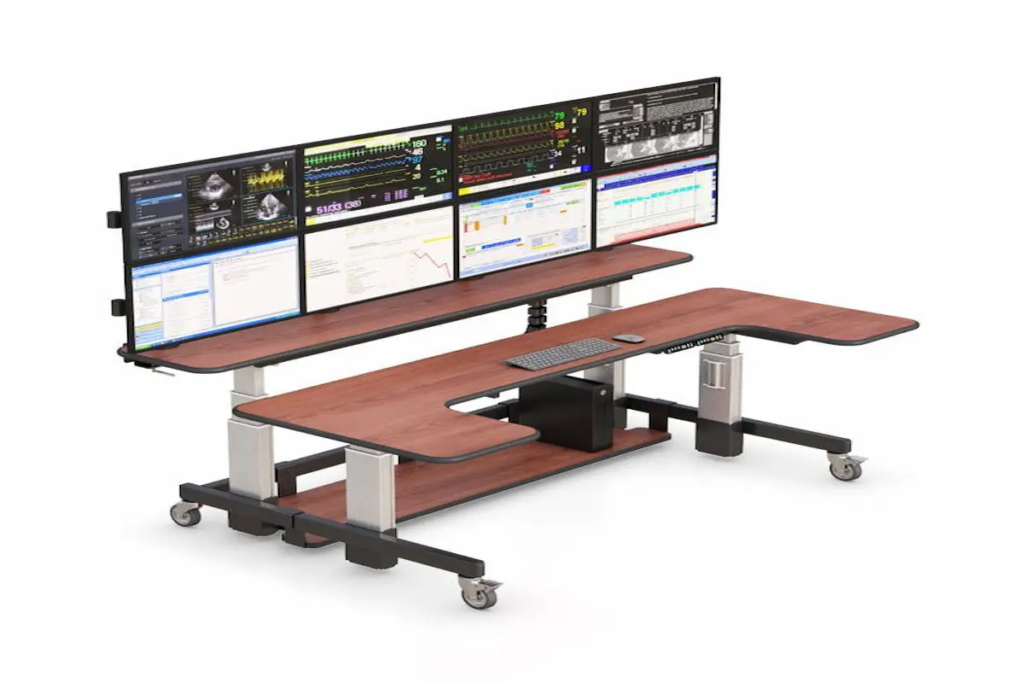
Introduction Finding the right office standing desk does not have to feel overwhelming. Whether you are upgrading your home office or outfitting a professional workspace, the best standing desks for home office setups are now more accessible than ever. This guide covers everything you need to know about current deals, features, and buying options. We have designed this resource for professionals, remote workers, and business owners seeking standing desk solutions that balance quality with budget. You will discover which models deliver the best value, how to choose between electric and manual options, and what to expect on delivery. The short answer: quality office standing desks currently range from $390 to $1,500, with seasonal discounts of up to 50% off select models available through retailers like Ergoville. Here is what you will gain from this guide: Clear comparisons of standing desks for office use at various price points Understanding of height adjustability and ergonomic features that matter Current 2026 deals and promotions Practical solutions for common workspace challenges Actionable next steps for your purchase decision Understanding Office Standing Desks in 2026 An office standing desk is a height adjustable workspace that allows you to switch between sitting and standing throughout your workday. In 2026, these desks have evolved beyond basic functionality. Modern height adjustable standing desks now feature precision motors, memory presets, and improved stability for multiple monitors. For anyone working long hours at a desk, this matters significantly. Remote and hybrid work remain common, and investing in ergonomic comfort directly impacts productivity and health. Electric vs Manual Standing Desks Electric standing desks use single or dual motors to raise and lower your workspace with the press of a button. Most quality models move at 25-35 mm per second, offer memory presets for your preferred heights, and support 300-400+ pounds. The convenience factor is substantial: you are more likely to actually switch positions when it takes seconds rather than effort. Manual standing desks use crank or lever mechanisms, requiring physical effort for each adjustment. They cost less upfront and have fewer components that could fail. However, the extra effort often discourages the frequent position changes that deliver health benefits. Which fits your needs? Electric models suit anyone working long hours, sharing a desk, or running multiple monitors. Manual options work well for lighter use or tighter budgets. Height Adjustability and Ergonomic Features Ergonomic standards recommend a height range of approximately 22.5 to 49.5 inches to accommodate most users comfortably. When standing, your elbows should rest at a 90-degree angle with shoulders relaxed. This promotes better posture and reduces neck strain. Key features to evaluate include: Height range matching your body (shorter users need desks that go below 23 inches) Memory presets for quick switching between sitting and standing positions Stability at various heights under load Cable management for a streamlined workspace These ergonomic elements connect directly to your daily comfort and long-term wellness. Top Office Standing Desk Categories With foundational knowledge in place, let us explore specific product categories that serve different workspace needs. Standard Electric Standing Desks Ergoville’s electric height adjustable desks offer the sweet spot of functionality and value. Models typically feature dual motors for sturdy construction, height ranges spanning 22.8 to 48+ inches, and weight capacities supporting heavy setups. The precision of electric adjustment encourages regular movement throughout your workday. Entry-level electric options start around $400, while mid-range models with enhanced features fall between $600-$900. L-Shaped Standing Desk Solutions Home offices often occupy spare bedrooms or basement corners. L-shaped adjustable standing desks maximize these spaces effectively. They provide room for multiple monitors on one surface while keeping reference materials accessible on the other. These designs build on standard desk benefits while solving the space challenges many professionals face. Corner configurations can transform awkward room layouts into functional workspaces. Executive and Premium Standing Desks For professionals seeking elevated style, premium standing desks offer features like walnut surfaces, integrated storage, and triple motors for enhanced durability. Price points range from $1,200 to $2,500, reflecting superior materials and crafted design. Premium options often include built-in charging ports, scratch resistance finishes, and extended warranty coverage. 2026 Deals and Purchasing Options Current market conditions favor buyers. Manufacturers are offering substantial discounts, and shipping has become more accessible. Current Special Offers and Discounts Here is what you can take advantage of right now: Clearance sales with up to 50% off select models through major retailers Free shipping to contiguous US addresses on most orders over $500 Bundle deals combining desks with accessories like risers and cable management Financing options for spreading purchase costs over time Check Ergoville’s limited special offers for current promotions Delivery typically takes 5-10 business days, though some retailers offer expedited options. Comparison of Top Models Available Criterion Entry Model Mid-Range Premium Price $390-$500 $600-$900 $1,200+ Height Range 25-48″ 22.8-48.4″ 22.5-51.6″ Weight Capacity 220 lb 355 lb 440+ lb Motor Type Single Dual Triple motors Your ideal choice depends on budget, workspace needs, and how many monitors you will support. Most home office setups work well with mid-range options. Common Challenges and Solutions Many professionals face the same obstacles when upgrading their workspaces. Here is how to address them. Limited Office Space in Home Setups Many homes were not designed with dedicated office space in mind. Compact standing desks and L-shaped configurations solve this effectively. Look for models with desk depths around 24 inches that fit against walls while maintaining proper monitor distance. Consider exploring computer carts for supplementary workspace that can move as needed. Budget Constraints for Quality Standing Desks Quality standing desks represent an investment in your health and productivity. Entry-level electric models around $400-$500 deliver core functionality without premium pricing. Many retailers offer financing that spreads costs over several months. The health benefits, including reduced risk of prolonged sitting, better posture, and decreased neck and back strain, typically justify the purchase over time. Assembly and Setup Concerns Modern standing desks arrive with clear instructions and standard tools. Most users complete assembly within 60-90 minutes. If you prefer
Best Office Standing Desk Deals Read More »