
May 2026

Desk configurator

Desk Configurator: How to Build a Workspace That Actually Fits Your Workflow

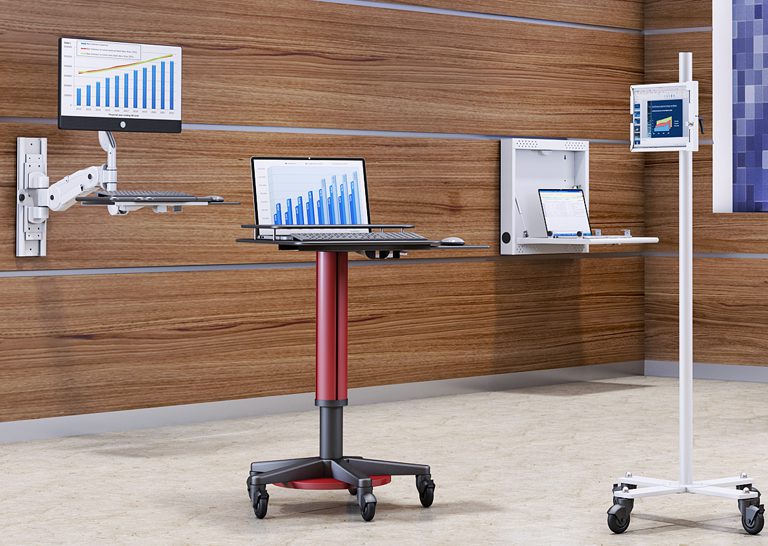
Desk Configurator: How to Build a Workspace That Actually Fits Your Workflow   What Is a Desk Configurator and Why Does It Matter? A desk configurator is an interactive tool that allows you to design and customize a workstation based on your specific needs, space, and workflow. Most workspaces are built using standard furniture that doesn’t fully match how people actually work. This often leads to inefficiencies, discomfort, and constant adjustments. A desk configurator solves this problem by giving you control over your setup—from size and layout to accessories and integrations. Instead of adapting to a fixed design, you create a workspace that aligns with your daily tasks and environment. What Can You Customize with a Desk Configurator? Which Features Actually Make a Difference in Your Setup? The most valuable customization options include desk size, height adjustability, mounting solutions, accessories, and system integrations. Not all customization options are equally important. The goal is to focus on features that directly improve workflow, comfort, and efficiency. Understanding what you can customize helps you design a setup that works for you long-term. 1. Desk Size and Layout Choosing the right desk size ensures your workspace fits your environment. Whether you’re working in a compact office or a large facility, selecting the correct dimensions prevents overcrowding and improves usability. 2. Height Adjustability and Ergonomics Adjustable desks allow users to switch between sitting and standing positions. This flexibility improves posture and reduces fatigue during long work hours. Pairing with office standing desks enhances ergonomic benefits. 3. Monitor Mounting and Screen Positioning Proper monitor placement is essential for comfort and productivity. Using monitor arms allows you to adjust screens for optimal viewing angles, reducing strain and improving workflow efficiency. 4. Equipment Integration and Mounting Options A well-designed workspace integrates all essential equipment seamlessly. Options like CPU holders and wall mounts help optimize space and organization. 5. Accessories and Workflow Enhancements Accessories complete the workspace and improve usability. Adding workstation accessories ensures that your setup is organized, efficient, and tailored to your needs. 6. Mobile and Flexible Workspace Options Mobility is increasingly important in modern environments. Combining with mobile workstations and computer carts allows for dynamic and adaptable setups. How Do You Use a Desk Configurator Effectively? What Should You Consider Before Designing Your Workspace? Before using a desk configurator, consider your workflow, available space, equipment requirements, and long-term needs. Start by analyzing how you work on a daily basis. Do you need multiple monitors? Do you frequently switch between tasks? Do you require mobility? Answering these questions helps you make informed decisions and avoid unnecessary features. How Does a Desk Configurator Improve Efficiency and ROI? A desk configurator improves efficiency by creating a workspace tailored to your specific tasks and reducing unnecessary adjustments. When your workspace is designed around your workflow, you spend less time adapting and more time working. This leads to improved productivity, better organization, and fewer disruptions. Over time, these benefits result in measurable cost savings and a stronger return on investment. How Does Customization Compare to Standard Workstations? Customized workstations provide flexibility and performance that standard setups cannot match. While standard desks may be quicker to purchase, they often require compromises. A customized solution ensures that every element of your workspace is intentional and aligned with your needs, resulting in a more efficient and comfortable environment. Where Does a Desk Configurator Make the Biggest Impact? What Work Environments Benefit the Most from Custom Workstations? Desk configurators are valuable in offices, healthcare environments, IT operations, and industrial workspaces. In offices, they improve productivity and ergonomics. In healthcare, they support efficient workflows and hygiene standards. In IT and industrial environments, they help manage complex equipment and optimize space. Their versatility makes them useful across a wide range of industries. How Does a Desk Configurator Support Modern Workspaces? Modern workspaces are becoming more flexible, collaborative, and user-focused. A desk configurator supports this shift by allowing organizations to create adaptable setups that evolve with changing needs. Whether supporting hybrid work models or specialized environments, customization ensures that workspaces remain efficient and future-ready. Conclusion: Design a Workspace That Works for You A desk configurator is more than just a design tool—it’s a way to create a workspace that truly supports your workflow, comfort, and productivity. By customizing your setup, you can eliminate inefficiencies and build an environment that adapts to your needs. If you’re ready to design your ideal workspace, explore the desk configurator or connect through the contact page to get started.  

Desk Configurator: How to Build a Workspace That Actually Fits Your Workflow Read More »
Cpu holders

CPU Holders: How to Save Space, Improve Airflow, and Protect Your Equipment

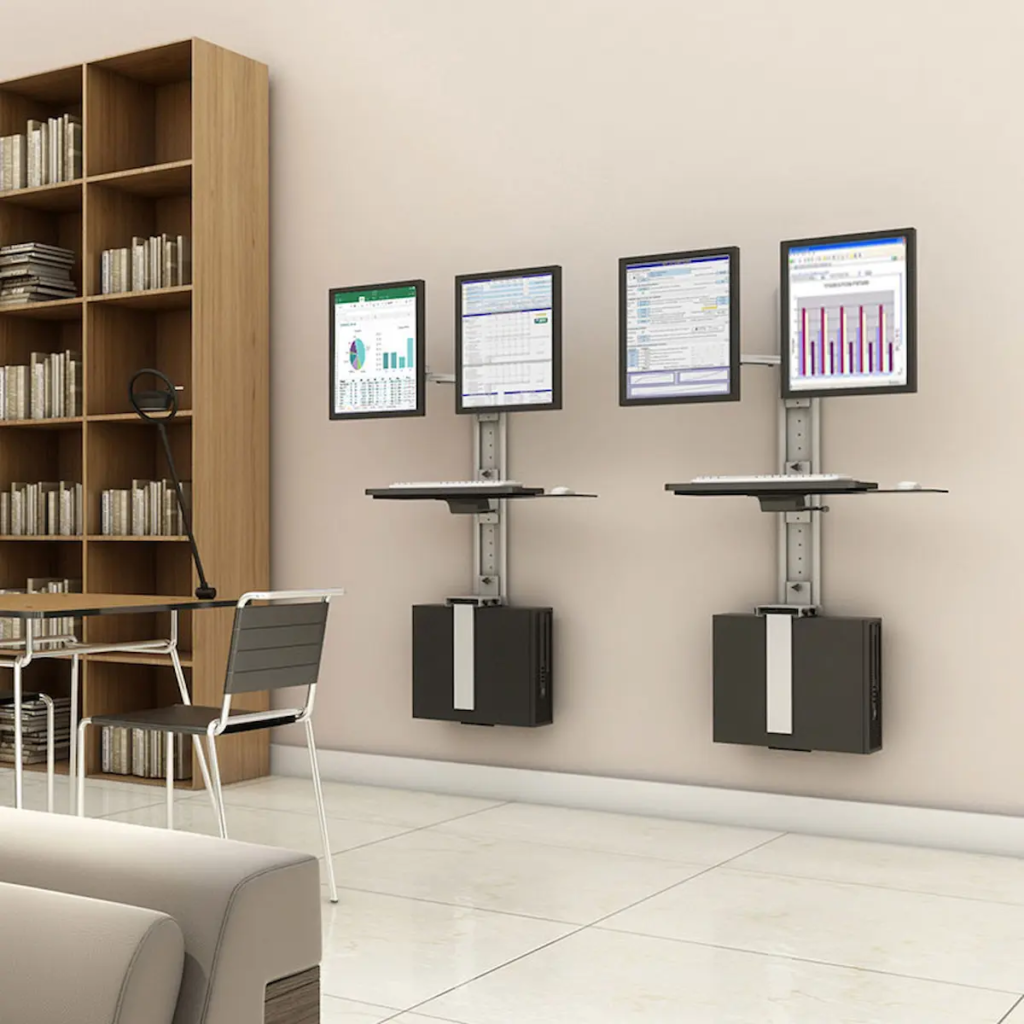
CPU Holders: How to Save Space, Improve Airflow, and Protect Your Equipment   What Are CPU Holders and Why Do They Matter? CPU holders are mounting solutions designed to securely hold your computer tower while improving workspace organization, airflow, and accessibility. In many work environments, CPU towers are placed directly on the floor or desk, where they are exposed to dust, accidental damage, and poor airflow. This not only reduces performance but also creates clutter and limits workspace efficiency. CPU holders solve these issues by elevating and securing the unit, allowing better ventilation and freeing up valuable desk or floor space. Whether in offices, healthcare facilities, or industrial environments, they provide a simple yet impactful upgrade to any workstation. What Types of CPU Holders Should You Consider? Which CPU Holder Designs Work Best for Different Setups? The most common types of CPU holders include under-desk mounts, wall-mounted units, and adjustable frame holders, each designed for different workspace needs. Choosing the right type depends on how your workspace is organized and how often you need to access your equipment. Understanding these options helps ensure that your setup remains both functional and efficient. 1. Under-Desk CPU Holders Under-desk holders mount the CPU beneath the workstation surface. This keeps the unit off the floor while maintaining easy access for maintenance. It also maximizes desk space, making it ideal for offices and ergonomic setups. Pairing with office standing desks creates a clean and efficient workstation. 2. Wall-Mounted CPU Holders Wall-mounted holders secure the CPU against a wall or vertical surface. These are ideal for environments where floor space is limited or where equipment needs to be kept completely off the ground. Explore wall mounts for compatible solutions. 3. Adjustable CPU Holders Adjustable holders are designed to accommodate different CPU sizes. They provide flexibility for organizations that use various types of equipment or plan to upgrade systems over time. 4. Mobile Workstation Integration CPU holders can be integrated into mobile setups for added flexibility. Combining with mobile workstations and computer carts allows users to move complete systems easily while keeping components secure. 5. Industrial and Heavy-Duty CPU Mounts Heavy-duty mounts are built for demanding environments. They offer enhanced durability and stability, making them suitable for industrial and technical applications. How Do You Choose the Right CPU Holder? What Factors Should You Consider Before Buying a CPU Holder? Choosing the right CPU holder requires evaluating workspace layout, CPU size, accessibility needs, and mounting preferences. Start by identifying where your CPU is currently placed and what challenges you’re facing. Is it taking up valuable desk space? Is it exposed to dust or damage? Do you need frequent access to ports and cables? Answering these questions helps you select a solution that improves both functionality and organization. How Do CPU Holders Improve Airflow and Equipment Performance? CPU holders improve airflow by elevating the unit and allowing proper ventilation. When placed directly on the floor or enclosed in tight spaces, CPUs can overheat due to restricted airflow. By positioning the unit in an open and elevated location, CPU holders help maintain optimal temperatures, improving performance and extending the lifespan of your equipment. How Do CPU Holders Improve Workspace Efficiency and ROI? CPU holders improve efficiency by reducing clutter, protecting equipment, and optimizing workspace organization. A cleaner and more organized workspace allows users to focus better and work more efficiently. Additionally, protecting equipment from dust and damage reduces maintenance costs and downtime. Over time, these benefits contribute to a stronger return on investment. Where Are CPU Holders Most Useful? What Work Environments Benefit the Most from CPU Holders? CPU holders are widely used in offices, healthcare environments, IT setups, and industrial workspaces. In offices, they improve organization and ergonomics. In healthcare, they help maintain hygiene and accessibility. In IT environments, they support efficient cable management and system maintenance. Their versatility makes them a valuable addition to any workspace. How Do CPU Holders Fit Into a Complete Ergonomic Setup? CPU holders are most effective when integrated into a complete ergonomic system. Combining them with monitor arms , track mounts , and accessories creates a fully optimized workspace. Using the desk configurator allows you to design a setup tailored to your needs. Conclusion: A Simple Upgrade with Long-Term Benefits CPU holders may seem like a small addition, but they deliver significant improvements in organization, performance, and equipment protection. By choosing the right type and integrating it into your workspace, you can create a cleaner, more efficient, and more ergonomic environment. If you’re ready to upgrade your setup, explore CPU holders or connect through the contact page  to find the right solution for your workspace.

CPU Holders: How to Save Space, Improve Airflow, and Protect Your Equipment Read More »