Dharmika Bukkapatnam

Top Track Mounts System for Flexible Workspaces

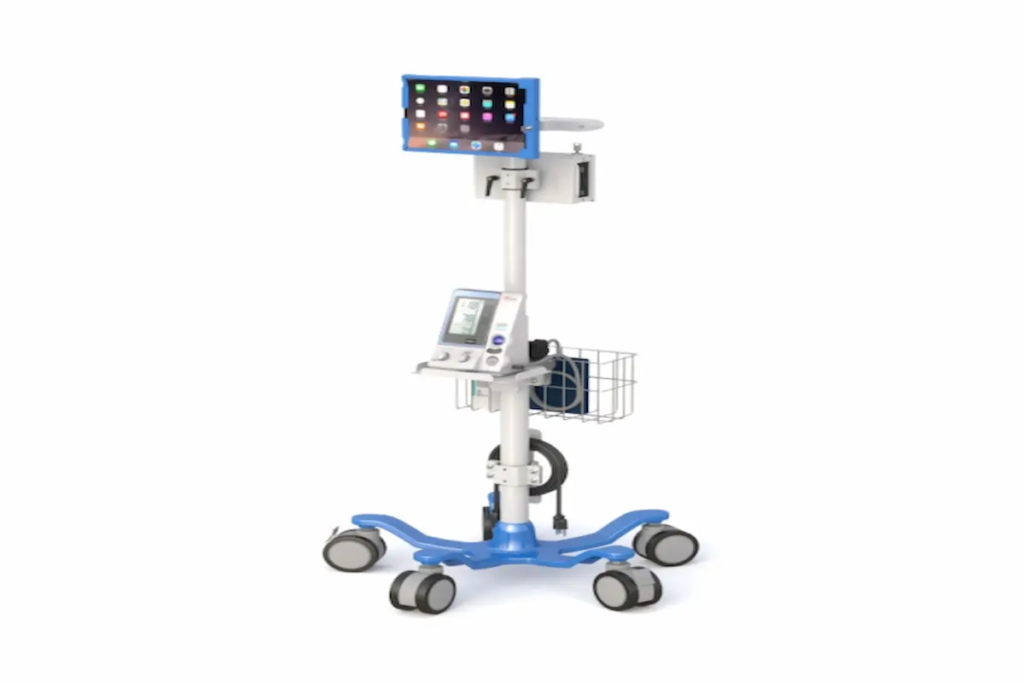
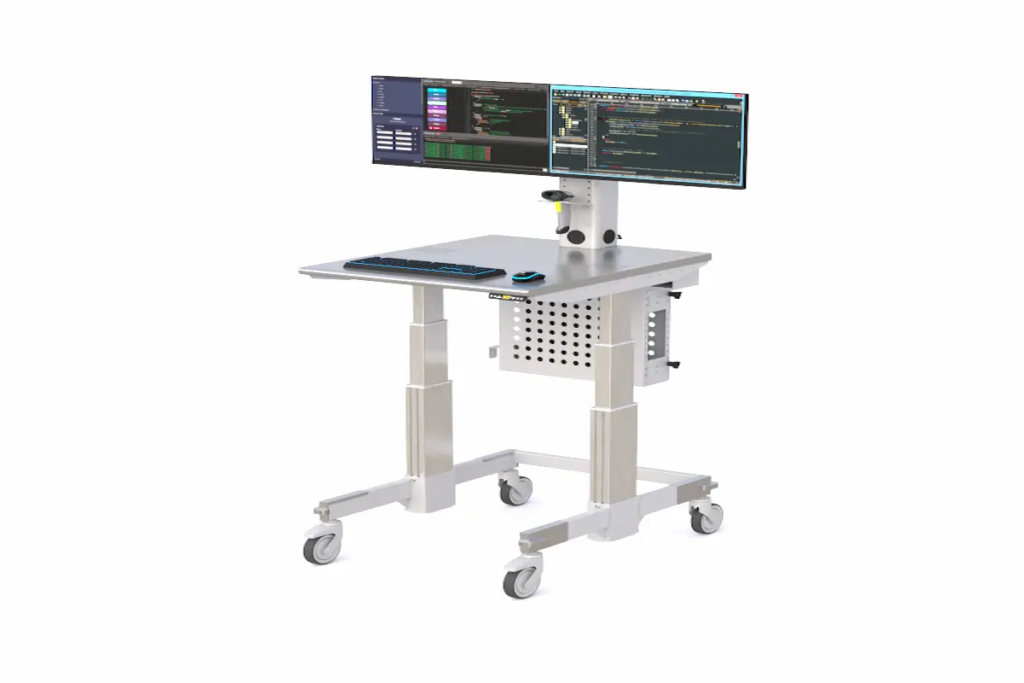
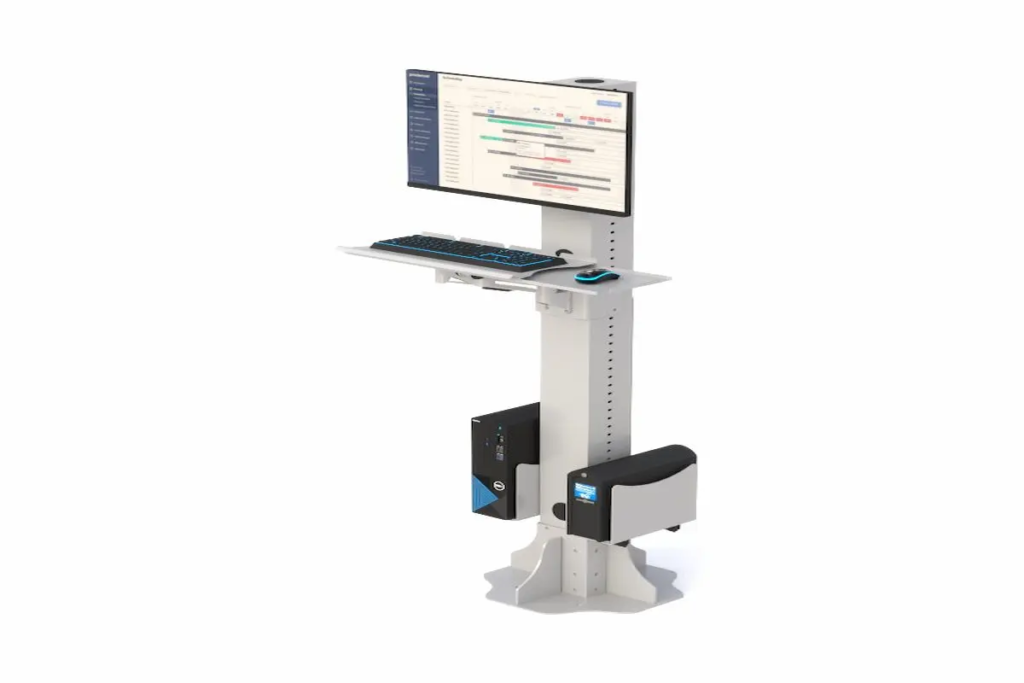
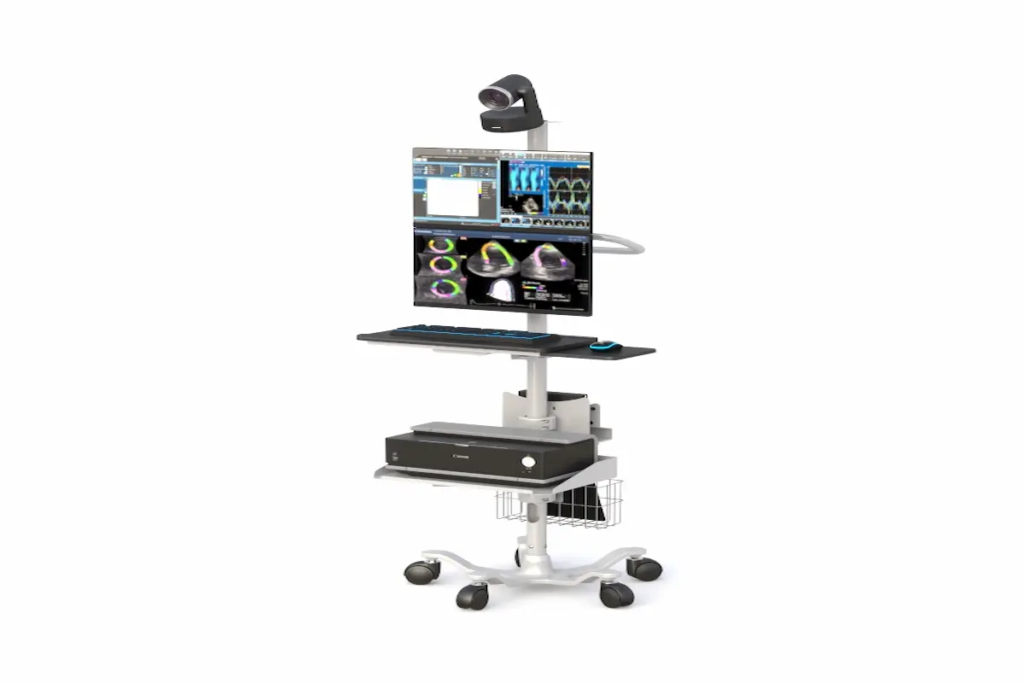
Top Track Mounts System for Flexible Workspaces Introduction Track mounts are modular rail systems that let you reposition monitors, shelves, and accessories without drilling new holes. In today’s flexible workspaces, they’ve become essential hardware for adapting quickly to changing needs. This guide covers wall mount track systems, installation processes, and practical applications for modern offices. Whether you’re an office manager redesigning a hybrid workspace, a facility planner optimizing layouts, or a remote worker near College Point, New York seeking better ergonomics, this content speaks directly to your challenges. Quick answer: Track mounts are secure, adjustable mounting solutions that allow quick reconfiguration of workspace elements—perfect for businesses that need flexibility without constant renovation costs. What you’ll learn: How track mounts optimize workspace flexibility Key differences between track systems and traditional mounting Step-by-step installation guidance Solutions for common mounting challenges How to choose the right system for your needs Understanding Track Mount Systems Track mounts consist of rails or tracks affixed to walls or ceilings, supporting slide-in components like monitor arms, shelves, and panels. They’re designed to make workspace changes easy and cost-effective. Wall Mount Track System Fundamentals A wall mount track system includes four core components working together. First, the track itself—typically aluminum or steel—serves as the structural base. Second, anchors and brackets secure everything to your wall. Third, carriers or trolleys slide along the track to hold your equipment. Finally, accessories like monitor arms, shelves, and cable management trays complete the setup. This modular approach connects directly to workspace flexibility. Instead of fixed positions, you can slide components to new spots instantly. Wall Mount Track vs Traditional Mounting Traditional mounting means drilling holes for every bracket and position change. Track systems, however, eliminate this hassle entirely. Once the track is installed, you reposition items freely without touching a drill again. Additionally, track mounts support better ergonomics. You can adjust monitor height and distance to reduce neck strain—something fixed mounts can’t offer as easily. While initial costs may be slightly higher, the long-term savings from reduced renovation work make them the smarter market choice. Now, let’s explore the specific types of track systems available for your workspace. Types of Track Mount Systems for Workspaces Building on those fundamentals, different track systems serve different purposes. Your choice depends on what you need to mount and how much weight it carries. Wall Mount Shelf Track Systems Wall mount shelf track systems excel at flexible storage solutions. You can add, remove, or reposition shelves without creating new anchor points. Heavy-duty brackets can support 100 to 300 pounds each when properly anchored into studs. These systems work particularly well above workstations where storage needs change frequently. They’re compatible with various shelf materials and integrate seamlessly into existing office aesthetics. Control Track Wall Mount Options Control track wall mount systems handle technology integration elegantly. They support adjustable monitor arms, keyboard trays, and control panels that slide horizontally along the track. For example, some systems allow vertical travel up to 28 inches while supporting 90 pounds between anchor points. This makes them perfect for workstations where multiple people share equipment at different heights. Heavy-Duty Wall Mount Track Solutions When you need serious load capacity, heavy-duty track solutions deliver. Industrial-grade steel tracks can support up to 200 kg per meter—roughly 440 pounds. These work in broadcasting studios, medical facilities, and manufacturing environments. At Ergoville, we offer track mount options designed for demanding workspace needs, combining durability with the flexibility modern offices require. Installing Track Mounts in Flexible Workspaces With your track type selected, installation comes next. The process is straightforward when you follow proper steps. Installation Process For lightweight display tracks, DIY installation works fine with basic carpentry skills. However, heavy-duty systems carrying significant loads should involve professional installers—especially in commercial buildings where structural integrity matters. Follow these steps for successful installation: Plan and measure – Identify total load requirements and locate wall studs or structural backing using a stud finder. Mark level lines with a laser level. Select compatible hardware – Choose tracks rated for your weight needs. Ensure anchors match your wall type—wood studs, masonry, or concrete each require different fasteners. Mount the track – Install brackets first, spacing them 16 to 18 inches apart for standard loads. Attach the track, ensuring everything stays perfectly level. Add carriers and accessories – Slide in trolleys, monitor arms, or shelves. Adjust position and height for optimal ergonomics. Test your configuration – Apply expected load plus a safety margin. Check for deflection, looseness, or alignment issues before finalizing. Track Mount System Comparison System Type Load Capacity Installation Complexity Price Range Flexibility Light display rails 20-50 lb/ft Low (DIY) Budget High Heavy-duty picture rails 70-110 lb/yard Medium Moderate High Industrial roller tracks Up to 90 lbs/4 ft span High Premium Very High Ergoville track mounts Varies by model Medium Competitive Excellent This comparison helps you choose the right vehicle for your specific needs. Explore our limited special offers for current pricing on professional-grade systems. Common Track Mount Challenges and Solutions Even the best systems face installation hurdles. Here’s how to solve them. Inadequate Wall Support Drywall alone cannot support heavy loads—period. Always anchor into studs or use backing plates behind the drywall. For masonry walls, use appropriate concrete anchors rated for your weight requirements. When uncertain, consult a professional to assess your wall structure. Track Alignment Issues Misaligned tracks cause carriers to bind and create stress points. Use a laser level—not just a spirit level—for long installations. Install in sections, aligning joints carefully, and add brackets at every joint location. Load Distribution Problems Clustering too much weight in one spot overloads carriers and causes sagging. Distribute equipment evenly across the track. Also, apply a 2:1 safety factor when calculating capacity—if you need to hold 50 pounds, choose a system rated for 100. Conclusion and Next Steps Track mounts transform rigid workspaces into adaptable environments. They reduce renovation costs, improve ergonomics, and support the flexibility modern offices demand. Your next steps: Assess your current workspace mounting needs Measure wall dimensions

Top Track Mounts System for Flexible Workspaces Read More »
wall mounts

Wall Mounts for Space-Saving & Ergonomic Setups (2026 Guide)

Wall Mounts for Space-Saving & Ergonomic Setups (2026 Guide) Introduction Wall mounts have become essential tools for anyone looking to maximize space while improving comfort. Whether you’re setting up a home office or redesigning your living room, these versatile solutions help you reclaim valuable floor and desk space. In 2026, more homeowners and remote workers are turning to wall mounts to create cleaner, healthier environments. This guide covers the four main categories: TV mounts, monitor wall mounts, wall mounts for shelves, and iPad wall mounts. We’re writing this for homeowners, hybrid workers, and anyone seeking practical solutions—especially those in the College Point, New York area looking for local expertise. Here’s the direct answer: Wall mounts maximize space efficiency while improving ergonomics and organization. They allow you to position devices at ideal heights, reduce clutter, and protect your posture. By reading this guide, you’ll learn: How wall mounts save space and improve room aesthetics Which ergonomic positioning reduces neck strain and eye fatigue How to select the right mount for your needs Installation tips for different wall types Solutions to common mounting challenges At Ergoville, we specialize in ergonomic wall mounting solutions. Our team helps customers throughout College Point, New York find the perfect fit for their spaces. Understanding Wall Mounts and Their Ergonomic Benefits Wall mounts are bracket systems that secure devices directly to walls instead of placing them on furniture. They’ve evolved significantly since flat-panel TVs first became popular. Today, they’re central to modern workspace optimization trends. Space-Saving Advantages First, consider how much floor space a TV stand consumes. A 65-inch TV on a full motion mount can retract flush against the wall, freeing several feet of room depth. Similarly, floating shelves eliminate bulky bookcases while adding storage. The aesthetic impact is equally significant. Wall mounts create clean lines and reduce visual clutter. You can hide cables within walls or cable channels, making any room feel more organized. This philosophy aligns perfectly with Ergoville’s commitment to space optimization. Ergonomic Health Benefits Proper positioning matters more than most people realize. According to OSHA guidelines, the top of your screen should sit at or slightly below eye level. The center should be roughly 10-20 degrees below your horizontal line of sight. Research shows that correcting monitor height and distance alone can reduce neck and shoulder discomfort by 20-30% within weeks. That’s a meaningful improvement for anyone spending hours at a screen. For those wearing bifocals, lowering the monitor an additional 2-4 centimeters helps tremendously. Modern Workplace Integration Hybrid work arrangements have changed how we think about home offices. Many people now need dual monitor setups in smaller spaces. Wall-mounted monitors free up desk space for documents, keyboards, and other essentials. This natural progression leads us to explore specific mount types. Types of Wall Mounts for Every Need Understanding the benefits is one thing. Choosing the right mount is another. Let’s explore each category so you can make an informed decision. Monitor Wall Mounts Single and dual monitor wall mounts offer tremendous flexibility. They allow tilt, swivel, and rotation adjustments. VESA compatibility is crucial here—most monitors use 75x75mm or 100x100mm patterns. Weight capacity varies significantly. Dual setups typically support 20-30 pounds per arm. Larger displays may require mounts rated for 25-40 pounds. Gas-spring arms make repositioning effortless throughout your workday. TV Wall Mounts TV mounts come in three main styles. A fixed tv wall mount offers a slim profile, keeping your tv wall installation flush and minimal. Tilting mounts adapt to reduce glare when mounted above a fireplace. Full motion mounts provide the ultimate flexibility, allowing you to swivel and extend your screen. For 2026, ultra-slim full motion mounts supporting TVs up to 125 pounds represent the latest trend. Viewing distance recommendations suggest positioning your seat 1.5 to 2.5 times the diagonal screen length away. Wall Mounts for Shelves Wall mounts for shelves range from simple L-brackets to sophisticated concealed rod supports. Floating shelves require strong anchorage—ideally into wall studs or using masonry anchors for brick walls. Weight distribution matters significantly. Brackets should be spaced no more than 16-24 inches apart depending on shelf depth. These solutions work beautifully for office organization and home storage throughout any room. iPad Wall Mounts iPad wall mounts have gained popularity for smart home integration. You can install them in kitchens for recipes, bedrooms for entertainment, or offices as reference screens. Modern options include magnetic docks with integrated USB-C charging. Some models lock securely for added security. The ability to switch between portrait and landscape orientations makes them incredibly versatile. Selection and Installation Guide Choosing the right mount requires considering several factors. Here’s what to evaluate: Key Selection Criteria Wall type: Drywall with wood studs, metal studs, brick, or concrete each require different anchoring approaches. Device weight: Always check the mount’s weight limit and VESA compatibility. Adjustability needs: Determine whether fixed, tilt, or full motion best suits your room layout. Installation complexity: Consider available tools and whether professional help is needed. Budget: Prices range from $15 for basic mounts to $300+ for premium full motion options. Cable management: Plan how you’ll hide wires for a clean aesthetic. Professional vs DIY Installation DIY installation works well for standard walls with wood studs and moderate-weight devices. However, certain situations call for professional help. Hire a professional when mounting very heavy TVs, working with concrete or brick, or routing electrical behind walls. In the College Point, New York area, local building codes may require licensed electricians for concealed wiring. Contact Ergoville for installation guidance specific to your situation. Common Challenges and Solutions Even experienced installers encounter obstacles. Here’s how to address the most frequent issues. Finding Wall Studs in Older Homes Use a stud finder or the knock test to locate studs. Most homes have studs 16 inches apart. If no stud exists where needed, toggle bolts rated for your load provide a secure alternative. Cable Management and Organization In-wall rated cables work best when code permits. Otherwise, paintable cable covers and raceways maintain clean aesthetics. Many ceiling

Wall Mounts for Space-Saving & Ergonomic Setups (2026 Guide) Read More »

computer rack

Best Computer Racks for Office & IT Setup 2026

Best Computer Racks for Office & IT Setup 2026 Introduction Computer racks are the backbone of any organized office or IT environment. Simply put, they’re frameworks designed to house servers, networking equipment, monitors, and storage devices in a secure, accessible manner. In 2026, these racks have become essential infrastructure for adapting to hybrid work models and increasingly complex technology demands. This guide covers everything you need to know about selecting computer racks for office environments, IT infrastructure, and home office setups. Whether you’re an IT manager overseeing a data center, an office administrator organizing workspace equipment, or a remote worker building an efficient home setup, you’ll find practical guidance here. Here’s the direct answer: Computer racks organize and secure IT equipment while optimizing workspace efficiency, improving cable management, and ensuring proper airflow for your devices. By the end of this guide, you’ll understand: How to choose the perfect rack for your specific needs Key differences between rack types and their applications Solutions for common challenges like cooling and cable management Weight capacity and dimension guidelines for 2026 equipment Where to find quality racks in the College Point, New York area Understanding Computer Racks A computer rack is a standardized framework that holds IT hardware in vertical configurations. These racks use rack units (commonly called “U”) as their measurement standard—each U equals 1.75 inches in height. Therefore, a 42U rack stands approximately 6-7 feet tall and can accommodate multiple servers, switches, and storage devices. Modern offices rely on racks and cabinets because they transform chaotic equipment setups into organized, maintainable systems. Additionally, they protect expensive hardware from damage while enabling easy access for maintenance. Types of Computer Racks Server Racks for Network Infrastructure Computer server racks typically feature four posts with an internal width of 19 inches—the industry standard. Floor standing models range from 42U to 44U and support static weight capacities of 2,500 to 5,000 pounds. These enclosed racks are ideal for data center environments where security matters. Desktop Computer Storage Racks Computer storage racks offer compact solutions for organizing workstations and peripheral devices. They’re smaller than full server rack cabinets, often wall mount compatible, and perfect for offices with limited floor space. Monitor Mounting Racks and Stands Computer monitor racks focus on ergonomic positioning and VESA compatibility. They help create clean workspaces by elevating displays and integrating cable management features. Mobile Computer Workstation Racks These racks feature casters for mobility, making them adaptable for classrooms, labs, or flexible office environments. However, dynamic load capacity differs significantly from static capacity—always check specifications before loading equipment. Key Components and Features Quality racks and cabinets include several essential components: Cable Management Systems: Vertical and horizontal cable managers, brush strips, and color-coded routing keep cables organized. Good cable management prevents airflow blockage and simplifies maintenance. Ventilation Features: Vented side panels, doors, and roof panels ensure proper airflow. As equipment density increases, some racks now support liquid cooling accessories for high-performance hardware. Security Elements: Lockable doors, tamper-resistant screws, and grounding bar installations protect sensitive networking equipment. Some advanced rack enclosure models even feature fingerprint access controls. At Ergoville, we offer a range of computer racks designed with these features in mind. Computer Rack Applications for 2026 Building on these fundamentals, let’s explore how different environments benefit from specific rack configurations. Office IT Infrastructure Setup Server room organization requires careful planning around rack type, depth, and cooling requirements. The 19-inch standard remains dominant in office environments, though the Open Compute Project’s 21-inch format is gaining traction for hyperscale applications. Workspace Organization Solutions Desktop computer storage racks help maintain clean, efficient workspaces. Computer monitor racks with adjustable mounting options improve ergonomic positioning, reducing strain during long work hours. Furthermore, integrated cable management creates the “clean tech aesthetic” that modern offices prefer. Equipment stays organized, and maintenance becomes straightforward. Home Office and Remote Work Setups Remote workers increasingly need compact rack solutions. Wall mount options save valuable floor space while still providing secure storage for home lab equipment. These smaller racks typically support 200-600 pounds—plenty for most home office configurations. Consider factors like noise levels and depth requirements when selecting home office racks. Some enclosed cabinets offer sound dampening features that keep workspaces comfortable. Selecting the Right Computer Rack for Your Needs Choosing the perfect rack requires understanding your current situation and future plans. Size and Dimension Guidelines Follow this process for determining your rack requirements: Assess current and future equipment needs – Count your devices and plan for 20-30% growth capacity Measure available floor or wall space – Standard racks require 24-inch floor tile alignment; add aisle clearance Consider ventilation and access requirements – Ensure adequate space behind racks for airflow and cable routing Plan for cable management and future expansion – Reserve “0U” space for PDUs and cable managers Typical dimensions to remember: most servers require 36-42 inches of depth, while standard rack cabinet external widths run around 24 inches. Rack Type Comparison Criterion Open Frame Racks Enclosed Racks Wall Mount Options Space Requirements Moderate floor space Larger footprint Minimal—uses wall Security Level Low—requires room controls High—lockable doors, panels Moderate—lockable enclosures Ventilation Excellent natural airflow Controlled—requires fans Variable—check depth Cost Lower upfront Higher initial investment Budget-friendly Open frame racks excel in labs and development environments where easy access matters most. Enclosed racks suit businesses handling sensitive data or requiring dust protection. Wall mount options work beautifully for small offices and remote work setups. Common Challenges and Solutions Every IT setup faces obstacles. Here’s how to address the most frequent issues. Inadequate Cooling and Ventilation Solution: Maintain proper spacing between devices, use blanking panels to direct airflow, and install fan trays in enclosed cabinets. For high-density configurations exceeding 50kW per rack, consider liquid cooling accessories. Cable Management Chaos Solution: Implement organized routing systems from day one. Use color-coded cables, Velcro straps, and vertical managers. This approach prevents accidental disconnects and improves airflow simultaneously. Limited Space in Office Environments Solution: Wall mount racks and compact vertical designs maximize efficiency. Additionally, mobile racks with casters provide flexibility

Best Computer Racks for Office & IT Setup 2026 Read More »

Mobile Workstations

Best Mobile Workstations for Offices & Healthcare in 2026

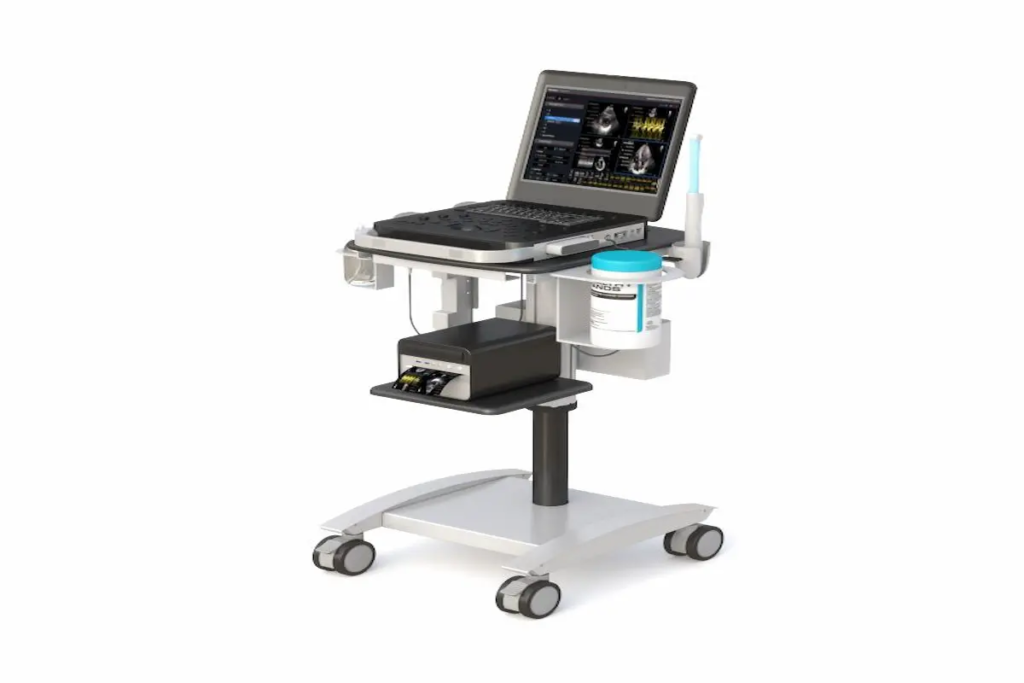
Best Mobile Workstations for Offices & Healthcare in 2026 Introduction Mobile workstations have become essential tools for modern workplace flexibility. These height-adjustable, wheeled computer stations carry monitors, laptops, keyboards, and accessories wherever work happens. Whether you’re managing a corporate office in College Point, New York, or running a healthcare facility, the right mobile workstation transforms how your team operates daily. This comprehensive guide covers mobile computer workstations for both office and healthcare environments. We’ve written it specifically for facility managers, IT professionals, and operations leaders seeking practical solutions. You’ll learn how to evaluate, select, and implement the best mobile workstations for your unique needs. Here’s the direct answer: Mobile workstations are portable, height-adjustable computer stations on wheels that boost productivity, improve ergonomic health, and maximize space efficiency. They range from basic office carts to medical-grade units with battery power and infection-resistant surfaces. By reading this guide, you’ll gain: Clear understanding of different mobile workstation types and configurations Knowledge to match workstation features to your specific environment Practical steps for assessment, selection, and implementation Solutions to common challenges that organizations face Confidence to make informed purchasing decisions Understanding Mobile Workstations A mobile workstation is a wheeled platform designed to support computing equipment and a wide range of devices, such as laptops, desktop PCs, tablets, and other smart devices, while allowing users to work from virtually anywhere. These workstation computers combine mobility with ergonomic features that promote employee health and exceptional performance throughout the workday. Modern mobile computer workstations serve diverse users—from nurses documenting at the bedside to professionals moving between conference rooms. They address a fundamental workplace challenge: bringing technology to where work actually happens. Rolling Computer Carts Rolling computer carts represent the foundational category of mobile workstations. Built from aluminum or cold-rolled steel, these carts feature antimicrobial powder-coated surfaces that resist corrosion and bacterial growth. Weight capacities range from 22 to 132 pounds, depending on configuration. These portable workstation solutions excel at relocating compute resources quickly. They work equally well for basic office tasks and demanding applications in clinical settings. Quality models include locking casters, cable management systems, and stable platforms for monitors up to 27 inches. Sit-Stand Mobile Desks Sit-stand mobile desks add height-adjustability to the mobility equation. Users switch between sitting and standing positions using foot-pedal or electric mechanisms. Height ranges typically span 30 to 48 inches, accommodating users of various heights. The ergonomic benefits are substantial. Research from healthcare usability studies shows that adjustable screen height and keyboard positioning reduce musculoskeletal strain. This directly supports employee wellness and sustained productivity during demanding workloads. All-in-One Mobile Stations All-in-one mobile stations combine multiple functionalities into self-contained units. These comprehensive systems include monitors, CPU holders, storage shelves, cable management, and often hot-swap LiFePO₄ batteries providing 8-12 hours of cordless operation. The long battery life of these mobile workstations enables extended portable work without frequent recharges, making them ideal for demanding tasks that require sustained use away from power sources. Compared to other models, this battery life range ensures users can rely on their workstation throughout a full workday in real-world scenarios. This configuration delivers peak performance for users who need complete independence from wall outlets. Now, let’s explore how these workstation types apply to specific environments. Office vs Healthcare Mobile Workstation Applications Understanding your environment’s unique requirements ensures you select mobile workstations that deliver real value. The key factors differ significantly between corporate offices, healthcare facilities, and educational spaces. Corporate Office Environments Office settings demand mobile workstations that integrate seamlessly with existing technology infrastructure. Hot-desking arrangements require adjustable units that accommodate multiple users daily. Conference rooms benefit from mobile stations that support presentations and collaborative sessions. Consider aesthetics alongside functionality. Cable management, compact footprints, and professional finishes matter in client-facing spaces. Power management should align with your office layout—cordless options eliminate trip hazards during meetings. Ergoville’s mobile workstation collection includes configurations tailor made for modern office environments. Healthcare Facility Needs Healthcare environments place unique demands on mobile workstations. Infection control drives material selection—antimicrobial surfaces must tolerate bleach and hydrogen peroxide cleaning protocols. Standards like ASTM E2149-22 and ISO 22196 guide surface requirements, with seam gaps limited to 0.3mm to prevent biofilm formation. Nurses spend approximately 35% of their shifts on documentation. Mobile workstations reduce walking time between patient rooms and nursing stations, shifting more time to direct patient care. Real-time EMR access at the bedside improves medication accuracy and workflow efficiency. Educational and Training Spaces Training environments require adaptable solutions that support various formats. Mobile workstations enable instructors to demonstrate software applications, display vibrant colors on quality monitors, and move equipment between classrooms effortlessly. Dual-monitor configurations work well for side-by-side comparisons during instruction. Lightweight designs ensure that staff can reposition equipment without strain. These applications demonstrate the versatility that makes mobile workstations valuable across industries. Selecting and Implementing Mobile Workstations Successful implementation starts with systematic assessment. Organizations that skip planning often face costly adjustments later. Here’s how to approach the process strategically. Assessment and Planning Process Follow this four-step process for optimal results: Space Analysis: Measure corridors, doorways, and room dimensions. Map traffic patterns and power outlet locations. Ensure selected carts fit through all required spaces. User Needs Assessment: Identify who uses workstations, their height range, primary tasks, and environmental factors. Survey staff about current pain points. Technology Requirements: Determine device types (monitors, printers, barcode readers), power preferences (corded vs. battery), and integration needs with existing systems. Budget Planning: Calculate total lifecycle costs including purchase price, maintenance, battery replacement, cleaning supplies, and training. Configuration Comparison Table Criterion Basic Office Grade Premium All-Round Medical-Grade Height Range 30–48 inches 28–48+ inches 30–48 inches Weight Capacity 22–55 lbs 55–132 lbs Variable by configuration Storage Options Laptop shelf, keyboard tray Dual monitor mounts, CPU holder, baskets Secure drawers, barcode holders Special Features Locking casters, manual lift Electric lift, antimicrobial finish, battery options IP ratings, infection control surfaces, hot-swap batteries Use this comparison to match workstation computer configuration to your specific requirements. Contact Ergoville for personalized guidance on selecting the right configuration for your 

Best Mobile Workstations for Offices & Healthcare in 2026 Read More »

floor post stand

Floor Post Stands for Modern Workspaces

Floor Post Stands for Modern Workspaces Introduction Post stands have become essential fixtures in today’s dynamic work environments. These vertical mounting structures provide flexible, adjustable solutions for displays, monitors, and equipment organization. As workplaces continue evolving, the demand for adaptable furniture solutions has never been higher. This guide covers floor post solutions designed for office environments. We focus on adjustable mounting systems, ergonomic benefits, and practical applications. However, we exclude permanent construction fixtures and built-in cabinetry. Office managers, facility planners, and ergonomic specialists in College Point, New York—and beyond—will find actionable insights here. So, what exactly do post stands offer? They provide height-adjustable, space-efficient mounting solutions that create dynamic workspaces. Moreover, they support proper posture while maintaining professional aesthetics. By reading this article, you’ll learn about: Improved workspace flexibility through modular configurations Enhanced ergonomics that reduce strain and boost productivity Cost-effective alternatives to permanent installations Easy installation processes for various floor types Professional design options that coordinate with modern offices Understanding Floor Post Stand Systems A post stand is an adjustable mounting solution anchored to the floor. It supports displays, keyboard trays, and accessories through a vertical structure. In contemporary workspace design, these systems meet growing demands for flexibility and employee wellness. Stand Post Configurations Single-post configurations use one vertical pole. They’re ideal for lighter loads and smaller footprints. Multi-post systems, however, provide greater stability for heavier equipment. The choice depends on your specific needs. Single-post options fit well in compact spaces. Meanwhile, dual-post bases offer structural integrity for large displays up to 65 inches. Understanding these configurations helps optimize your workspace layout and equipment mounting strategy. Post Up Stand Mechanisms Height adjustment systems vary considerably. Gas-spring mechanisms allow smooth vertical motion, typically ranging from 55 to 70 inches. Additionally, telescoping posts offer fixed increments or continuous adjustment. Stability features include reinforced steel bases and floor plates. These bases ensure the post base remains secure under load. Furthermore, quality stands support weights from 40 lbs per arm to over 160 lbs for heavy-duty models. The relationship between adjustability and ergonomics is clear. Proper height settings reduce neck strain significantly. Now, let’s explore how these foundations translate into practical workplace applications. Applications in Modern Workspace Design Building on these foundational concepts, floor post systems transform various work environments. They create organized, ergonomic spaces while maintaining aesthetic appeal. Monitor and Display Mounting Dual monitor setups have become standard in many offices. Post stands support these configurations with VESA-compatible mounts ranging from 75×75 mm to 600×400 mm. Presentation displays benefit from adjustable heights and tilt options. Consequently, viewing angles improve for both seated and standing users. Equipment Organization Systems Beyond displays, these systems organize entire workstations. Tablet mounts, CPU holders, and keyboard trays attach to the same post. This consolidation reduces clutter and maximizes floor space. As a result, workplaces function more efficiently. Collaborative Workspace Solutions Mobile presentation stands transform meeting rooms instantly. Locking casters provide security while allowing repositioning. Flexible configurations support hot-desking and collaboration zones effectively. Key benefits include: space optimization, improved collaboration, and adaptable room layouts. With these applications understood, let’s examine implementation procedures. Installation and Setup Procedures Installing floor post systems requires careful planning. However, the process is straightforward with proper preparation. Floor Post Base Installation Process Choose floor-mounted solutions when displays must be elevated beyond desk height. They’re also preferred when avoiding wall modifications or requiring mobility. Site Preparation: Assess floor type—concrete, wood post connections, or raised flooring. Verify load capacity and proximity to power sources. Component Selection: Match stand specifications to your equipment. Consider display sizes, VESA patterns, and accessory requirements. Base Installation: Position and anchor the post base securely. For concrete floors, use appropriate fasteners. Ensure the structure is level and flush with the surface. Equipment Mounting: Attach displays and accessories using provided hardware. Route cables through integrated channels for a clean appearance. Final Adjustments: Test height ranges and stability. Adjust for typical user heights and viewing preferences. Post Stand Comparison Guide Feature Fixed Height Adjustable Single Post Dual Post Flexibility Limited Excellent Good Good Weight Capacity High Moderate-High Up to 50 lbs 100+ lbs Best For Signage Workstations Light displays Large screens Installation Simple Moderate Quick More involved Choose adjustable models for shared spaces. Select dual-post configurations when structural integrity matters most for heavy displays. Common Challenges and Solutions Successful implementation requires addressing potential obstacles proactively. Stability, Structural Integrity, and Weight Distribution Issues Select bases with adequate footprint for your equipment weight. Ensure load ratings exceed actual requirements by 20-30%. Additionally, anchor points must coordinate with floor construction materials. Height Adjustment and Ergonomic Positioning Position screen tops at eye level or slightly below. Maintain viewing distances of 20-30 inches. Gas-spring mechanisms simplify frequent adjustments between users. Cable Management and Aesthetics Integrated cable channels maintain professional appearance. Choose finishes and color options that match your office design. Power strips mounted directly on posts reduce cord clutter effectively. These solutions ensure your investment delivers maximum value. Now, let’s summarize the key takeaways. Conclusion and Next Steps Floor post stands offer transformative benefits for modern workspaces. They provide flexibility, enhance ergonomics, and maintain professional aesthetics—all while being cost-effective alternatives to permanent installations. Ready to upgrade your College Point, New York workspace? Assess your current equipment and space requirements Explore Ergoville’s floor post stands collection for options that fit your needs Place your order easily online or coordinate your order with our team for bulk discounts and a smooth purchasing process Contact our team for personalized recommendations Check our limited special offers for current deals For more ergonomic workspace solutions, explore additional products at Ergoville. We offer a variety of sizes and configurations designed to meet diverse project requirements. Frequently Asked Questions What weight capacity should I look for in post stands? For dual monitor setups, choose stands rated for 40 lbs per arm minimum. Heavy-duty models support up to 80-110 kg for larger displays. Always add a 20-30% safety buffer above your actual equipment weight. Can post stands be installed on wood floors? Yes, wood post installations

Floor Post Stands for Modern Workspaces Read More »

pole cart

Pole Carts for Medical & Office Efficiency (2026 Guide)

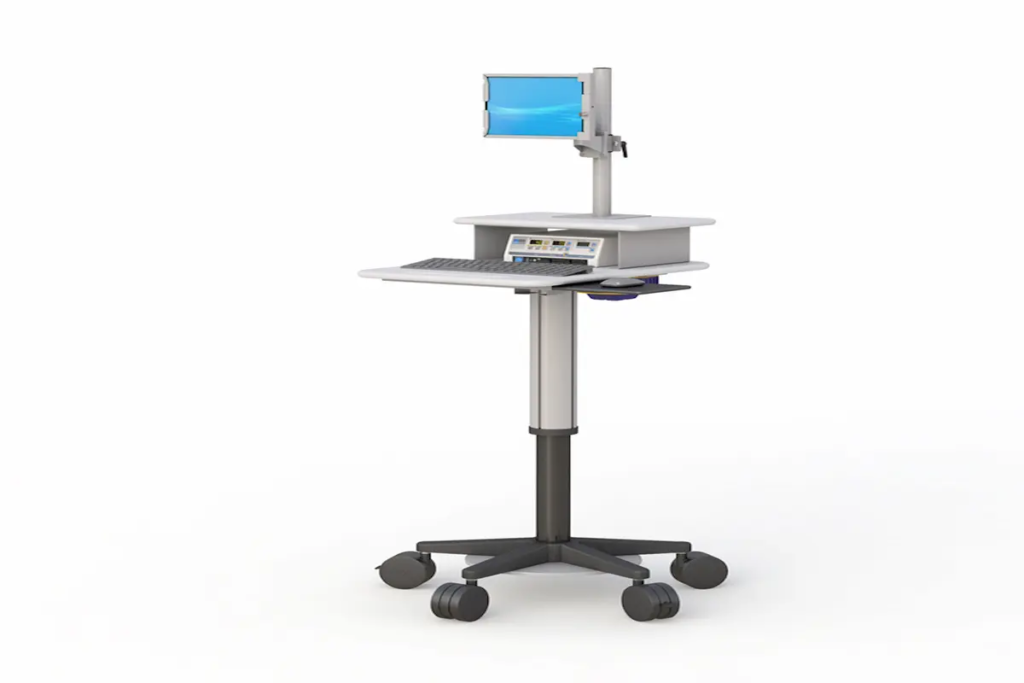
Pole Carts for Medical & Office Efficiency (2026 Guide) Introduction Pole carts have become essential tools for healthcare facilities and modern offices across the country. These mobile computer workstations allow staff to bring technology directly to the point of need. In 2026, their importance continues to grow as organizations prioritize workflow efficiency and employee wellness. This guide covers everything you need to know about computer pole carts, mobile medical carts, and their applications in professional environments. Whether you’re a healthcare administrator in College Point, New York, or an office manager seeking better mobility solutions, this resource is for you. We focus on practical implementation rather than theoretical concepts. Here’s the direct answer: Pole carts are height-adjustable mobile computer workstations that enhance workflow efficiency in medical and office settings. They combine ergonomic design with full mobility, allowing users to work comfortably at any location. By reading this guide, you’ll gain: Clear understanding of pole cart components and configurations Knowledge of 2026 technology integrations and features Step-by-step implementation strategies for your environment Solutions to common deployment challenges Actionable next steps for improving workplace efficiency Understanding Mobile Computer Pole Carts A pole cart is a wheeled workstation featuring an adjustable vertical pole that supports computing equipment. In 2026, these systems serve as the backbone of point-of-care documentation in hospitals and flexible workspace solutions in offices. They eliminate the need for fixed workstations, giving staff freedom to move where work takes them. Computer Pole Cart Components Every pole cart includes several core elements working together. The adjustable pole serves as the central column, typically offering height ranges from 22 to 48 inches. Monitor mounts attach to this pole, supporting displays up to 24 inches. A keyboard tray provides a stable typing surface, while the CPU holder secures computing equipment safely. These components create a configurable system. Users can customize their setup based on specific tasks. The base includes heavy-duty casters that easily moves across different floor surfaces without resistance. Mobile Medical Cart Applications In healthcare settings, mobile medical carts transform patient care delivery. Nurses use them for bedside documentation during rounds. Emergency teams rely on them for rapid response situations. Clinicians conduct telehealth consultations directly from patient rooms. The relationship between mobility and care quality is straightforward. When technology follows the caregiver, documentation happens in real-time. Errors decrease. Patient interactions improve because staff aren’t leaving the room to enter data. These benefits extend beyond healthcare. Office environments gain similar advantages through flexible workstation deployment. Modern Pole Cart Configurations for 2026 Building on foundational concepts, let’s explore the specific technology integrations available this year. Manufacturers have responded to user feedback with smarter, more capable designs. Height-Adjustable Pole Systems Modern height adjustment spans approximately 20 to 25 inches of vertical travel. This range accommodates users from 5 feet to over 6 feet tall comfortably. Electric lift columns with digital controls now include memory presets. Staff can save their preferred heights and recall them instantly. For mixed-use environments, this matters significantly. Different shifts mean different users. Quick adjustment protects everyone’s posture and productivity. Monitor and Display Integration Screen compatibility has expanded considerably. Current systems support monitors from compact tablets up to 24-inch displays. Dual monitor setups are increasingly common, especially for clinical applications requiring reference material alongside documentation software. Mounting arms offer tilt, pan, and rotation. This flexibility ensures optimal viewing angles regardless of user height or room lighting conditions. Power and Connectivity Solutions Battery-powered options dominate the 2026 market. Lithium-ion battery packs provide 8 to 12 hours of continuous operation. Hot-swap technology allows battery changes without system shutdown—critical for uninterrupted patient care. These configurations represent current best practices. Next, we’ll examine how to implement them effectively in your specific environment. Implementation Strategies for Medical and Office Environments Understanding configuration options prepares you for successful deployment. Implementation requires thoughtful planning matched to your organization’s needs. Medical Facility Deployment Process Healthcare environments present unique considerations. Infection control, equipment integration, and workflow patterns all influence cart selection. Here’s a proven approach: Assess current workflow patterns by observing staff movement and identifying mobility needs at each care location. Select appropriate specifications including antimicrobial surfaces, warranty coverage, and compatibility with existing medical equipment. Configure pole height and accessories for clinical tasks, adding holders for barcode scanners or other point-of-care devices. Train staff thoroughly on ergonomic positioning, battery management, and cleaning protocols. At Ergoville, we offer comprehensive pole cart solutions designed specifically for healthcare applications. Our team understands medical facility requirements and can guide your purchase decision. Office Environment vs Medical Environment Comparison Factor Medical-Grade Office-Grade Hygiene Standards Antimicrobial surfaces required Standard materials acceptable Mobility Needs High frequency, tight spaces Moderate frequency, open areas Power Requirements Battery with hot-swap Plug-in often sufficient Regulatory Compliance IEC 60601-1 certification Basic electrical safety Durability Heavy-duty construction Standard commercial grade Choose medical-grade carts when hygiene and compliance matter. Select office-grade options when budget and aesthetics take priority. Both serve their purposes effectively when matched correctly. Common Challenges and Solutions Even well-planned deployments encounter obstacles. Here are solutions to the most frequent issues our College Point, New York customers face. Space Constraints in Medical and Office Settings Tight corridors and crowded rooms create maneuvering challenges. Compact pole cart designs with narrow bases address this directly. Look for carts with 360-degree caster rotation and overall widths under 24 inches. Power Management for Extended Use Battery depletion during shifts disrupts workflows significantly. Request carts with visible charge indicators and establish dedicated charging stations. Hot-swap batteries eliminate downtime entirely for continuous operations. Integration with Existing IT Infrastructure Connectivity failures frustrate users and reduce adoption. Ensure carts include multiple USB ports and network connectivity options. Test compatibility before full deployment to identify potential issues early. Ready to solve these challenges in your facility? Contact Ergoville for personalized consultation. Conclusion and Next Steps Pole carts represent smart investments for any organization prioritizing efficiency and employee wellness in 2026. They combine ergonomic benefits with practical mobility, creating workstations that adapt to your needs rather than limiting them. Take these immediate steps: Evaluate

Pole Carts for Medical & Office Efficiency (2026 Guide) Read More »

Mobile Computer Carts

Mobile Computer Carts for Healthcare Efficiency (2026 Guide)

Mobile Computer Carts for Healthcare Efficiency (2026 Guide) Introduction Mobile computer carts have become essential tools for healthcare facilities striving to deliver faster, safer patient care. In 2026, hospitals and clinics  nationwide rely on these versatile carts to bring technology directly to the point of care. This guide covers hospital mobile computer carts, their clinical applications, power systems, and implementation strategies. It’s written for healthcare administrators, IT professionals, and facility managers who need practical solutions for improving workflow efficiency. Whether you’re managing a small clinic or overseeing a large hospital network, understanding these mobile workstations matters for your operations. Quick Answer: Mobile computer carts are wheeled workstations that enable healthcare professionals to access electronic health records, administer medications, and document care at the patient’s bedside—reducing errors and saving valuable time. What You’ll Learn: How mobile medical carts improve patient safety Key components and power systems to consider Clinical benefits across different departments ROI calculations and implementation steps Solutions to common adoption challenges Understanding Mobile Computer Carts in Healthcare Settings Hospital mobile computer carts are wheeled units equipped with monitors, computers, input devices, and power systems. They bring digital tools directly to where care happens. This mobility eliminates the need for nurses and physicians to walk back to fixed stations, which traditionally created documentation delays. With electronic health record mandates and real-time verification requirements, healthcare facilities demand tools that support immediate data entry. Mobile medical computer carts meet this demand by making EHR access convenient at every bedside. Medical Mobile Computer Cart Components Essential hardware includes monitor mounts with anti-microbial bezels, secure CPU storage compartments, and input devices like keyboards and barcode scanners. Many models feature extra shelf space for printers or diagnostic tools. The best medical mobile computer carts accommodate tablets, laptops, and full desktop setups depending on clinical needs. These components directly support patient care efficiency. When staff can easily transport equipment between rooms, they spend more time with patients and less time searching for technology. Mobile Medical Cart Power Systems Power systems represent a critical decision point. Battery-powered models offer true mobility throughout work hours without being tethered to outlets. Lithium-Iron-Phosphate (LiFePO₄) batteries now deliver 8-12 hours of runtime—enough for full shifts. They also support hot-swap capability, meaning staff can replace depleted batteries without shutting down the cart. Plug-in models cost less upfront but limit movement and can interfere with infection control protocols. For facilities that need mobile power without compromise, LiFePO₄ systems offer exceptional value and longevity. At Ergoville, we offer computer carts designed to withstand daily healthcare demands while providing the mobility your staff needs. Healthcare Applications and Clinical Benefits Mobile workstations adapt to various healthcare environments. Their functionality makes a real difference in departments where every minute counts. Emergency Department Efficiency Emergency departments require rapid patient assessment and real-time documentation. Mobile laptop carts allow triage nurses to capture vital signs and update records instantly. One health system reduced documentation lag from 32 minutes to just 2.2 minutes after implementing point-of-care mobile solutions. This efficiency boost improves patient throughput and reduces errors that occur when documentation happens hours after care. Surgical Suite Integration Sterile environments demand equipment that supports rigorous cleaning procedures. Modern medical mobile carts feature IP65-rated components, antimicrobial housing, and smooth surfaces without crevices. These features ensure carts can withstand daily disinfection without degradation. Surgical teams rely on these carts for procedure documentation, inventory management, and real-time access to patient histories. Patient Room Bedside Care Bedside care represents the most common application. Nurses use mobile medical carts for medication administration with barcode verification, reducing medication errors significantly. They also support patient monitoring, family communication, and telehealth consultations. Key Benefits: Reduced walking time between rooms and nurse stations Immediate access to patient records Real-time medication verification Improved patient satisfaction scores These point-of-care benefits translate directly to better outcomes and more productive work environments. Implementation and ROI in Healthcare Facilities Understanding clinical benefits helps, but administrators also need to see the business case. Mobile computer carts represent an investment that pays dividends through efficiency gains and error reduction. Healthcare Mobile Cart Selection Process Selecting the right solution requires a systematic approach: Assess current workflow inefficiencies – Document how much time staff spends walking to fixed stations and waiting for available computers Evaluate infection control requirements – Determine cleaning protocols and select carts with compatible materials Determine power and mobility needs – Calculate shift durations and required battery runtime Calculate staff time savings potential – Estimate documentation time improvements using industry benchmarks Cost-Benefit Analysis for Medical Facilities Factor Without Mobile Carts With Mobile Carts Documentation time per shift 166-175 minutes 130-145 minutes Specimen entry lag 32 minutes 2-3 minutes Walking time to stations High Minimal Medication error risk Higher Reduced The typical price range for powered mobile computer carts falls between $1,200 and $4,500. However, facilities often recover this investment within 18-36 months through staff time savings and error reduction. Looking for economical full size carts that deliver professional functionality? Contact Ergoville to discuss solutions that fit your facility’s budget. Common Healthcare Implementation Challenges and Solutions Successful adoption requires addressing predictable obstacles before they become problems. Infection Control Compliance Solution: Select carts with antimicrobial surfaces, sealed keyboards, and IP-rated components. Ensure all materials tolerate your facility’s approved disinfectants without degradation. Staff Adoption Resistance Solution: Involve nurses and physicians in the selection process. Provide hands-on training before rollout. Start with pilot programs in one department to demonstrate benefits before expanding. Network Connectivity Issues Solution: Audit Wi-Fi coverage in all patient care areas. Modern facilities need Wi-Fi 6 capability to support multiple devices reliably. Consider carts with offline caching functionality for backup. Addressing these challenges proactively creates the foundation for successful implementation. Conclusion and Next Steps Mobile computer carts improve healthcare efficiency by bringing technology to the point of care. They reduce documentation time, minimize errors, and help staff focus on patients rather than paperwork. Your Next Steps: Conduct a workflow assessment in your highest-volume departments Evaluate vendors based on power systems, durability, and infection control features Plan

Mobile Computer Carts for Healthcare Efficiency (2026 Guide) Read More »

office standing desks

Best Office Standing Desk Deals

Introduction Finding the right office standing desk does not have to feel overwhelming. Whether you are upgrading your home office or outfitting a professional workspace, the best standing desks for home office setups are now more accessible than ever. This guide covers everything you need to know about current deals, features, and buying options. We have designed this resource for professionals, remote workers, and business owners seeking standing desk solutions that balance quality with budget. You will discover which models deliver the best value, how to choose between electric and manual options, and what to expect on delivery. The short answer: quality office standing desks currently range from $390 to $1,500, with seasonal discounts of up to 50% off select models available through retailers like Ergoville. Here is what you will gain from this guide: Clear comparisons of standing desks for office use at various price points Understanding of height adjustability and ergonomic features that matter Current 2026 deals and promotions Practical solutions for common workspace challenges Actionable next steps for your purchase decision Understanding Office Standing Desks in 2026 An office standing desk is a height adjustable workspace that allows you to switch between sitting and standing throughout your workday. In 2026, these desks have evolved beyond basic functionality. Modern height adjustable standing desks now feature precision motors, memory presets, and improved stability for multiple monitors. For anyone working long hours at a desk, this matters significantly. Remote and hybrid work remain common, and investing in ergonomic comfort directly impacts productivity and health. Electric vs Manual Standing Desks Electric standing desks use single or dual motors to raise and lower your workspace with the press of a button. Most quality models move at 25-35 mm per second, offer memory presets for your preferred heights, and support 300-400+ pounds. The convenience factor is substantial: you are more likely to actually switch positions when it takes seconds rather than effort. Manual standing desks use crank or lever mechanisms, requiring physical effort for each adjustment. They cost less upfront and have fewer components that could fail. However, the extra effort often discourages the frequent position changes that deliver health benefits. Which fits your needs? Electric models suit anyone working long hours, sharing a desk, or running multiple monitors. Manual options work well for lighter use or tighter budgets. Height Adjustability and Ergonomic Features Ergonomic standards recommend a height range of approximately 22.5 to 49.5 inches to accommodate most users comfortably. When standing, your elbows should rest at a 90-degree angle with shoulders relaxed. This promotes better posture and reduces neck strain. Key features to evaluate include: Height range matching your body (shorter users need desks that go below 23 inches) Memory presets for quick switching between sitting and standing positions Stability at various heights under load Cable management for a streamlined workspace These ergonomic elements connect directly to your daily comfort and long-term wellness. Top Office Standing Desk Categories With foundational knowledge in place, let us explore specific product categories that serve different workspace needs. Standard Electric Standing Desks Ergoville’s electric height adjustable desks offer the sweet spot of functionality and value. Models typically feature dual motors for sturdy construction, height ranges spanning 22.8 to 48+ inches, and weight capacities supporting heavy setups. The precision of electric adjustment encourages regular movement throughout your workday. Entry-level electric options start around $400, while mid-range models with enhanced features fall between $600-$900. L-Shaped Standing Desk Solutions Home offices often occupy spare bedrooms or basement corners. L-shaped adjustable standing desks maximize these spaces effectively. They provide room for multiple monitors on one surface while keeping reference materials accessible on the other. These designs build on standard desk benefits while solving the space challenges many professionals face. Corner configurations can transform awkward room layouts into functional workspaces. Executive and Premium Standing Desks For professionals seeking elevated style, premium standing desks offer features like walnut surfaces, integrated storage, and triple motors for enhanced durability. Price points range from $1,200 to $2,500, reflecting superior materials and crafted design. Premium options often include built-in charging ports, scratch resistance finishes, and extended warranty coverage. 2026 Deals and Purchasing Options Current market conditions favor buyers. Manufacturers are offering substantial discounts, and shipping has become more accessible. Current Special Offers and Discounts Here is what you can take advantage of right now: Clearance sales with up to 50% off select models through major retailers Free shipping to contiguous US addresses on most orders over $500 Bundle deals combining desks with accessories like risers and cable management Financing options for spreading purchase costs over time Check Ergoville’s limited special offers for current promotions Delivery typically takes 5-10 business days, though some retailers offer expedited options. Comparison of Top Models Available Criterion Entry Model Mid-Range Premium Price $390-$500 $600-$900 $1,200+ Height Range 25-48″ 22.8-48.4″ 22.5-51.6″ Weight Capacity 220 lb 355 lb 440+ lb Motor Type Single Dual Triple motors Your ideal choice depends on budget, workspace needs, and how many monitors you will support. Most home office setups work well with mid-range options. Common Challenges and Solutions Many professionals face the same obstacles when upgrading their workspaces. Here is how to address them. Limited Office Space in Home Setups Many homes were not designed with dedicated office space in mind. Compact standing desks and L-shaped configurations solve this effectively. Look for models with desk depths around 24 inches that fit against walls while maintaining proper monitor distance. Consider exploring computer carts for supplementary workspace that can move as needed. Budget Constraints for Quality Standing Desks Quality standing desks represent an investment in your health and productivity. Entry-level electric models around $400-$500 deliver core functionality without premium pricing. Many retailers offer financing that spreads costs over several months. The health benefits, including reduced risk of prolonged sitting, better posture, and decreased neck and back strain, typically justify the purchase over time. Assembly and Setup Concerns Modern standing desks arrive with clear instructions and standard tools. Most users complete assembly within 60-90 minutes. If you prefer

Best Office Standing Desk Deals Read More »

Ergoville

Ergoville’s Ergonomic Furniture for Modern Workspaces

Introduction Ergoville, based in College Point, New York, manufactures ergonomic furniture designed to transform how you work. Whether you’re setting up a corporate office or a home workspace, the right furniture directly impacts your comfort, health, and output. In 2026, with approximately 72% of desk workers reporting musculoskeletal discomfort from prolonged sitting, choosing quality ergonomic solutions isn’t optional—it’s essential. This guide covers Ergoville’s product range, including height adjustable workstations, mobile computer carts, and monitor arms. You’ll learn how these solutions address common workplace challenges. Additionally, we’ll explore implementation strategies for businesses and remote workers across the USA. What does Ergoville offer? Ergoville manufactures USA-made ergonomic office furniture and ergonomic home office furniture, delivering units fully assembled saving customer time and effort. Their products create solutions that increase productivity while reducing physical strain. Here’s what you’ll discover: How ergonomic furniture principles improve daily work performance Specific product categories that address your workspace needs A practical comparison guide for selecting the right solutions Actionable steps to implement ergonomic improvements today Understanding Ergonomic Furniture Excellence Ergonomic furniture focuses on the spatial relationships between the end user, equipment, and physical space. Ergoville places emphasis on designing products that adapt to human capabilities rather than forcing people to adapt to poorly designed objects. This approach matters significantly in 2026, as hybrid work environments continue expanding across the USA. Height Adjustable Workstations Height adjustable workstations allow you to alternate between sitting and standing throughout the day. Research shows this reduces lower back discomfort, improves circulation, and boosts energy levels. Consequently, sit-stand desk installations increased 38% in corporate offices between 2020 and 2024. Ergoville’s standing desk line offers electric height adjustment mechanisms with custom sizing options. Their engineers provide dimensional drawings for precise workspace planning, ensuring each unit fits your specific environment. Mobile Computing Solutions Mobile carts and laptop carts deliver flexibility that static furniture cannot match. These products provide data access wherever it’s needed—moving seamlessly between conference rooms, patient areas, or classroom settings. Ergoville’s mobile computer carts serve healthcare facilities, educational institutions, and business environments. Their display carts and laptop wall mounts support dynamic work facilities where information must travel with users. This functionality bridges seamlessly into specific product applications. Ergoville’s Product Categories for Modern Workplaces Building on these foundational concepts, let’s explore Ergoville’s complete product lineup. Each category addresses distinct workspace challenges while maintaining consistent quality standards. Office Standing Desks and Workstations Ergoville’s office standing desks feature durable construction with load capacity supporting dual monitors and essential equipment. The electric mechanisms operate quietly, allowing height changes without disrupting colleagues. Furthermore, full assembly means you’re productive immediately upon delivery. These workstations manufacture in the USA with attention to durability. The design elements accommodate a wide array of work styles and body types. Monitor Arms and Mounting Solutions Monitor arms suit virtually every use case where screen positioning affects comfort. Ergoville offers pc wall mounts and multi-display configurations that reduce neck flexion and eye strain. Proper monitor height—with the top of screen at eye level—prevents the forward head posture that causes chronic discomfort. Wall-mounted solutions also free desk space, creating cleaner, more organized environments. This directly supports an effective and efficient workplace. Mobile Cart Systems From medical utility carts to dual-display video carts, Ergoville’s mobile solutions assist organizations requiring flexible data access. Healthcare facilities use these units for telemedicine and clinical workflow. Educational institutions deploy laptop carts for classroom technology integration. The supply includes options for various weight capacities and equipment configurations. Each cart system prioritizes cable management and secure storage. Choosing and Implementing Ergoville Solutions Selecting the right ergonomic furniture requires understanding your current challenges. A systematic approach ensures you invest in solutions that deliver measurable results. Workspace Assessment Process Before purchasing, evaluate your existing setup thoroughly. Here’s a simple four-step process: Assess current setup – Measure desk heights, monitor positions, and seating arrangements Identify pain points – Document areas causing physical discomfort or workflow inefficiency Select appropriate products – Match Ergoville solutions to identified challenges Implement solutions – Install equipment, adjust settings, and train users on proper positioning Product Comparison Guide Product Type Best For Key Features Investment Level Standing Desks Primary workstations Height adjustment, dual-monitor support Mid-Premium Monitor Arms Screen positioning Multi-axis adjustment, space saving Accessible Mobile Carts Flexible environments Mobility, secure storage, cable management Premium Wall Mounts Space-constrained areas Fixed positioning, easy cleaning Accessible Consider your specific work tasks, available physical space, and budget when making selections. For personalized guidance, contact Ergoville directly. Common Workplace Ergonomic Challenges and Ergoville Solutions Businesses and remote workers nationwide face similar ergonomic obstacles. Here’s how Ergoville products address them. Back and Neck Pain from Poor Posture Prolonged sitting in static positions causes muscle fatigue and spinal compression. Height adjustable workstations let you shift between sitting and standing, reducing pressure on your lower back. The consequences of ignoring posture include chronic pain and decreased productivity. Limited Workspace Flexibility Modern projects demand adaptable environments. Mobile carts enable equipment to move where needed, supporting collaborative sessions or private work equally. This proves especially valuable in smaller offices where every square foot matters. Eye Strain and Monitor Positioning Issues Incorrect screen angles force awkward head positions that strain eyes and neck muscles. Ergoville’s monitor arms allow precise positioning adjustments. Mount your displays at proper height and distance to maintain neutral posture throughout the day. Conclusion and Next Steps Ergoville’s ergonomic furniture delivers tangible improvements in workplace comfort and productivity. Their USA manufacturing, full assembly, and customization options answer the needs of both corporate offices and home-based professionals. Ready to transform your workspace? Take these immediate steps: Browse the full Ergoville product range Contact Ergoville at 1-800-518-4860 or 1-718-441-0124 for consultation Request dimensional drawings for precise workspace planning Assess your current workspace using the process outlined above Explore Ergoville’s complete product range to discover solutions matching your specific requirements. Frequently Asked Questions Where is Ergoville based? Ergoville is based in College Point, New York, and manufactures all products in the USA. Full contact details are on the contact page. Does Ergoville

Ergoville’s Ergonomic Furniture for Modern Workspaces Read More »

Ergonomic Furniture

Ergonomic Furniture: Ergoville’s Buyer Guide 2026

Ergoville’s Buyer Guide 2026 Introduction Ergonomic furniture refers to chairs, desks, and accessories designed to support your body’s natural posture while reducing strain and discomfort. In 2026, this matters more than ever. With remote work becoming permanent for many professionals, your workspace directly impacts your health, productivity, and well being. This guide covers everything you need to know about selecting ergonomic office furniture for your home or business in College Point, New York. Whether you’re setting up a computer workstation for the first time or upgrading an existing office, we’ll help you make informed decisions. However, this isn’t about general interior design—it’s specifically about furniture that supports your body during focused work. Direct answer: The best ergonomic furniture includes height-adjustable standing desks, supportive office chairs with lumbar support, and properly configured computer workstations that promote neutral posture. By the end of this guide, you’ll understand: How to identify quality ergonomic furniture features The health benefits of proper workspace setup Which furniture categories matter most for your needs How Ergoville’s local solutions serve customers Practical steps to create your ideal ergonomic workspace Understanding Ergonomic Furniture Fundamentals Ergonomic furniture fits work to your body—not the other way around. Consequently, these pieces help prevent musculoskeletal disorders, which accounted for roughly 21% of workplace injuries in recent years. Moreover, proper ergonomic support can reduce injury claims by up to 60%, according to workplace safety research. The connection between furniture design and body mechanics is straightforward. When your spine maintains its natural curve, your arms rest comfortably, and your eyes align with your monitor, your muscles experience less fatigue. As a result, you feel less pain and maintain better focus throughout your workday. Computer Workstation Essentials A properly configured computer workstation prevents neck strain, eye fatigue, and repetitive stress injuries. First, position your monitor so the top of the screen sits at or slightly below eye level. Additionally, maintain an arm’s length distance (20-28 inches) between your eyes and the screen. Your keyboard placement matters equally. Keep it directly in front of you with forearms parallel to the floor. Similarly, place your mouse close to the keyboard at the same height. These adjustments create neutral posture for your wrists and reduce contact stress. Ergonomic Office Furniture Categories The main ergonomic furniture categories work together to create a cohesive workspace. Ergonomic office chairs provide essential support for your spine and arms during long sessions. Standing desks enable natural movement and position changes throughout the day. Accessories like monitor arms, keyboard trays, and footrests complete the setup. Even storage solutions matter—placing frequently used items within easy reach prevents unnecessary stretching. Together, these pieces create an environment where comfort and performance coexist perfectly. Ergonomic Home Office Furniture Solutions The shift to remote work has transformed how residents think about home office spaces. Creating an ergonomic furniture for home setup isn’t luxury—it’s essential for protecting your health during daily work sessions. Standing Desk Options Height-adjustable desks remain the cornerstone of ergonomic home office furniture. These desks improve circulation and allow you to alternate between sitting and standing. Research consistently shows this movement reduces lower back pain and boosts energy. Electric adjustment mechanisms offer convenience with preset memory positions. Manual crank options provide a budget-friendly alternative while still delivering the core benefits. At Ergoville, our office standing desk collection features multiple variants to match different workspace needs and style preferences. Ergonomic Seating Solutions Your office chair deserves careful consideration since you’ll spend hours in it daily. Look for adjustable lumbar support that maintains your spine’s natural curve. Additionally, seek chairs with adjustable armrests—ideally 4D armrests that move in height, width, and angle. Mesh chairs offer excellent breathability, making them ideal for warmer summers. Upholstered options provide soft, comfy seating with more cushioning. The perfect fit depends on your body type, work style, and personal preference. Ergonomic Furniture for Home Integration Space constraints challenge many homes and apartments. Fortunately, modern ergonomic solutions include compact desks and chairs designed for smaller rooms. Furthermore, manufacturers now prioritize style alongside functionality. You no longer need to choose between a workspace that looks good and one that feels supportive. Today’s ergonomic pieces blend seamlessly with home décor while delivering unparalleled comfort. Implementing Ergonomic Workspace Setup Creating an effective ergonomic environment requires thoughtful planning. Beyond selecting individual pieces, you need to configure everything to work together harmoniously. Step-by-Step Workspace Configuration Measure your workspace dimensions — Note available floor space, ceiling height, and any constraints like windows or outlets. Assess current furniture limitations — Identify what causes discomfort currently. Is your desk too low? Does your chair lack support? Select your primary desk/chair combination — Choose pieces with sufficient adjustability. Desk height should range from approximately 22-30 inches for seated work. Add supportive accessories — Consider monitor arms, keyboard trays, or footrests based on your specific setup needs. Test and adjust settings — Set your chair height so feet rest flat on the floor. Recline the backrest to 100-110 degrees for optimal lumbar pressure relief. Your choice depends on budget, usage intensity, and long-term goals. Businesses investing in employees often find premium options deliver better value over time. Meanwhile, individuals might start with quality mid-range pieces. Common Ergonomic Furniture Challenges and Solutions Customers frequently encounter similar obstacles when selecting ergonomic furniture. Here’s how to overcome them. Limited Budget for Quality Furniture Prioritize your chair first—it impacts your body most directly. Then add a standing desk when finances allow. Check Ergoville’s limited special offers for quality pieces at reduced prices. We also offer financing options to make ergonomic solutions accessible. Uncertainty About Proper Fit and Sizing Many people feel impressed by showroom furniture but worry about compatibility at home. That’s why Ergoville provides consultation services. Our team helps you find the perfect fit based on your height, weight, and work habits. Integration with Existing Office Setup Transforming your workspace doesn’t require replacing everything simultaneously. Modular approaches work perfectly. Start with one piece, adjust to it, then gradually upgrade remaining furniture. This strategy lets you create an ergonomic

Ergonomic Furniture: Ergoville’s Buyer Guide 2026 Read More »