
Why Workstations on Wheels Are Driving the Next Generation of Agile Workplaces
Workplaces are changing faster than ever. Across healthcare facilities, manufacturing plants, distribution centers, educational institutions, and corporate offices, employees are expected to move quickly, collaborate effectively, and access information in real time. Traditional desk-bound technology often struggles to keep up with these demands.
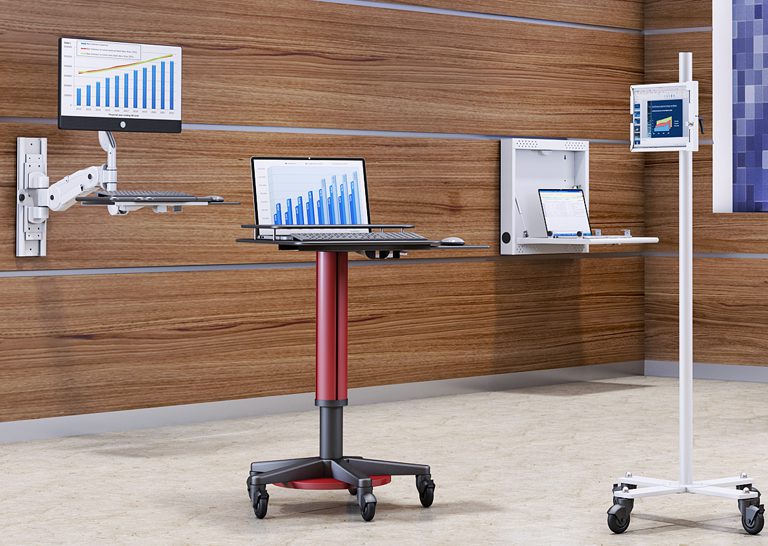
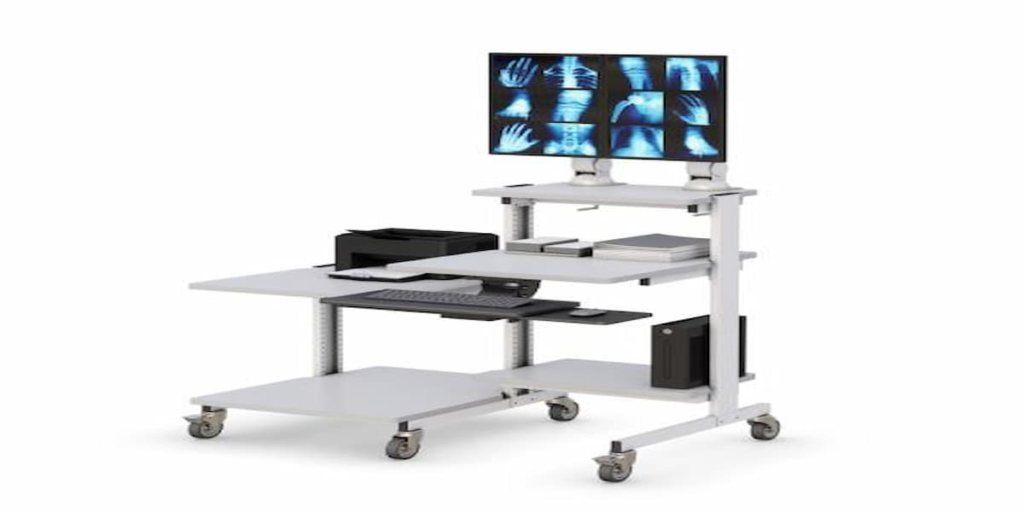
As organizations continue investing in digital transformation and operational efficiency, the workstation on wheels has emerged as a practical solution for bringing technology directly to where work happens. Instead of requiring employees to return repeatedly to a fixed computer station, mobile workstation solutions allow technology to move alongside the user.
This flexibility helps organizations improve productivity, support dynamic workflows, and maximize the value of their technology investments. Whether supporting patient care, production monitoring, inventory management, training programs, or collaborative work environments, a mobile workstation cart enables employees to remain connected and productive throughout the day.
Businesses looking to modernize operations increasingly rely on mobile workstations because they provide a flexible way to support today’s agile workforce while preparing for future workplace demands.
Why Is Technology Mobility Becoming a Competitive Advantage?
Modern organizations are constantly looking for ways to eliminate inefficiencies and reduce unnecessary downtime.
One of the most common productivity challenges occurs when employees must leave their work area simply to access technology, retrieve information, or update systems.
A workstation on wheels addresses this issue by allowing users to bring computers, monitors, and digital tools directly to the task being performed.
This mobility creates several advantages:
- Faster access to information
- Reduced interruptions
- Improved collaboration
- Better operational responsiveness
- Enhanced employee productivity
- Greater workplace flexibility
Instead of forcing employees to adapt to fixed technology locations, organizations can deploy technology where it creates the greatest value.
This approach is especially beneficial in environments where employees frequently move between departments, workstations, production areas, classrooms, or patient care locations.
Many organizations complement their mobility strategy by integrating solutions such as computer carts alongside dedicated mobile workstation systems.
How Do Mobile Workstation Carts Improve Operational Agility?
Operational agility refers to an organization’s ability to respond quickly to changing demands, priorities, and workplace conditions.
A mobile workstation cart helps improve agility by reducing barriers between employees and the information they need.
Consider several common scenarios:
Healthcare
Nurses, clinicians, and healthcare providers can access electronic health records and clinical systems directly at the point of care.
Manufacturing
Operators can review production data, monitor machinery, and update operational systems without leaving the production floor.
Warehousing
Employees can manage inventory, process shipments, and access logistics software throughout the warehouse.
Education
Teachers and trainers can move technology between classrooms, labs, and learning spaces.
In each case, technology becomes more accessible, allowing work to continue without unnecessary interruptions.
Organizations increasingly view mobility as a critical component of workplace efficiency because it supports both productivity and flexibility.
How Are Agile Workplaces Changing Equipment Strategies?
The traditional workplace model centered around assigned desks and fixed workstations is evolving.
Today’s organizations increasingly prioritize:
- Shared workspaces
- Hybrid operations
- Flexible work environments
- Collaborative work zones
- Dynamic technology deployment
As these workplace models expand, businesses need technology solutions capable of adapting to changing user needs and workspace configurations.
A mobile powered workstation provides this flexibility by allowing technology to move between locations as required.
Rather than investing in duplicate equipment for every location, organizations can maximize technology utilization through mobile deployment strategies.
Many businesses combine office standing desks with customized solutions created through the desk configurator to support both fixed and mobile work environments.
This blended approach creates greater workplace adaptability while supporting long-term operational goals.
What Features Matter Most in a Workstation on Wheels?
Not all workstation solutions are created equal. Selecting the right workstation requires understanding which features contribute most to usability and long-term value.
Durable Mobility
A workstation should move smoothly while remaining stable during use.
Key mobility features include:
- High-quality casters
- Locking wheels
- Durable construction
- Easy maneuverability
Reliable mobility helps ensure the workstation can support daily movement across different work environments.
Equipment Organization
Technology clutter can reduce productivity and create usability challenges.
Many organizations improve workstation organization through:
- Storage shelves
- Equipment compartments
- Cable management systems
- Peripheral organization
Solutions such as accessories and ergonomic CPU holders help maintain cleaner and more efficient workspaces.
Ergonomic Support
Mobility should not come at the expense of comfort.
Organizations often enhance workstation ergonomics using adjustable monitor arms that improve display positioning and support better user experiences.
Why Does Ergonomics Matter in Mobile Work Environments?
Many organizations focus on mobility while overlooking ergonomics.
However, employees still spend significant amounts of time interacting with technology, even when workstations are mobile.
Ergonomic considerations can influence:
- User comfort
- Productivity
- Equipment accessibility
- Workflow efficiency
- Employee satisfaction
A properly designed workstation helps ensure users can access technology comfortably throughout the day.
Monitor positioning, equipment accessibility, and workspace organization all contribute to creating a more effective work environment.
By combining mobility with ergonomic design, organizations can support both operational efficiency and employee wellbeing.
Which Industries Benefit Most From Workstations on Wheels?
Although mobile workstation solutions are highly versatile, several industries experience particularly strong benefits.
Healthcare
Healthcare environments require constant movement and real-time access to patient information.
Manufacturing
Production teams benefit from mobile access to operational systems and monitoring tools.
Warehousing and Logistics
Inventory management and order processing often require technology access throughout large facilities.
Education
Teachers and trainers frequently move between learning environments and technology resources.
Corporate Offices
Organizations adopting hybrid work models increasingly use mobile workstation carts to support collaboration and flexible workspace arrangements.
The ability to bring technology directly to the point of work creates value across a wide range of industries.
What Mistakes Should Buyers Avoid?
Selecting the wrong workstation solution can create operational challenges that limit long-term value.
Common mistakes include:
Choosing Based Solely on Price
Lower-cost solutions may lack durability, flexibility, or ergonomic support.
Ignoring User Requirements
Different departments and users often have unique equipment and workflow needs.
Overlooking Ergonomics
Mobility should support productivity, not create discomfort.
Failing to Plan for Future Growth
Technology requirements continue evolving, making scalability an important consideration.
Organizations that evaluate both current and future needs typically achieve better long-term outcomes.
How Do You Choose the Right Workstation on Wheels?
The ideal workstation depends on the environment in which it will be used.
Before making a decision, consider:
What Tasks Will Be Supported?
Different workflows require different workstation configurations.
What Equipment Must Be Accommodated?
Computers, monitors, scanners, printers, and peripherals all influence workstation design.
How Frequently Will The Workstation Move?
Frequent movement may require additional emphasis on durability and mobility.
What Storage Requirements Exist?
Some environments require integrated storage for accessories and equipment.
Will Future Expansion Be Necessary?
Organizations should select solutions capable of adapting to changing technology requirements.
Many businesses create scalable workstation ecosystems by combining mobile workstations, computer carts, and supporting accessories to support long-term operational growth.
Frequently Asked Questions
What is a workstation on wheels?
A workstation on wheels is a mobile workstation that allows users to bring technology and equipment directly to work activities.
What is the difference between a workstation on wheels and a mobile workstation cart?
The terms are often used interchangeably and generally describe mobile workstations designed to improve workplace flexibility and technology access.
Who uses workstation carts?
Healthcare providers, manufacturing teams, warehouse operators, educators, and office employees commonly use workstation carts.
What features should a workstation on wheels have?
Important features include mobility, durability, ergonomic support, storage capacity, and equipment organization.
Are mobile workstation carts ergonomic?
Many modern workstation carts include ergonomic features such as adjustable monitor positioning and organized equipment layouts.
How do I choose the right workstation on wheels?
Evaluate workflow requirements, mobility needs, equipment compatibility, storage requirements, and future scalability before making a decision.