
Wall Mounts for Space-Saving & Ergonomic Setups (2026 Guide)
Introduction
Wall mounts have become essential tools for anyone looking to maximize space while improving comfort. Whether you’re setting up a home office or redesigning your living room, these versatile solutions help you reclaim valuable floor and desk space. In 2026, more homeowners and remote workers are turning to wall mounts to create cleaner, healthier environments.
This guide covers the four main categories: TV mounts, monitor wall mounts, wall mounts for shelves, and iPad wall mounts. We’re writing this for homeowners, hybrid workers, and anyone seeking practical solutions—especially those in the College Point, New York area looking for local expertise.
Here’s the direct answer: Wall mounts maximize space efficiency while improving ergonomics and organization. They allow you to position devices at ideal heights, reduce clutter, and protect your posture.
By reading this guide, you’ll learn:
- How wall mounts save space and improve room aesthetics
- Which ergonomic positioning reduces neck strain and eye fatigue
- How to select the right mount for your needs
- Installation tips for different wall types
- Solutions to common mounting challenges
At Ergoville, we specialize in ergonomic wall mounting solutions. Our team helps customers throughout College Point, New York find the perfect fit for their spaces.
Understanding Wall Mounts and Their Ergonomic Benefits
Wall mounts are bracket systems that secure devices directly to walls instead of placing them on furniture. They’ve evolved significantly since flat-panel TVs first became popular. Today, they’re central to modern workspace optimization trends.
Space-Saving Advantages
First, consider how much floor space a TV stand consumes. A 65-inch TV on a full motion mount can retract flush against the wall, freeing several feet of room depth. Similarly, floating shelves eliminate bulky bookcases while adding storage.
The aesthetic impact is equally significant. Wall mounts create clean lines and reduce visual clutter. You can hide cables within walls or cable channels, making any room feel more organized. This philosophy aligns perfectly with Ergoville’s commitment to space optimization.
Ergonomic Health Benefits
Proper positioning matters more than most people realize. According to OSHA guidelines, the top of your screen should sit at or slightly below eye level. The center should be roughly 10-20 degrees below your horizontal line of sight.
Research shows that correcting monitor height and distance alone can reduce neck and shoulder discomfort by 20-30% within weeks. That’s a meaningful improvement for anyone spending hours at a screen. For those wearing bifocals, lowering the monitor an additional 2-4 centimeters helps tremendously.
Modern Workplace Integration
Hybrid work arrangements have changed how we think about home offices. Many people now need dual monitor setups in smaller spaces. Wall-mounted monitors free up desk space for documents, keyboards, and other essentials. This natural progression leads us to explore specific mount types.
Types of Wall Mounts for Every Need
Understanding the benefits is one thing. Choosing the right mount is another. Let’s explore each category so you can make an informed decision.
Monitor Wall Mounts
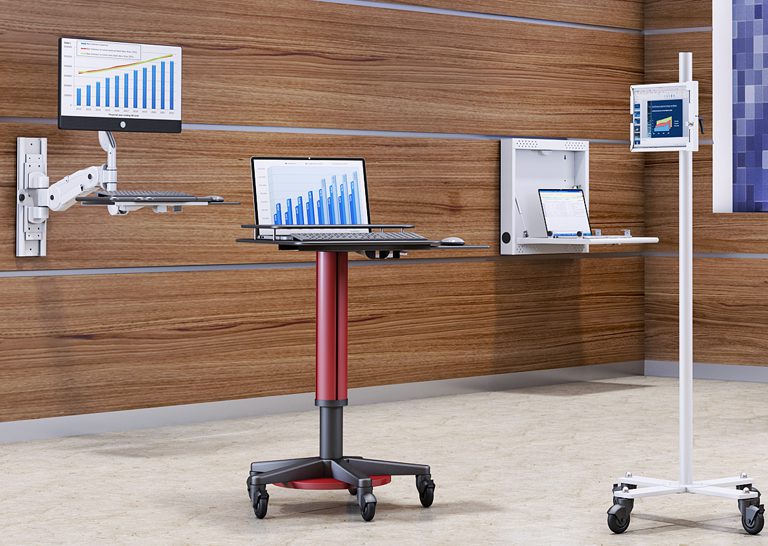
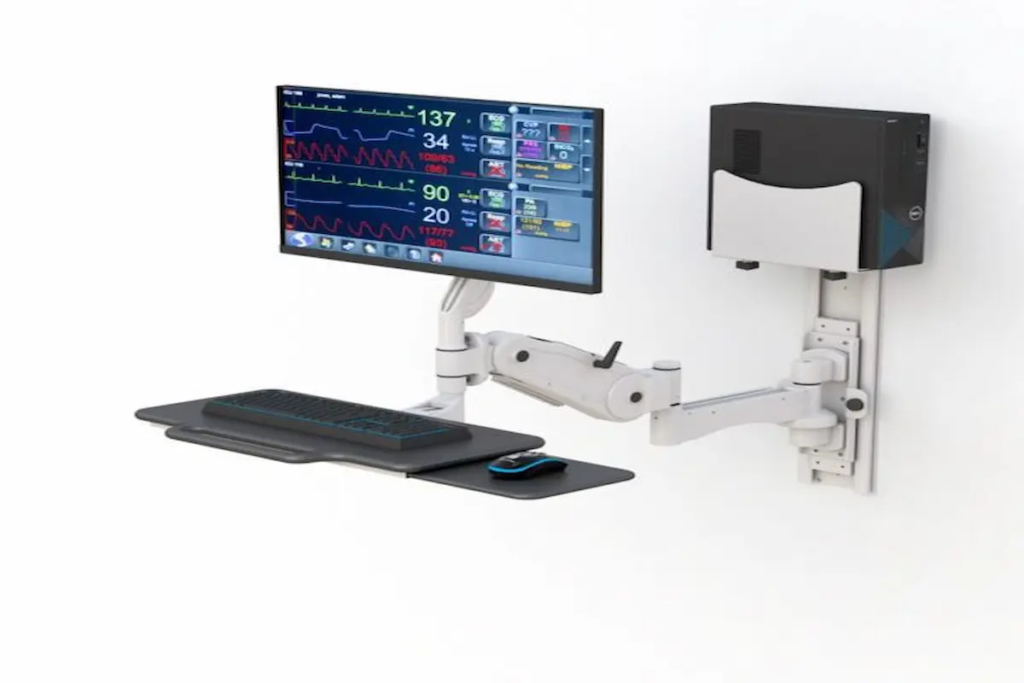
Single and dual monitor wall mounts offer tremendous flexibility. They allow tilt, swivel, and rotation adjustments. VESA compatibility is crucial here—most monitors use 75x75mm or 100x100mm patterns.
Weight capacity varies significantly. Dual setups typically support 20-30 pounds per arm. Larger displays may require mounts rated for 25-40 pounds. Gas-spring arms make repositioning effortless throughout your workday.
TV Wall Mounts
TV mounts come in three main styles. A fixed tv wall mount offers a slim profile, keeping your tv wall installation flush and minimal. Tilting mounts adapt to reduce glare when mounted above a fireplace. Full motion mounts provide the ultimate flexibility, allowing you to swivel and extend your screen.
For 2026, ultra-slim full motion mounts supporting TVs up to 125 pounds represent the latest trend. Viewing distance recommendations suggest positioning your seat 1.5 to 2.5 times the diagonal screen length away.
Wall Mounts for Shelves
Wall mounts for shelves range from simple L-brackets to sophisticated concealed rod supports. Floating shelves require strong anchorage—ideally into wall studs or using masonry anchors for brick walls.
Weight distribution matters significantly. Brackets should be spaced no more than 16-24 inches apart depending on shelf depth. These solutions work beautifully for office organization and home storage throughout any room.
iPad Wall Mounts
iPad wall mounts have gained popularity for smart home integration. You can install them in kitchens for recipes, bedrooms for entertainment, or offices as reference screens.
Modern options include magnetic docks with integrated USB-C charging. Some models lock securely for added security. The ability to switch between portrait and landscape orientations makes them incredibly versatile.
Selection and Installation Guide
Choosing the right mount requires considering several factors. Here’s what to evaluate:
Key Selection Criteria
- Wall type: Drywall with wood studs, metal studs, brick, or concrete each require different anchoring approaches.
- Device weight: Always check the mount’s weight limit and VESA compatibility.
- Adjustability needs: Determine whether fixed, tilt, or full motion best suits your room layout.
- Installation complexity: Consider available tools and whether professional help is needed.
- Budget: Prices range from $15 for basic mounts to $300+ for premium full motion options.
- Cable management: Plan how you’ll hide wires for a clean aesthetic.
Professional vs DIY Installation
DIY installation works well for standard walls with wood studs and moderate-weight devices. However, certain situations call for professional help.
Hire a professional when mounting very heavy TVs, working with concrete or brick, or routing electrical behind walls. In the College Point, New York area, local building codes may require licensed electricians for concealed wiring. Contact Ergoville for installation guidance specific to your situation.
Common Challenges and Solutions
Even experienced installers encounter obstacles. Here’s how to address the most frequent issues.
Finding Wall Studs in Older Homes
Use a stud finder or the knock test to locate studs. Most homes have studs 16 inches apart. If no stud exists where needed, toggle bolts rated for your load provide a secure alternative.
Cable Management and Organization
In-wall rated cables work best when code permits. Otherwise, paintable cable covers and raceways maintain clean aesthetics. Many ceiling mounts and tv mounts now include integrated cable channels.
Ensuring Proper Ergonomic Height
For monitors, position the top of the screen at eye level. For TVs, center the screen at seated eye height. iPad mounts for touch interaction work best at chest height. Ergoville’s team can provide personalized height recommendations.
Dealing with Different Wall Types
Drywall requires stud mounting or heavy-duty anchors. Brick and concrete need masonry anchors drilled with specialized bits. Plaster walls are brittle, so drill pilot holes carefully to prevent cracking.
Conclusion and Next Steps
Wall mounts deliver remarkable benefits for 2026 workspaces. They save space, improve posture, and create cleaner environments. The right mount transforms how you interact with technology daily.
Take these steps now:
- Measure your devices and identify VESA patterns
- Assess your wall type and locate studs
- Browse Ergoville’s wall mount collection for options
- Check out our limited special offers for current deals
For related solutions, explore our ergonomic furniture options including monitor arms and adjustable desks.
Frequently Asked Questions
Can I mount a 65-inch TV above my fireplace safely?
Yes, but use a tilting mount to reduce glare and direct the screen downward. Ensure adequate ventilation and maintain proper viewing distance from your seat.
How do I find studs in plaster walls?
Use a magnetic stud finder or measure from window frames, which are typically framed to studs. Knock testing also helps identify solid versus hollow areas.
What is VESA compatibility?
VESA refers to standardized hole patterns on the back of screens. Common patterns include 100x100mm for monitors and 400x400mm for larger TVs. Always match your device’s pattern to your mount.
Are full motion mounts worth the extra cost?
They’re ideal for rooms with multiple seating positions or corner installations. However, fixed mounts work perfectly for dedicated viewing areas and cost less.
What anchors work best for brick walls?
Masonry sleeve anchors or expansion bolts provide secure mounting. Drill with a masonry bit and use anchors rated for your device’s weight.
How high should I mount my monitor for ergonomic comfort?
Position the top of the screen at or slightly below eye level. The center should sit about 10-20 degrees below your horizontal line of sight.
Do iPad wall mounts work as smart home controllers?
Absolutely. Many models include integrated charging and support HomeKit or Google Home. They’re perfect for kitchen, bedroom, or entryway placement.
“`