
Best Computer Racks for Office & IT Setup 2026
Introduction
Computer racks are the backbone of any organized office or IT environment. Simply put, they’re frameworks designed to house servers, networking equipment, monitors, and storage devices in a secure, accessible manner. In 2026, these racks have become essential infrastructure for adapting to hybrid work models and increasingly complex technology demands.
This guide covers everything you need to know about selecting computer racks for office environments, IT infrastructure, and home office setups. Whether you’re an IT manager overseeing a data center, an office administrator organizing workspace equipment, or a remote worker building an efficient home setup, you’ll find practical guidance here.
Here’s the direct answer: Computer racks organize and secure IT equipment while optimizing workspace efficiency, improving cable management, and ensuring proper airflow for your devices.
By the end of this guide, you’ll understand:
- How to choose the perfect rack for your specific needs
- Key differences between rack types and their applications
- Solutions for common challenges like cooling and cable management
- Weight capacity and dimension guidelines for 2026 equipment
- Where to find quality racks in the College Point, New York area
Understanding Computer Racks
A computer rack is a standardized framework that holds IT hardware in vertical configurations. These racks use rack units (commonly called “U”) as their measurement standard—each U equals 1.75 inches in height. Therefore, a 42U rack stands approximately 6-7 feet tall and can accommodate multiple servers, switches, and storage devices.
Modern offices rely on racks and cabinets because they transform chaotic equipment setups into organized, maintainable systems. Additionally, they protect expensive hardware from damage while enabling easy access for maintenance.
Types of Computer Racks
Server Racks for Network Infrastructure
Computer server racks typically feature four posts with an internal width of 19 inches—the industry standard. Floor standing models range from 42U to 44U and support static weight capacities of 2,500 to 5,000 pounds. These enclosed racks are ideal for data center environments where security matters.
Desktop Computer Storage Racks
Computer storage racks offer compact solutions for organizing workstations and peripheral devices. They’re smaller than full server rack cabinets, often wall mount compatible, and perfect for offices with limited floor space.
Monitor Mounting Racks and Stands
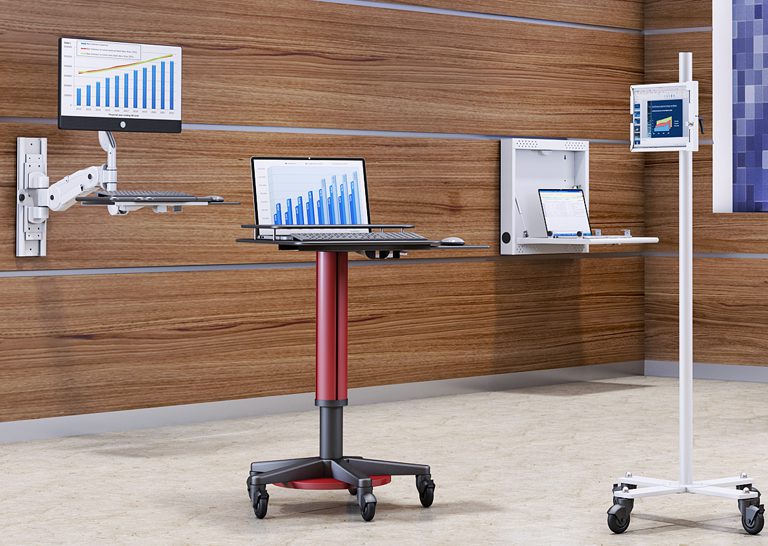
Computer monitor racks focus on ergonomic positioning and VESA compatibility. They help create clean workspaces by elevating displays and integrating cable management features.
Mobile Computer Workstation Racks
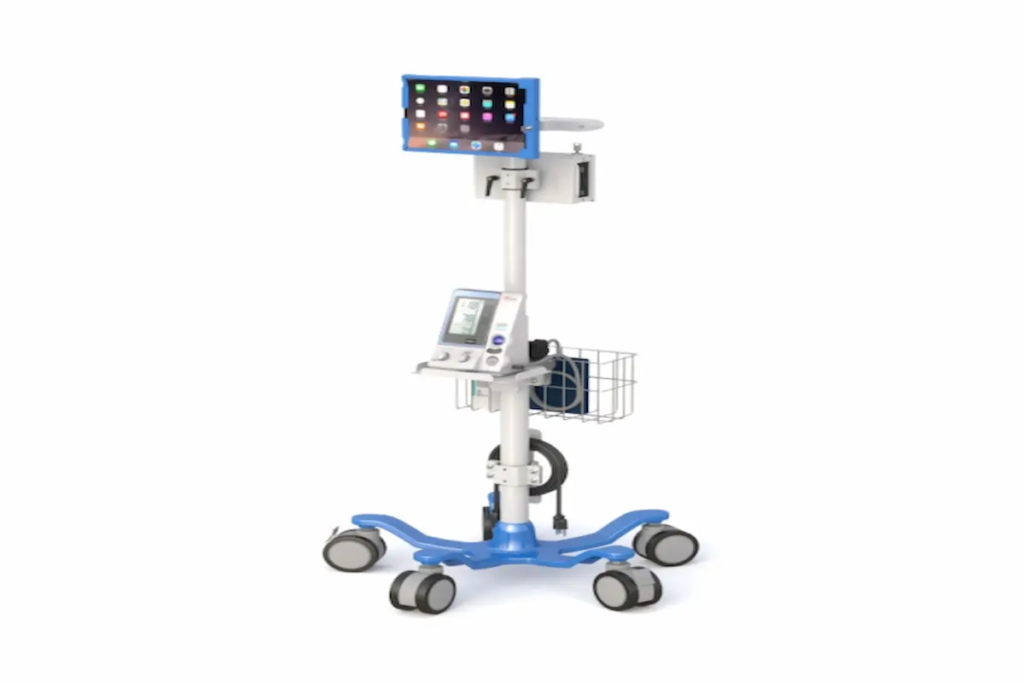
These racks feature casters for mobility, making them adaptable for classrooms, labs, or flexible office environments. However, dynamic load capacity differs significantly from static capacity—always check specifications before loading equipment.
Key Components and Features
Quality racks and cabinets include several essential components:
Cable Management Systems: Vertical and horizontal cable managers, brush strips, and color-coded routing keep cables organized. Good cable management prevents airflow blockage and simplifies maintenance.
Ventilation Features: Vented side panels, doors, and roof panels ensure proper airflow. As equipment density increases, some racks now support liquid cooling accessories for high-performance hardware.
Security Elements: Lockable doors, tamper-resistant screws, and grounding bar installations protect sensitive networking equipment. Some advanced rack enclosure models even feature fingerprint access controls.
At Ergoville, we offer a range of computer racks designed with these features in mind.
Computer Rack Applications for 2026
Building on these fundamentals, let’s explore how different environments benefit from specific rack configurations.
Office IT Infrastructure Setup
Server room organization requires careful planning around rack type, depth, and cooling requirements. The 19-inch standard remains dominant in office environments, though the Open Compute Project’s 21-inch format is gaining traction for hyperscale applications.
Workspace Organization Solutions
Desktop computer storage racks help maintain clean, efficient workspaces. Computer monitor racks with adjustable mounting options improve ergonomic positioning, reducing strain during long work hours.
Furthermore, integrated cable management creates the “clean tech aesthetic” that modern offices prefer. Equipment stays organized, and maintenance becomes straightforward.
Home Office and Remote Work Setups
Remote workers increasingly need compact rack solutions. Wall mount options save valuable floor space while still providing secure storage for home lab equipment. These smaller racks typically support 200-600 pounds—plenty for most home office configurations.
Consider factors like noise levels and depth requirements when selecting home office racks. Some enclosed cabinets offer sound dampening features that keep workspaces comfortable.
Selecting the Right Computer Rack for Your Needs
Choosing the perfect rack requires understanding your current situation and future plans.
Size and Dimension Guidelines
Follow this process for determining your rack requirements:
- Assess current and future equipment needs – Count your devices and plan for 20-30% growth capacity
- Measure available floor or wall space – Standard racks require 24-inch floor tile alignment; add aisle clearance
- Consider ventilation and access requirements – Ensure adequate space behind racks for airflow and cable routing
- Plan for cable management and future expansion – Reserve “0U” space for PDUs and cable managers
Typical dimensions to remember: most servers require 36-42 inches of depth, while standard rack cabinet external widths run around 24 inches.
Rack Type Comparison
| Criterion | Open Frame Racks | Enclosed Racks | Wall Mount Options |
| Space Requirements | Moderate floor space | Larger footprint | Minimal—uses wall |
| Security Level | Low—requires room controls | High—lockable doors, panels | Moderate—lockable enclosures |
| Ventilation | Excellent natural airflow | Controlled—requires fans | Variable—check depth |
| Cost | Lower upfront | Higher initial investment | Budget-friendly |
Open frame racks excel in labs and development environments where easy access matters most. Enclosed racks suit businesses handling sensitive data or requiring dust protection. Wall mount options work beautifully for small offices and remote work setups.
Common Challenges and Solutions
Every IT setup faces obstacles. Here’s how to address the most frequent issues.
Inadequate Cooling and Ventilation
Solution: Maintain proper spacing between devices, use blanking panels to direct airflow, and install fan trays in enclosed cabinets. For high-density configurations exceeding 50kW per rack, consider liquid cooling accessories.
Cable Management Chaos
Solution: Implement organized routing systems from day one. Use color-coded cables, Velcro straps, and vertical managers. This approach prevents accidental disconnects and improves airflow simultaneously.
Limited Space in Office Environments
Solution: Wall mount racks and compact vertical designs maximize efficiency. Additionally, mobile racks with casters provide flexibility for changing layouts while still protecting your equipment.
Conclusion and Next Steps
Computer racks remain essential infrastructure for 2026 office and IT environments. They protect equipment, improve maintenance efficiency, and create organized workspaces that support productivity.
Your immediate next steps:
- Assess your current equipment setup and identify pain points
- Measure available space carefully, including clearance requirements
- Research rack options that match your security, cooling, and capacity needs
For complete workspace optimization, consider how ergonomic furniture solutions complement your rack setup. Quality equipment deserves quality organization.
Ready to find your perfect rack solution? Contact Ergoville today—we’re located in College Point, New York, and we understand the specific needs of local businesses. Check out our limited special offers for current deals on computer racks and accessories.
Frequently Asked Questions
What size computer rack do I need for my office setup?
Start by counting your current devices and planning for 20-30% growth. Most small offices need 12-22U racks, while larger IT environments typically require 42U floor standing cabinets.
Are wall-mounted racks suitable for server equipment?
Yes, for light to medium-duty applications. Wall mount racks typically support 200-600 pounds—adequate for switches, small servers, and networking equipment. Heavy enterprise servers need floor cabinets.
How do I ensure proper cooling in enclosed computer racks?
Use vented side panels and doors, install blanking panels in empty spaces, and maintain front-to-rear airflow. High-density setups may require fan trays or liquid cooling solutions.
What’s the difference between server racks and computer storage racks?
Computer server racks are larger, deeper, and designed for heavy-duty equipment with standardized U-mounting. Computer storage racks are often smaller, sometimes featuring drawers or shelves for general equipment organization.
Can computer racks accommodate different equipment brands?
Yes—if equipment adheres to the 19-inch internal width standard. Always verify depth requirements and mounting rail compatibility before purchasing.
How much weight can a typical computer rack support?
A standard 42U rack cabinet supports 2,500-5,000 pounds static capacity. However, dynamic capacity (on casters) is lower. Empty rack weight ranges from 200-330 pounds, with fully loaded configurations reaching 1,800-2,700 pounds.
Looking for expert guidance on computer racks for your comfort? Ergoville offers personalized solutions, quality products, and local support to help you create the perfect IT environment.